Human error can occur by the operator not pressing the START/STOP key at the precise time that the vehicle enters and exits the
measurement zone.
If too short of distance is entered, it increases the chance for error. We recommend a minimum of 660 feet.
The greater the speed, the longer the measurement distance should be to reduce the possibility of an error. For example, if you are
mostly measuring high speeds you should measure using a longer distance than if measuring slow speeds.
Using Stopwatch Mode 2X Display Unit
Stopwatch Mode Operation
1. Enter Stopwatch Mode using the ergonomic remote control by pressing
the MENU key six times. Use the Ï and Ð keys to set StO P to On.
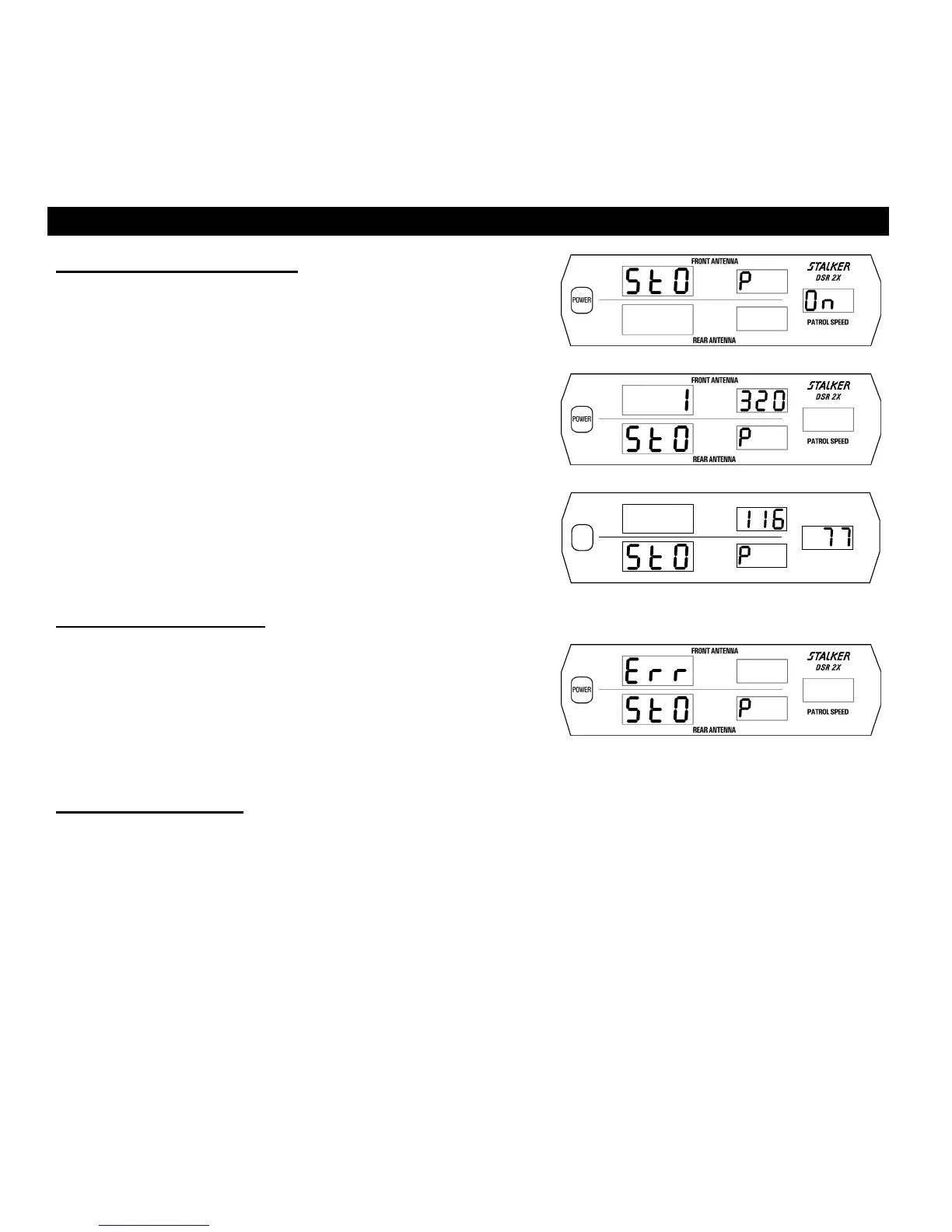
Fig. 31 shows the Stopwatch Mode in its ON setting. Press any of the
four ZONE keys to exit Setup Mode and enter Stopwatch Mode (shown
in Fig 32). The 1320 feet display will normally be a different number –
depending upon its previous setting.
2. Enter the measurement zone distance using the Ï and Ð keys.
3. While observing the target vehicle traverse the measurement zone, start
timing by pressing the START/STOP key once upon entry and stop
timing by pressing the START/STOP key again upon exit.
4. The computed speed will be computed and shown in the patrol window.
Fig. 33 is an example of a 1320-foot measurement zone, an 11.6-second
measurement interval, and a 77 mph computed speed.
Fig. 31
Fig. 32
S
DSR 2X
PATROL SPEED
REAR ANTENNA
POWER
FRONT ANTENNA
.
Fig. 33
Stopwatch Mode Errors
If you get an Err message (Fig. 34) while trying to operate in Stopwatch
mode, verify that the front antenna is properly connected and functioning.
The counting unit uses the front antenna’s internal crystal for start/stop timing
during Stopwatch mode. At the end of each timing interval the front
antenna’s internal crystal is compared against the counting unit crystal within
a small tolerance. If a crystal error is detected, the Err message is displayed.
Fig. 34
Exit Stopwatch Mode
To exit Stopwatch mode, press any Target Zone key. The S DSR 2X will reset and revert to Radar mode again.
29



 To Next Page