Set up
HemoPoint
®
H2 User’s Guide
15
(approximately 5 minutes). The display will go blank in the Stand-
by mode.
This elapsed time can be changed in Section 5.5.2.3 “Setting the
Stand-by time”.
The Stand-by mode reduces power usage to a minimum.
There are (3) three ways of switching the instrument ON again:
Touch the Touchscreen
Open or close the cuvette holder
Plug the photometer into an electrical power supply
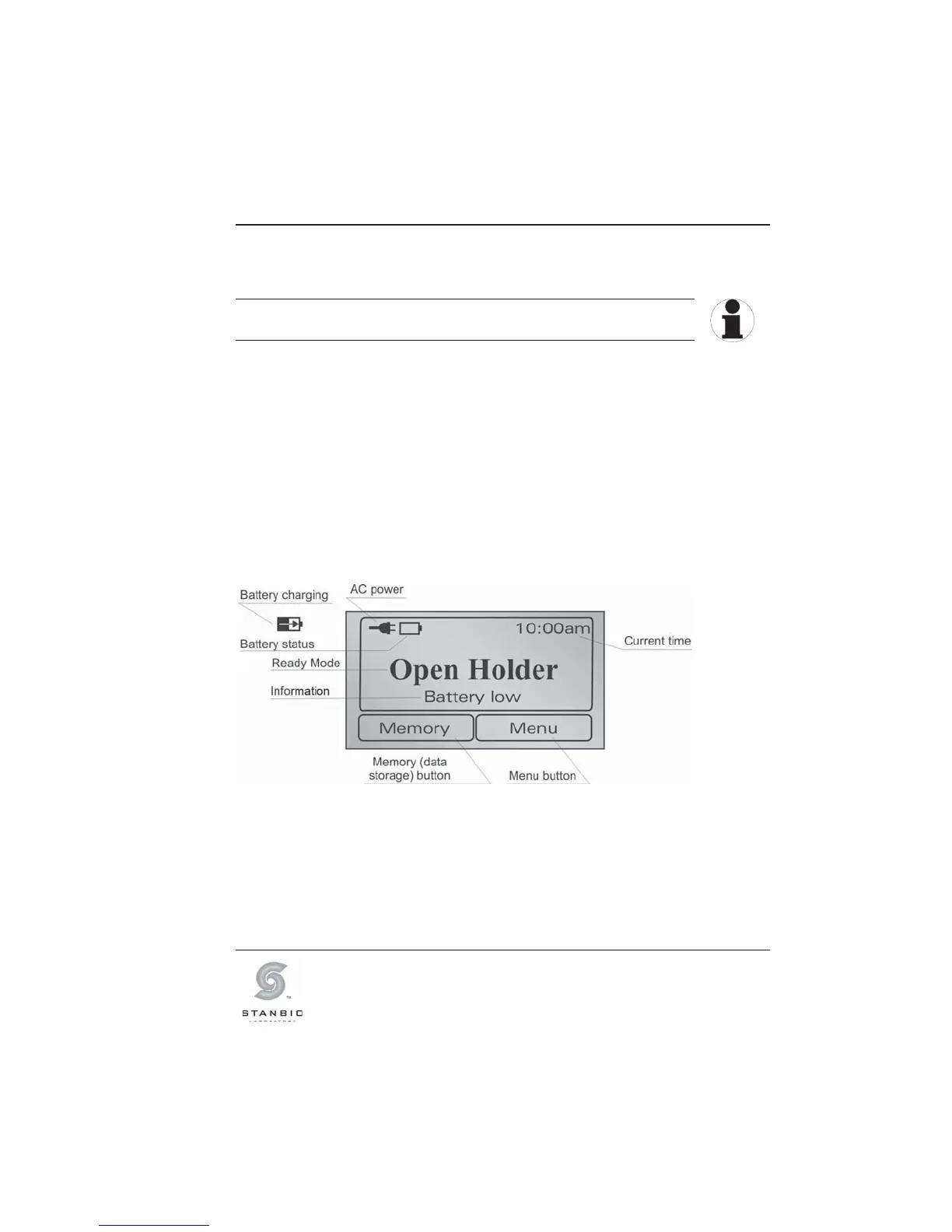
3.3.5 Displays and symbols in the ready mode
Illustration 6: Display in ready mode (Open Holder).
TIP



 To Next Page