Further functions
HemoPoint
®
H2 User’s Guide
30
5. Further functions
5.1 Touchscreen
5.1.1 General
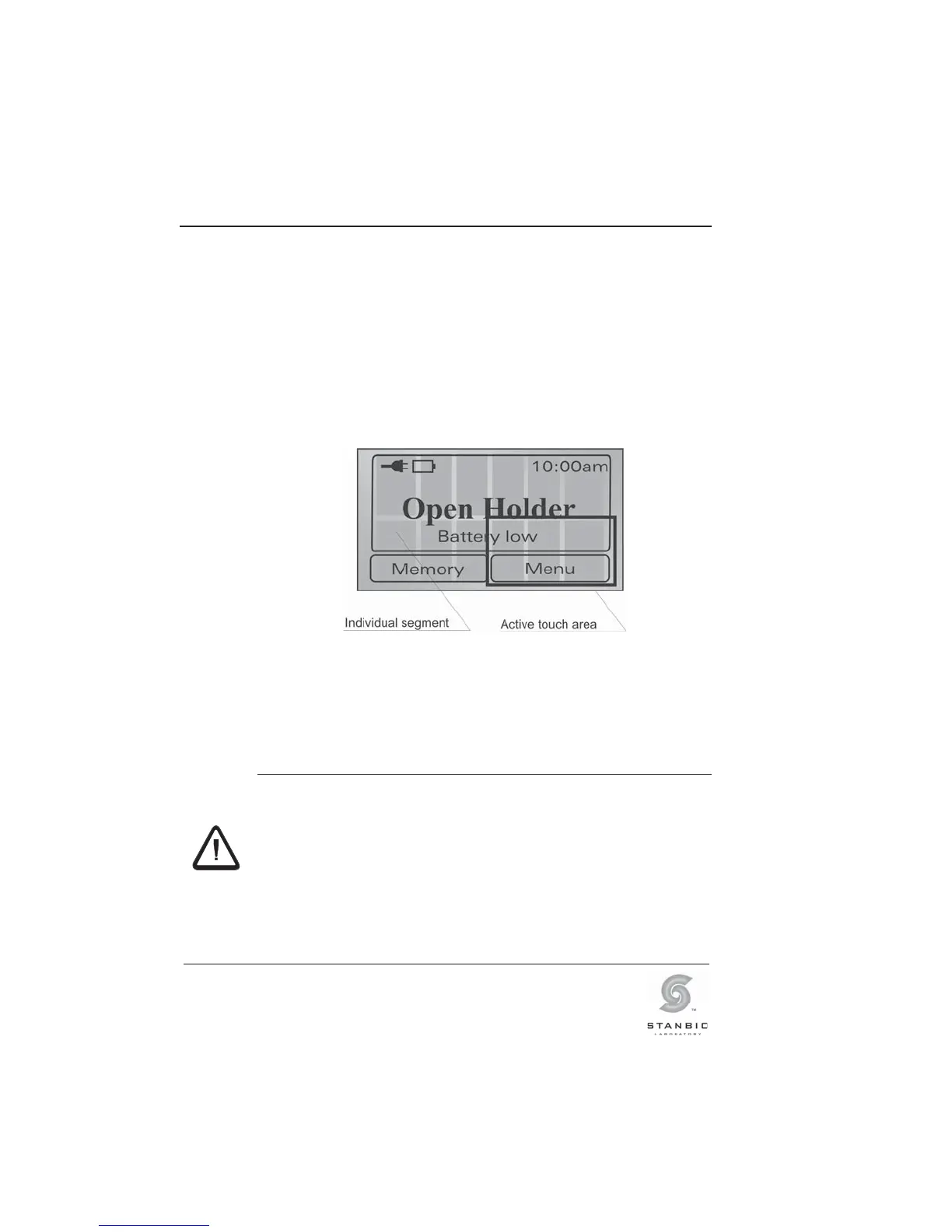
The photometer has been equipped with a touchscreen. The
touch sensitive surface is divided into various individual
segments. According to the current operating mode, these
segments can be defined as operating buttons.
Illustration 23: Divided touchscreen.
The buttons in the lower part of the display are enlarged to allow
easy operation. As can be seen in Illustration 23, the sensitive
area of these buttons extends into the middle of the display, so it
is not difficult to operate them.
A touchscreen is a delicate electronic component. Therefore
please note the following instructions:
Only touch the touchscreen lightly with fingertips.
Avoid sharp objects such as ball-point pens, fingernails,
etc.
Only clean the touchscreen with a soft cloth that is
lightly dampened with water or a mild cleaning solution.
Follow the instructions given in Section 6.1 “Cleaning
and disinfection of the instrument”.
WARNING!



 To Next Page