SCS.3m Descripon
3. SCS.3m Descripon
3.1 SCS.3m – Tradional Mixer Comparisons
The SCS.3m was created to give you control of most common mixer funconality. You can see that
the layout on the SCS.3m is symmetrical and that we are emulang a 2-channel mixer, similar to a
typical DJ mixer. Keeping this comparison in mind will help you to understand the different features
of the SCS.3m.
Let’s begin by comparing the different control groups on the SCS.3m to their counterparts on a
tradional mixer.
6
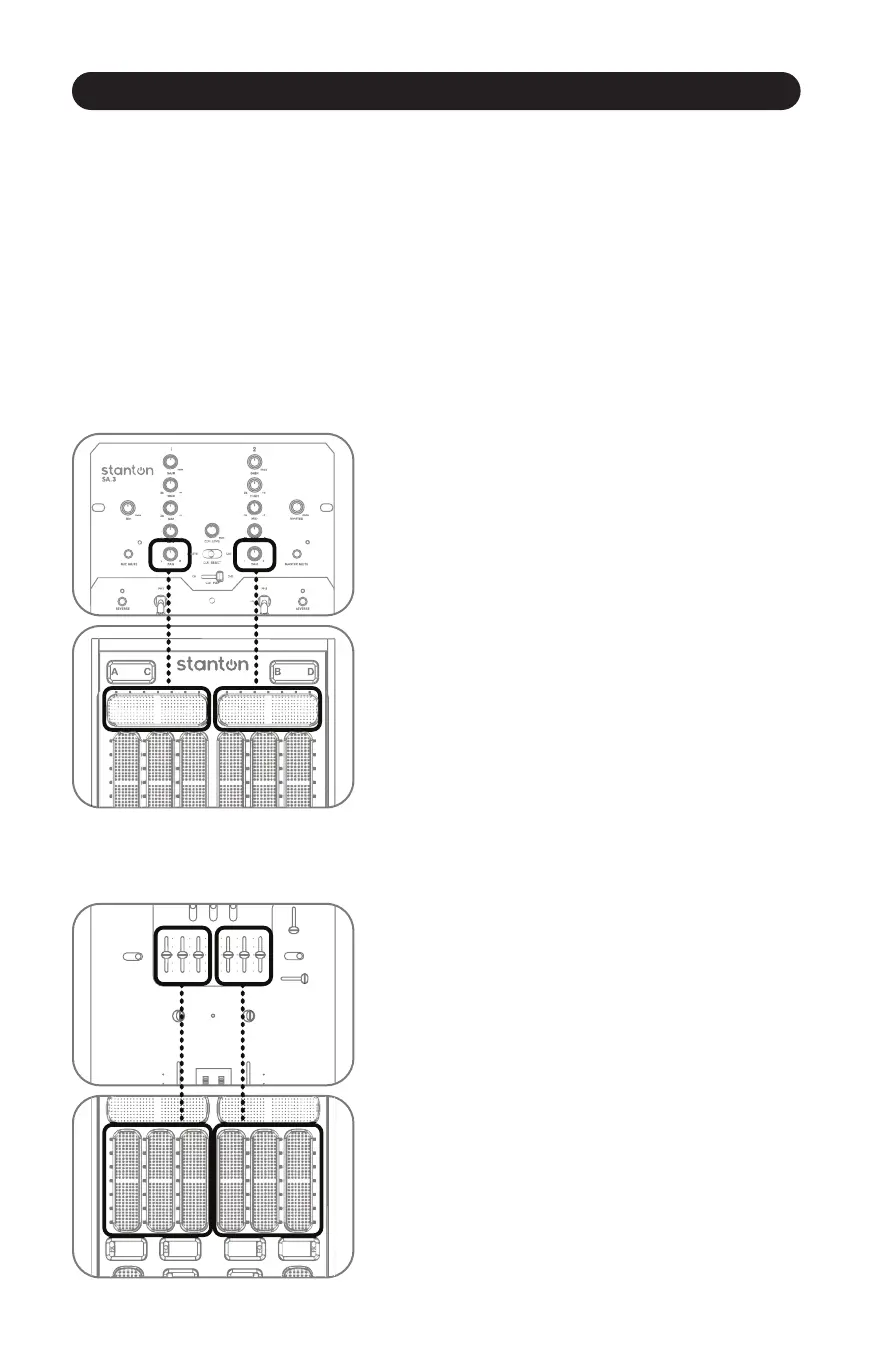
3.1.1 Channel Pan
3.1.2 EQ Secon
The Channel Pan control allows you to move the audio on
that channel le or right in the stereo field. This can be
used as an effect, or to compensate for problems either in
the loaded track or the main speakers.
****NOTE: In Virtual DJ, these faders are used to control
the FILTER or first FX parameter, depending on mode.
(Figure 3.1)
Figure 3.1
An EQ allows you to manipulate different frequencies.
On the SCS.3m, the EQ secon is separated into 3 sliders.
Each slider corresponds to a frequency range (Low, Mid,
and High). You can use the EQ to make subtle adjustments
to a track to “match” it to your other track (for instance, if
the bass is too boomy). Many DJs will mix tracks together
not just with the volume, but will also lower the bass of
the incoming track so it blends smoothly with the playing
track. You can also use the EQs as effects, radically
changing the sound of a playing track. (Figure 3.2)
Figure 3.2



 To Next Page