Connect the SC System 3/Installing Virtual DJ
4
2.2 Connect the SC System 3
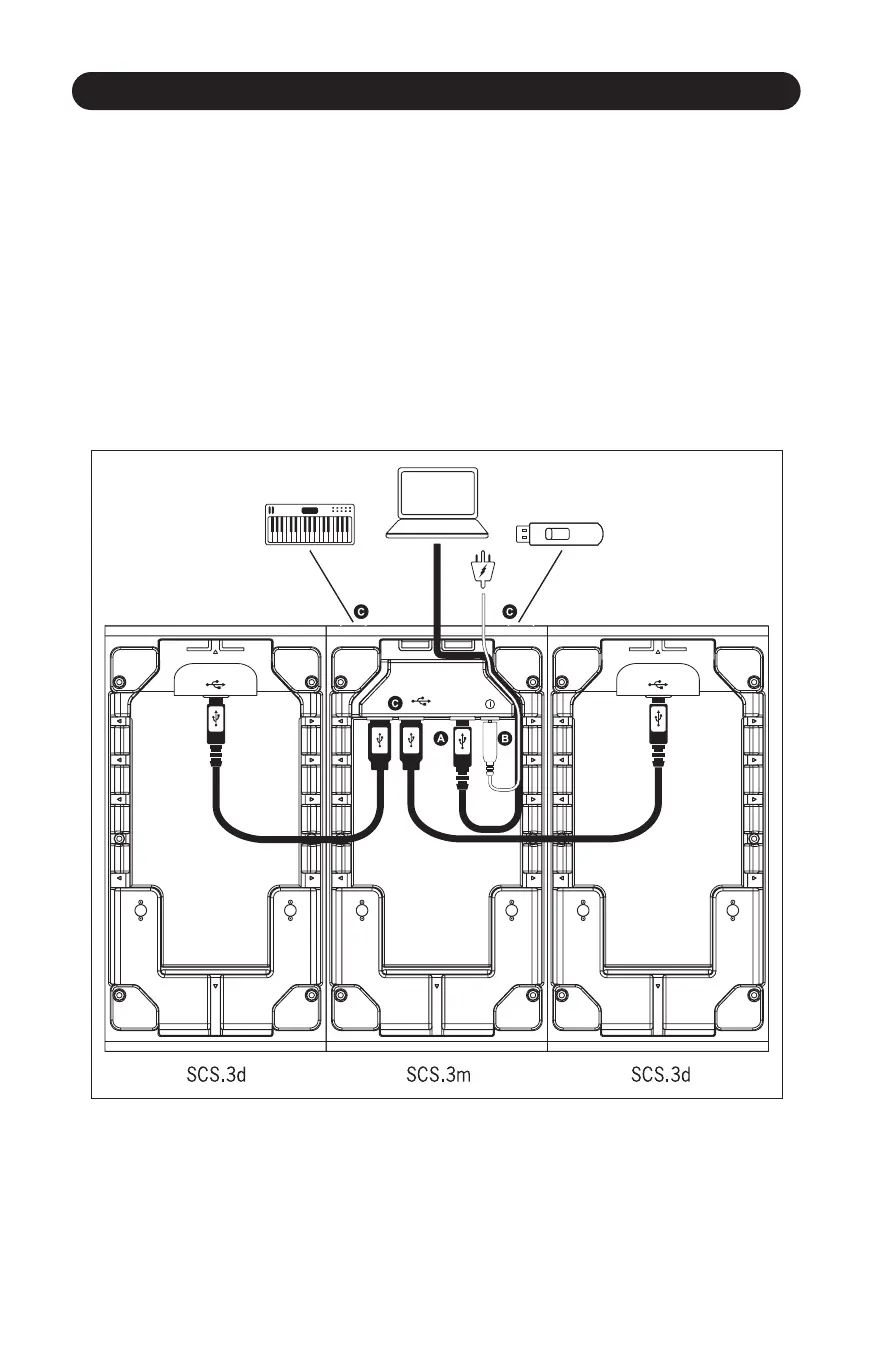
A. Connect the USB type “B” connector to the SCS.3m USB “B” socket and the other end of the USB
cable to your computer’s USB port.
B. Before connecng other devices, connect the SCS.3m to power.
C. Thanks to the SCS.3m integrated USB hub and the wire management opons, you can now
connect the two SCS.3d’s either by roung the USB cables through the sides of the SCS.3d’s and
SCS.3m, or out the back of the SCS.3d and using the two rear panel USB connectors.
The addional two USB sockets can be used to add peripheral devices such as flash storage, other
controllers, or any other USB peripheral. (Figure 2.3)
Figure 2.3



 To Next Page