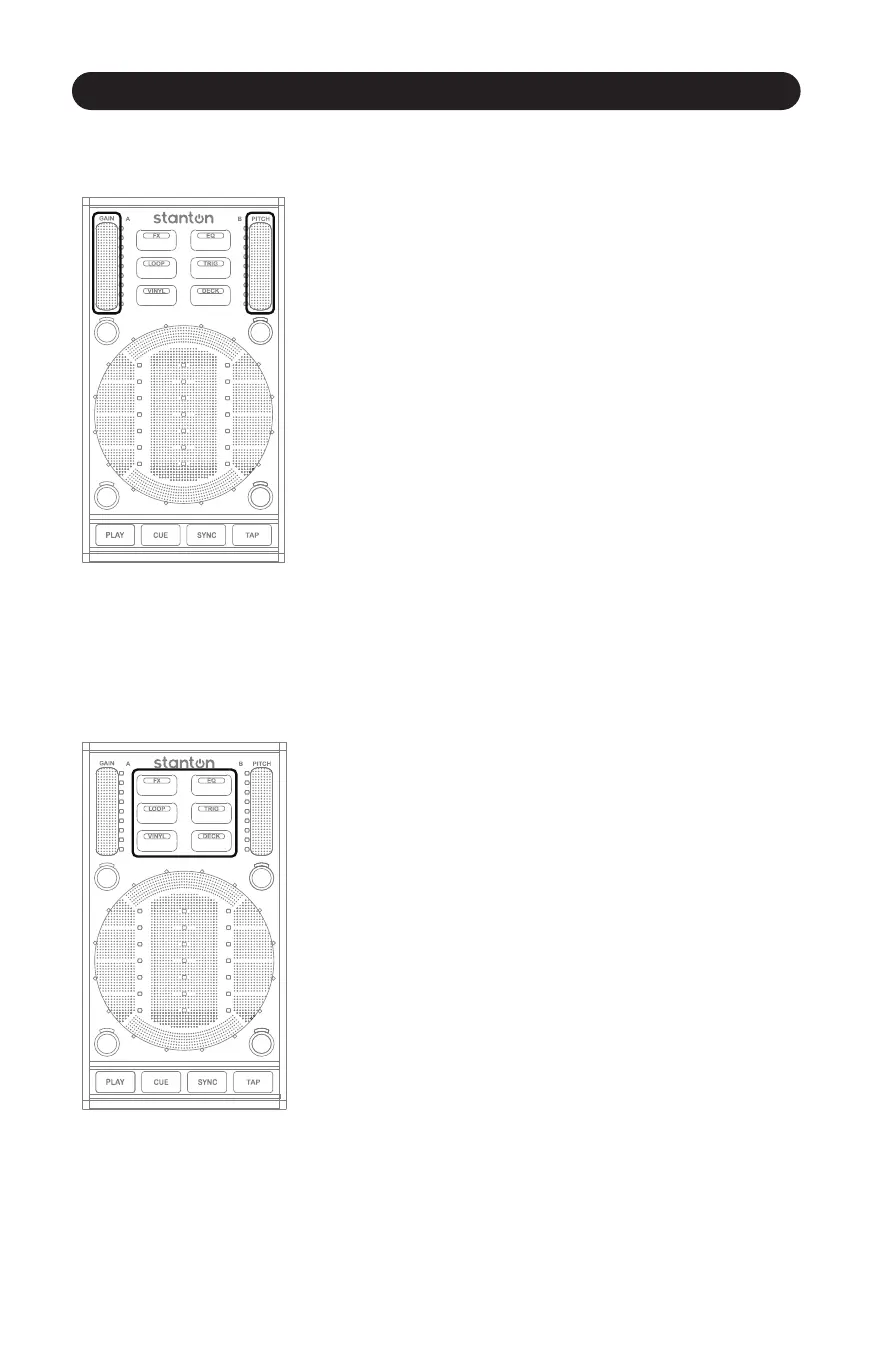
Gain/Pitch Sliders
17
4.2.1 Gain/Pitch Sliders (Figure 4.5)
Figure 4.5
The Gain Slider is located in the top le corner of the SCS.3d.
It controls the gain for whatever deck that SCS.3d is controlling.
However, Gain is different than volume. Think of gain as the output
of the deck before it is affected by the volume fader. For example,
if a deck is excessively loud (even when you bring your mixer volume
down) you would need to adjust the gain to fix this problem.
The Pitch Fader is located in the top right corner of the SCS.3d.
In the DJ world, adjusng pitch actually means adjusng the
playback speed of the track. This is the main tool DJs use for
beatmixing songs together.
To increase the overall accuracy of the SCS.3d pitch faders, we have
changed the type of data the Pitch fader sends out to a relave
message (instead of absolute) so you have very fine control over the
pitch fader in a compact space.
4.2.2 Mode Switcher
Figure 4.6
The “Mode Switcher” secon is a group of 6 buons that change
the way the SCS.3d behaves. (Figure 4.6) Each of these buons
makes changes to one or more control areas on the SCS.3d.
Because the funcon of each mode is programmable, the specific
change each mode makes is highly dependent on what DaRouter
preset is being used.
Usually, the Mode Buons change the way the StanTouch Control
Area and the Trigger Buons work, but in some cases, other control
areas can be affected as well.
In this secon of the manual, we will look at these modes in general
terms. Later on, we will describe how some of these modes work
with the included Virtual DJ LE soware, to get you started mixing
right away.



 To Next Page