StarLine A93, StarLine A63
60
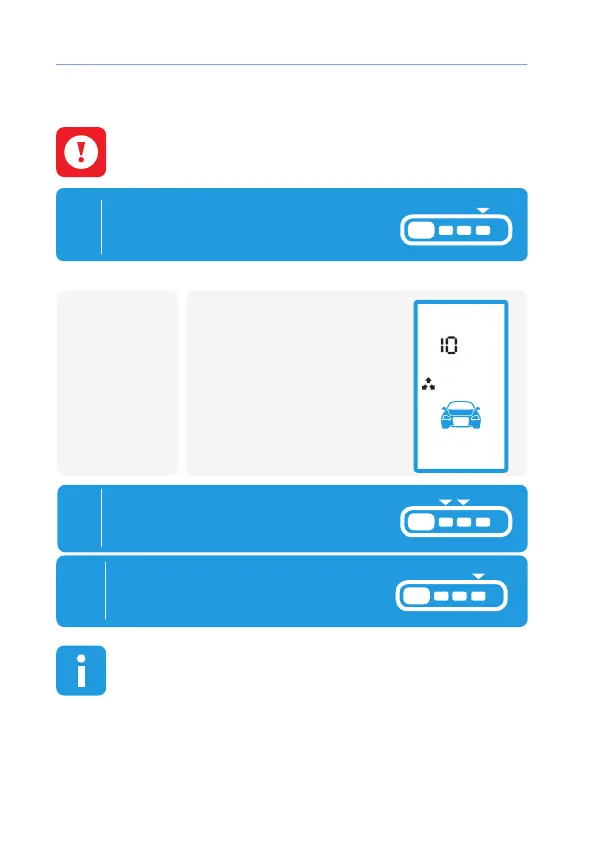
Tilt sensor sensitivity adjustment
The maximum sensitivity of the tilt sensor corresponds to
value of 14, the minimum is 01. When you select the value 0,
the sensor is deactivated (factory setting - 10).
1
In disarmed mode and ignition
is o press button 4 at rst long
(until melody appear), then short:
• Follow 3
light ashes;
• Follow 2
siren signals.
• Melody plays
• Appear indication of tilt
sensor adjustment mode.
2
By short press of buttons 2 and 3
set disired sensitivity level.
remotecar
3
To exit adjustment mode press
button 4 at rst long (until melody
appear),then short:
If after entering the sensitivity adjustment mode of tilt
sensor any button is not pressed on the remote control
within 15 seconds car alarm will automatically exit from
adjustment without saving changes. Followed by 4 audio remote
control beeps and 4 light ashes.



 To Next Page