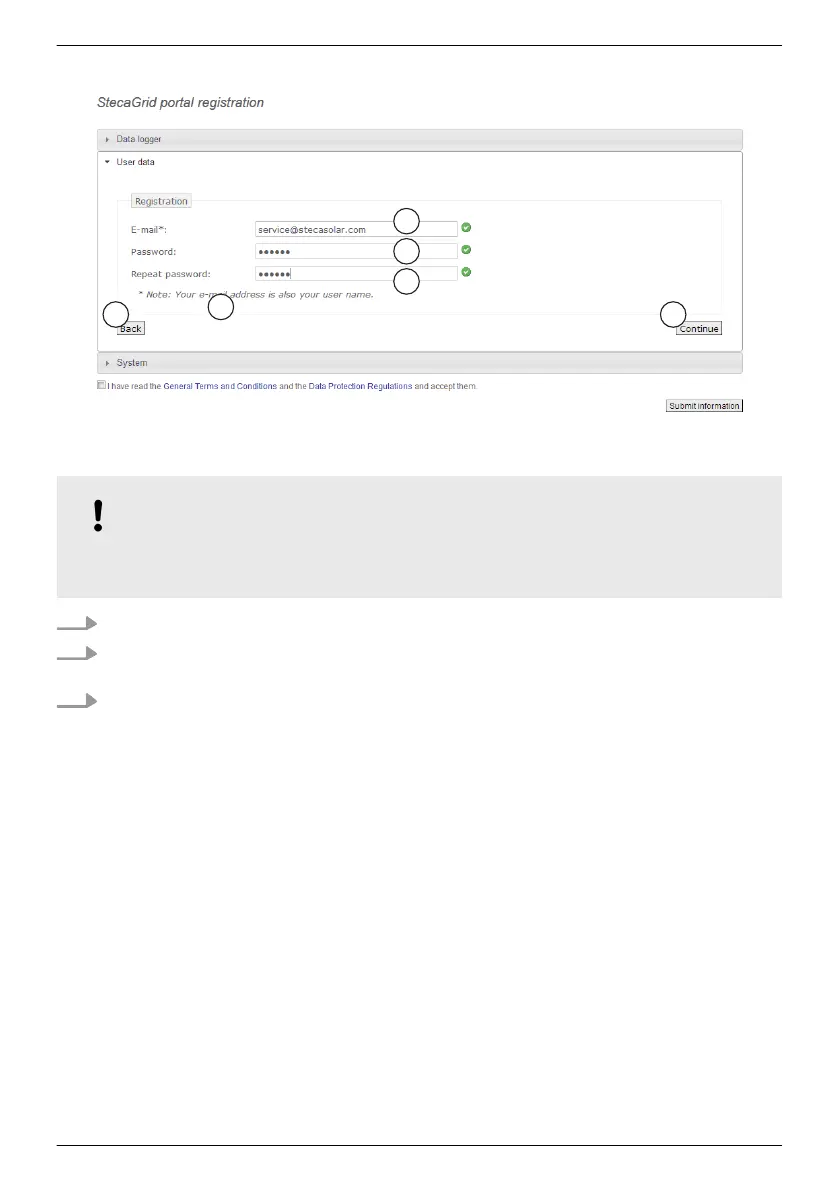
Entering the user data
Fig. 15: Data entry form for user data
NOTICE!
The email address can only be entered once and cannot be subsequently changed! The
email
address is also the user name; see also ① in
Ä
Fig. , p. 59.
1. Enter your email address into the field ① (
Fig. 15). Observe the note ④.
2. Enter any desired password into the field ② and repeat the entry of this password in the field
③ (safety check).
3. Confirm via the button ⑤ or
use the ⑥
button to return to the previous page if necessary (entries in Fig. 15 are
discarded).
ð
After ⑤ has been pressed, Fig. 16.
EN
747,431 | Z09 | 2015-09-30
55










 To Next Page