Wave User Guide
20
© 2017 Stenograph
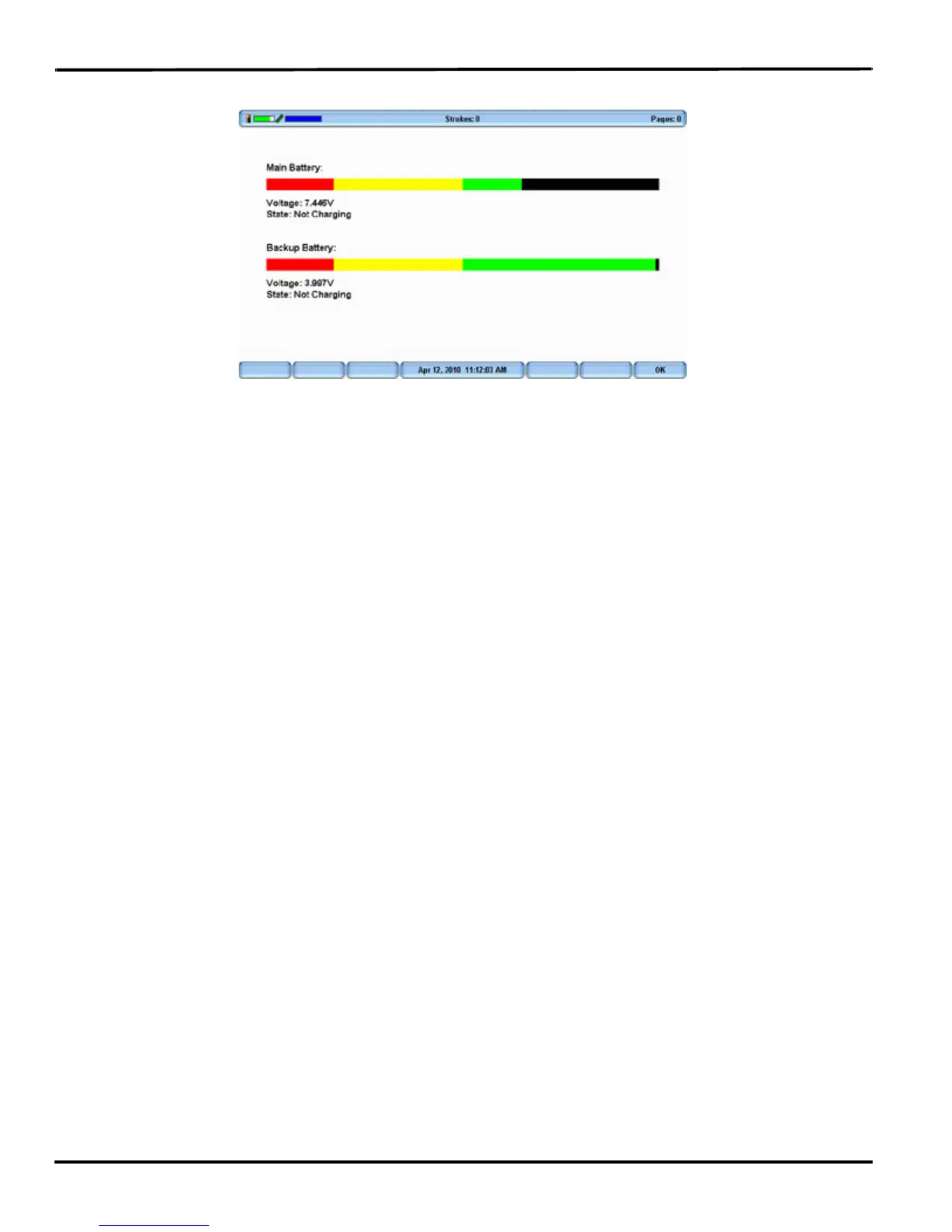
2. From the Opening menu, Diag and then press Battery. The battery status screen displays.
Wave Battery Status Screen
3. Review the following battery information:
• Indicator bar—provides an approximate indication of the battery voltage level. Green indicates
the battery is fully charged; yellow indicates it is charged and red indicates it is low.
• Voltage—the actual voltage amount. A main battery reading of 7.4 volts or higher indicates
normal operating voltage. 7.0 volts or below indicates the battery is very low and indicates
approximately one hour of operating time remaining.
A backup, Lithium Ion, battery reading of 3.9 or above indicates the backup battery is charged
and does not charge when the adapter/charger is attached; 3.8 or below indicates the backup
battery needs charging and automatically charges when the charger/adapter is attached.
• State—the most recent charging history. When checking battery status with the adapter/charger
not attached, the message Not Charging displays. If the adapter/charger was removed before the
charging is complete, an INCOMPLETE message displays along with a Cause of Failure
message indicating the charger was removed.
4. To display the Opening menu, press OK, Quit.
Low Battery Warnings
As the main battery becomes progressively low, the Wave displays warnings using the battery gauge on
the title bar of the Tilting screen and messages on the Status LCD. When the main battery becomes low
while connected to a computer with a USB cable, low battery messages continue to display until the
battery is depleted. All the features continue to operate. See Powering With the USB Cable on page 23.
Use the Wave Diagnostic feature to check the specific voltage levels of the batteries. See View Battery
Voltage Levels on page 19.



 To Next Page