Wave User Guide
70
© 2017 Stenograph
Copy Log Support Info Retrieval
The GetSupportInfo utility transfers log error information from the Wave to your computer. In the rare
instance your Wave writing machine experiences an error, Technical Support may request this
information for analysis.
To retrieve the support information:
1. Turn your Wave On.
2. From the Opening Menu on the Wave, press Diag, Copy Log.
3. The Wave copies all the appropriate log information to the Support Info Files folder.
4. Turn your computer On. Ensure that it is fully booted.
5. Download the Wave GetSupportInfo Utility from the Stenograph web site. On the Stenograph web
site, select Support, Download Center, Utilities & Links and then right click the Wave GetSupportInfo
Utility link, select Save Target as or Save Link as and save it to your computer desktop or hard
drive. At the Stenograph website: click Support, Download Center and Utilities & links. Navigate to
the location where you saved the file, highlight the file, right click and select Extract All.
6. Connect the appropriate end of the USB cable to the USB port on the Wave and the other end to a
USB port on your computer.
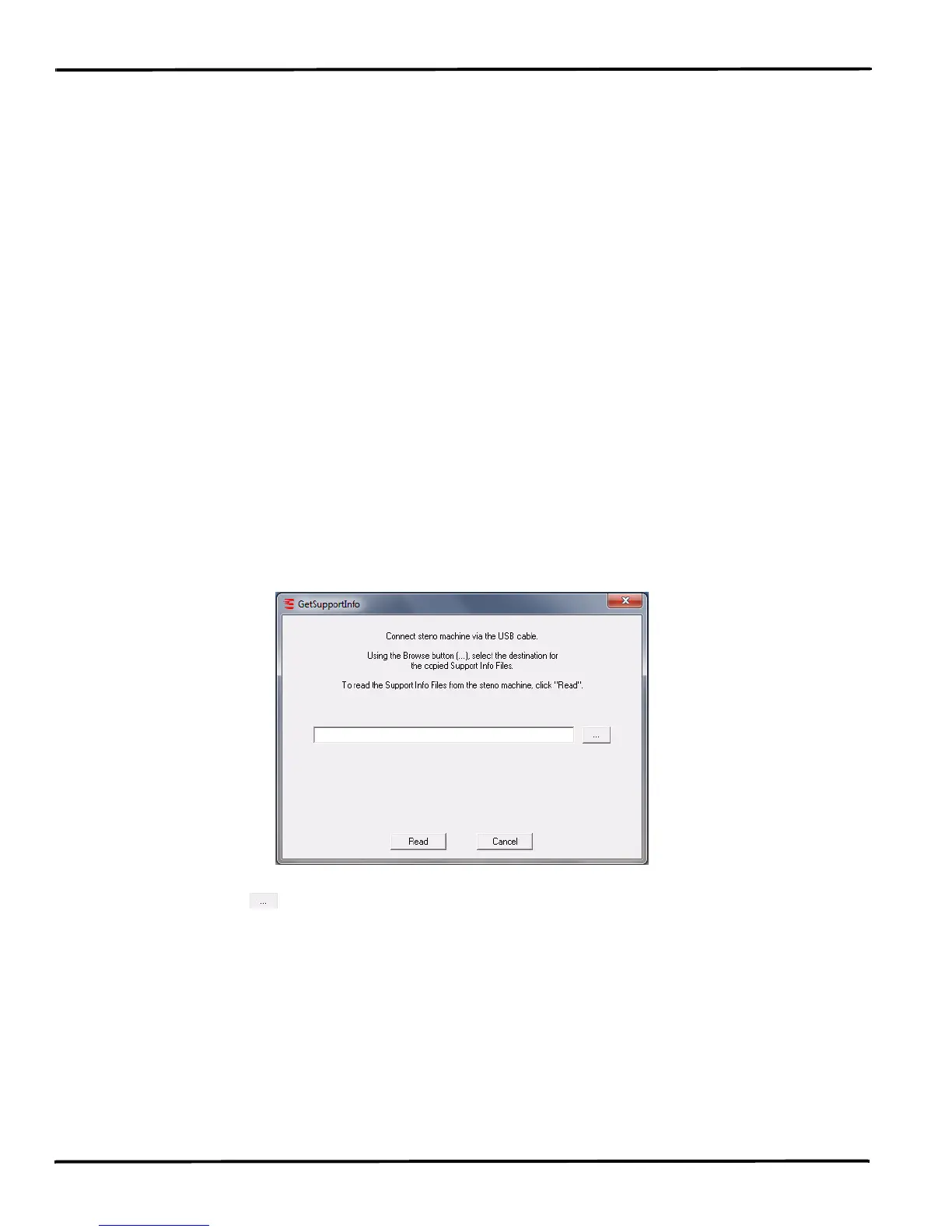
7. Double click the GetSupportInfo.exe icon on your Desktop. The GetSupportInfo dialog box
displays.
8. Click the Browse button and navigate to the location on your computer where you want to copy
the log files.
9. Click OK. The path and file name of the selected location displays in the GetSupportInfo dialog box.
10. Click Read. The GetSupportInfo utility automatically copies the log files from the Support Info Files
folder on your Wave to the specified location on your computer.
11. A completion message displays when the Wave finishes coping the files. Click OK to close the
message.
12. Click Cancel to close the GetSupportInfo dialog box.
13. Forward the files to Stenograph as instructed by the Technical Support Representative.



 To Next Page