42
EN
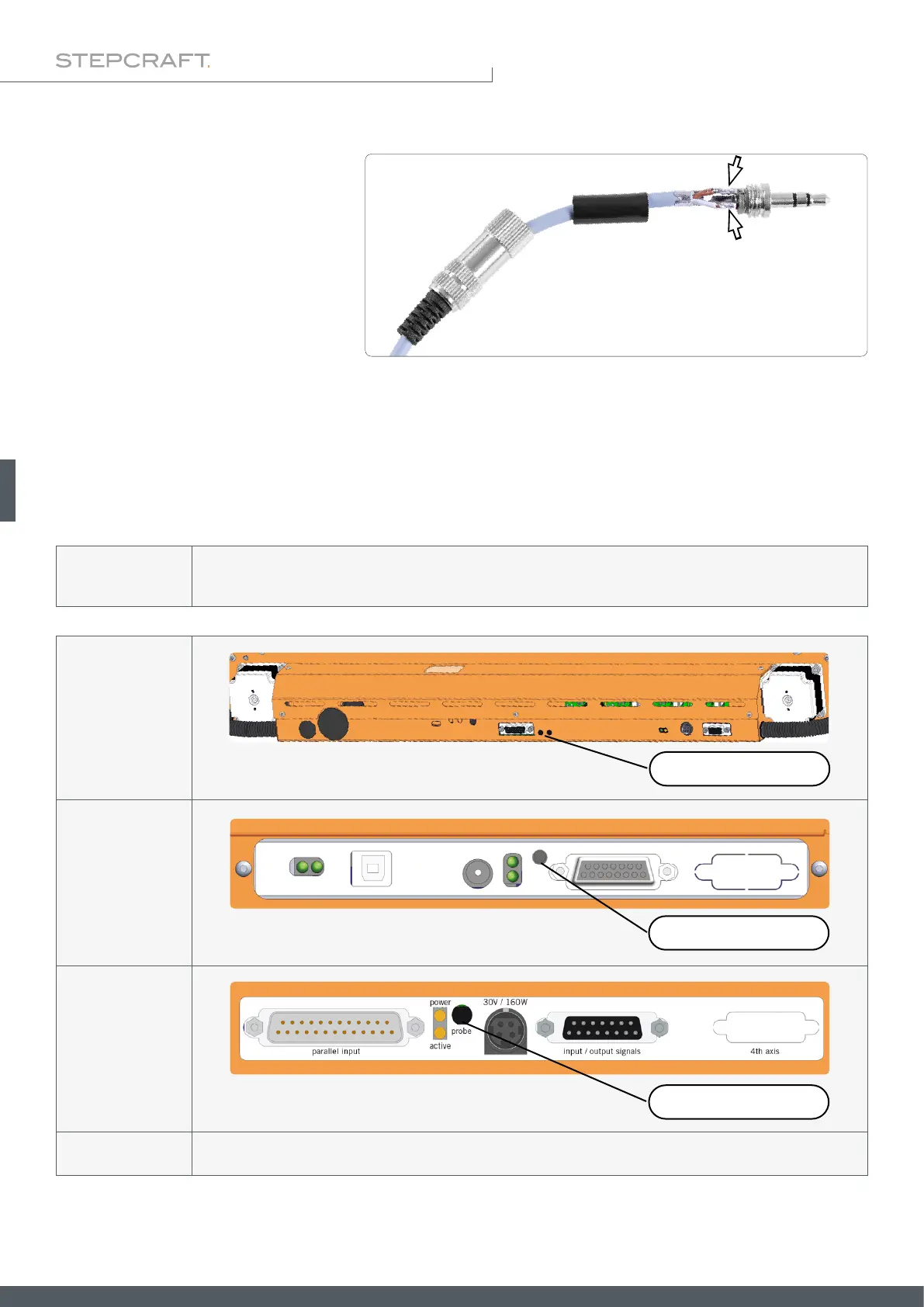
To assemble the jack plug, hold the jack
plug in hand and disassemble the plug. To
do this, hold the jack and turn the swivel
housing. Feed the gray cable through the
union housing and the black plastic con-
tact protector. Strip the cable by about
10 mm. Solder the two wires to the outer
pins of the connector. Bend the strain re-
lief around the gray cable. Screw the union housing to the connector. Now you can plug the connector directly into the
jack socket of your milling machine.
Assembly of the Jack Plug
NOTICE
If you are using a CNC milling machine from a third party manufacturer, refer to the accompanying docu-
mentation to nd out how to connect the 3D probe to this machine.
NOTICE
Make sure that the 3D probe is securely clamped after you have inserted the 3D probe or made other chang-
es to the clamping system. Otherwise, the 3D probe could come loose and be damaged or produce incorrect
measurement results.
M-Series
3.5 mm Jack
D-Series
(D2)
3.5 mm Jack
D-Series
(D3)
3.5 mm Jack
External Connection to STEPCRAFT Machines
The 3,5 mm jack plug can be used to connect the 3D touch probe to the machine control on all modern STEPCRAFT
CNC machines.



 To Next Page