49
EN
5 mm
5 mm
x
+
-
-
y
+
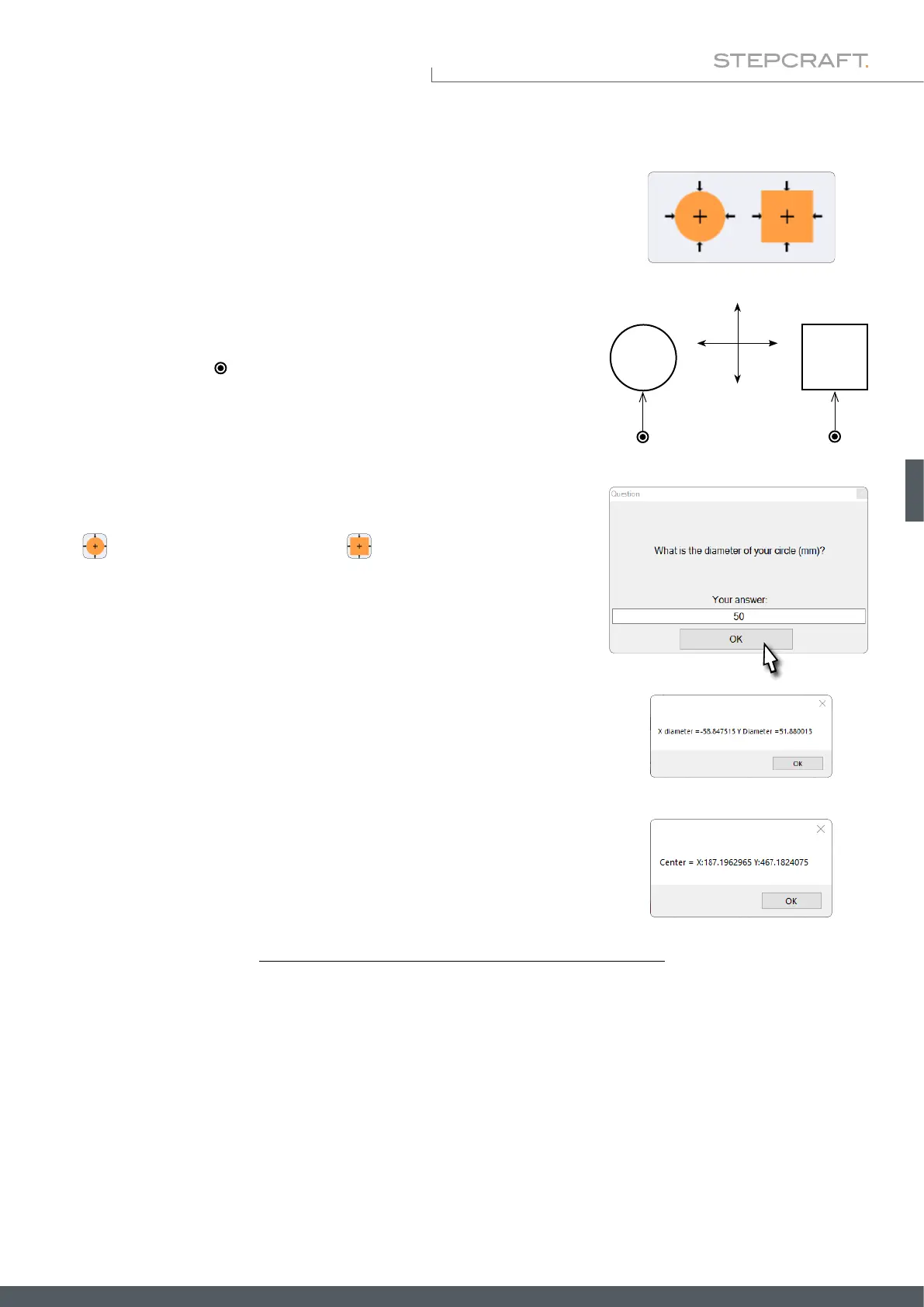
These two buttons initiate the determination of the outer dimensions and the
center point of angular and circular forms. After the measurement, the X- and
Y-dimension of the form and then the machine coordinates of the center point
will be displayed by UCCNC.
6.2 Automatic Dimension and Center Determination
Place the touch probe ( ) in front of the form as displayed.
To allow UCCNC to maintain a safety margin when determining the exact di-
mensions, you will be prompted to enter the diameter of the form after clicking
the
button. In the case of a rectangle , you will be prompted to enter
the dimension in the Y-direction and the dimension in the X-direction.
These can be quite rough dimensions, because UCCNC will keep 25 mm safety
distance in X- and Y-direction when probing. In Z-direction, the 3D probe will
keep 20 mm safety distance. Your workpiece should accordingly not be higher
than this distance.
The touch probe measures in this order: rst along the Y-axis, then along the
X-axis, and nally the Y-axis is probed again.
Starting position
touch probe



 To Next Page