48
EN
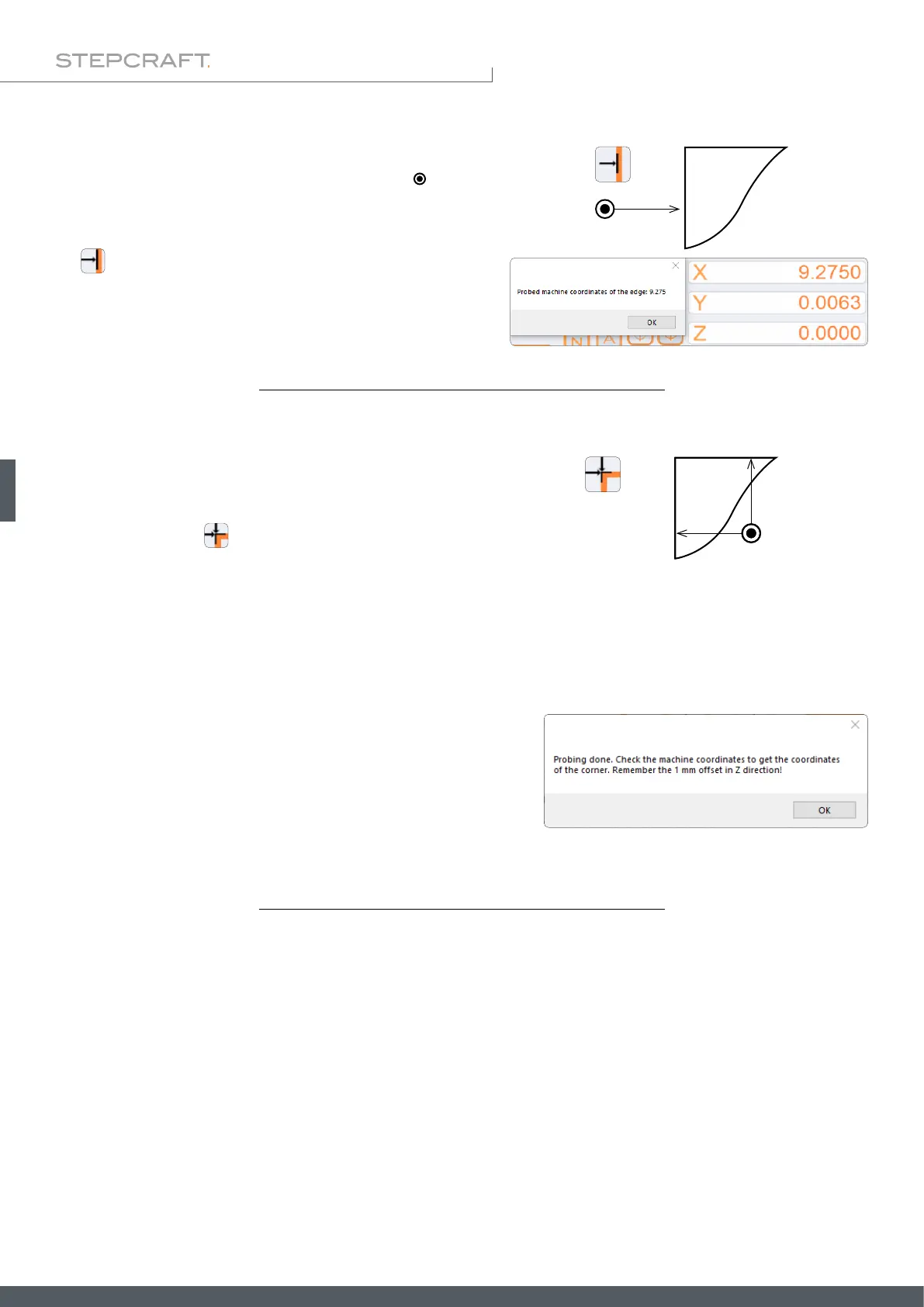
To nd the edge of a workpiece, the touch probe ( ) is to be
placed in front of the according edge manually – keep a distance
of 5 mm to the edge. Then click the associated button (for exam-
ple ). After performing the measurement, UCCNC will display
the machine coordinate of the edge.
5 mm
Starting position touch probe
Finding a corner requires the touch probe to be placed above the
corner itself. The distance to each of the two edges should not
exceed 15 mm. Click
to start the measurement.
The rst measurement is performed in Z-direction, followed by
the X- and nally the Y-direction. A safety position of 25 mm to
the edge is approached beforehand for each measurement.
The 3D probe is positioned after the measurement with a 1 mm
safety distance in Z-direction from the corner and the workpiece
zero points for the X- / Y- / and Z-axis are set. You can read the co-
ordinates of the corner from the machine coordinate display, but
be sure to observe the safety distance of 1 mm in the Z direction!
max. 15 mm
max. 15 mm
Starting position touch probe



 To Next Page