2. After entering a valid operator PIN, the main menu controls are unlocked.
3.4 Menu Navigation
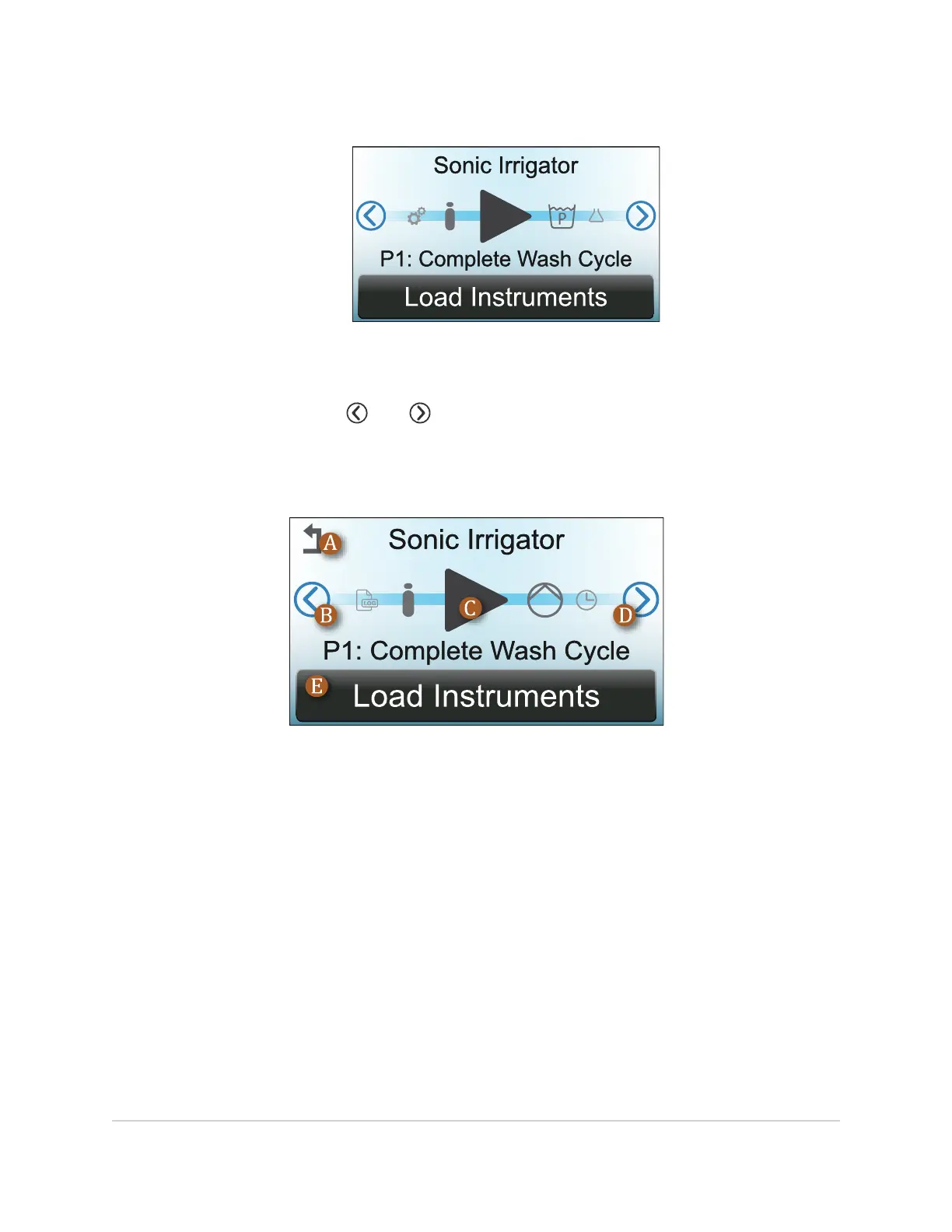
On the display, the symbols and are used to scroll left and right through the menu.
The large symbol in the center and any text below it indicate the current selection. Any
operator choices are usually shown at the bottom of the display. To return to the main menu
from any sub-menu, touch the return symbol at the top-left of the display.
A. Touch to return to the main menu from any sub-menu.
B. Touch to scroll left.
C. Current selection.
D. Touch to scroll right.
E. Operator option(s). Touch on the desired option to proceed.
USING THE TOUCHSCREEN DISPLAY 19
InnoWave Unity & Unity 20 Operator Manual














 To Next Page