10.1 Recommended USB Flash Drives
The following brands are recommended for use with this equipment:
• Toshiba TransMemory
• Kingston Data Traveler
• SanDisk Cruzer Switch
10.2 Downloading Logs to a USB Flash Drive
1. Make sure the USB flash drive is formatted to FAT32.
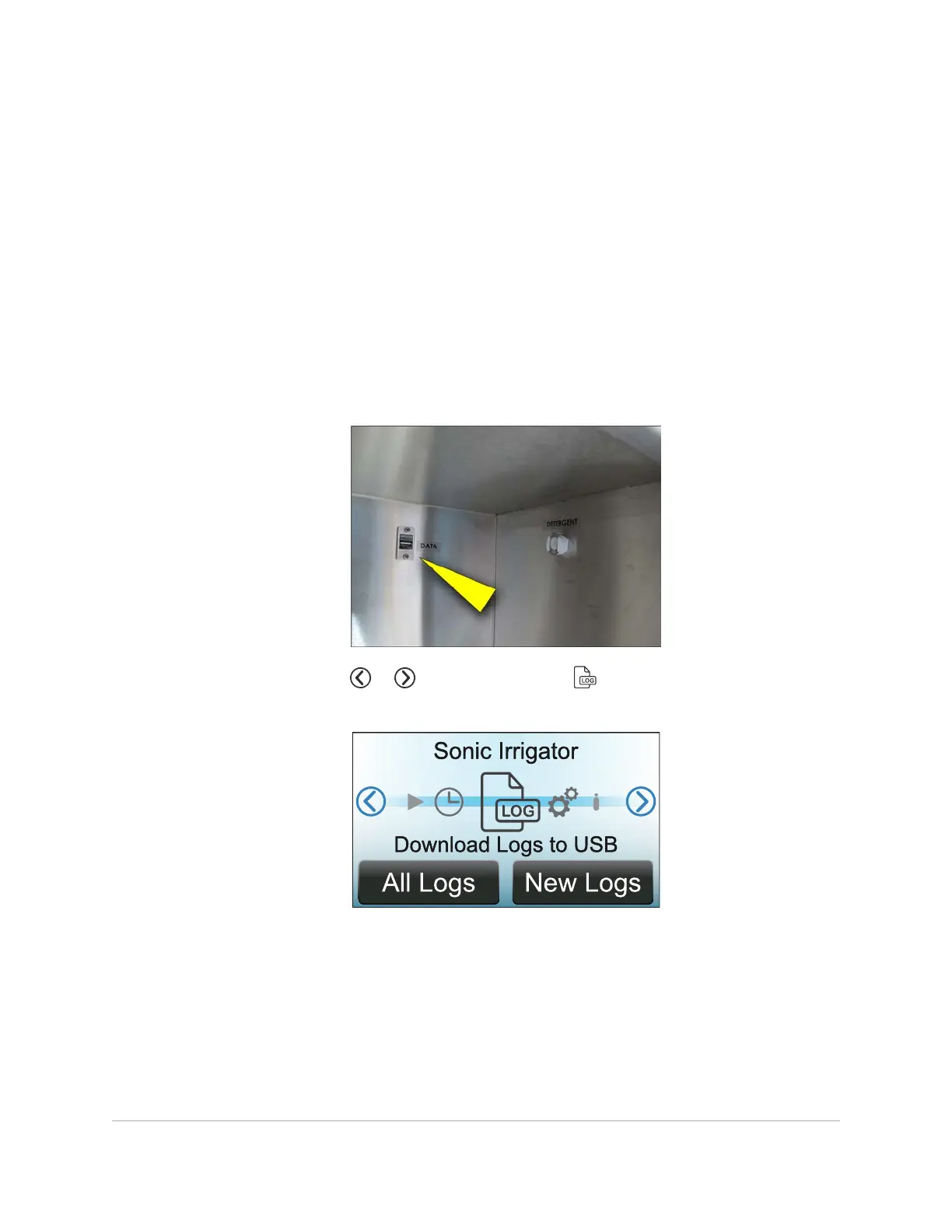
2. Insert the USB flash drive into the data port located inside the chemical enclosure.
3. On the display, touch or repeatedly until the symbol is centered and
Download Logs to USB
appears below it.
4. All Logs downloads all wash cycles since the sonic irrigator was first used.
NewLogs downloads wash cycles since the last USB download. Select either
AllLogs or NewLogs.
86 DOWNLOADING WASH CYCLE LOGS
InnoWave Unity & Unity 20 Operator Manual














 To Next Page