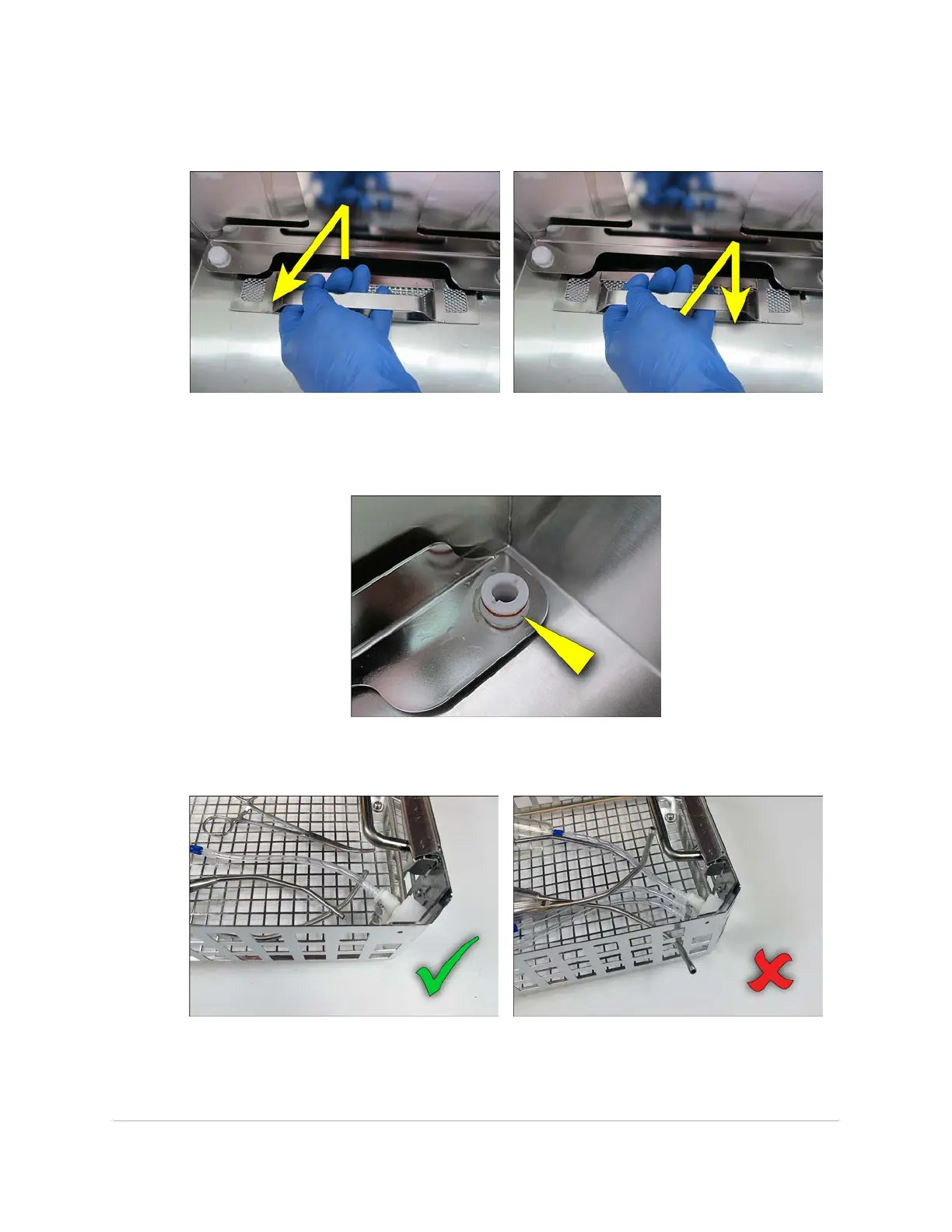
2. If the tank is empty, grip the filter and pull up, then towards the middle of the tank to
remove it. After cleaning the filter, push it back into position in the tank.
3. If the tank is empty, inspect both tank docking ports. The ports should be clear of
any debris or deposits, and the red silicone port seal should be present and in good
condition.
4. Make sure that no instruments protrude through or above the basket and that no
instruments are pointing upwards.
46 USING THE INSTRUMENT BASKET
InnoWave Unity & Unity 20 Operator Manual














 To Next Page