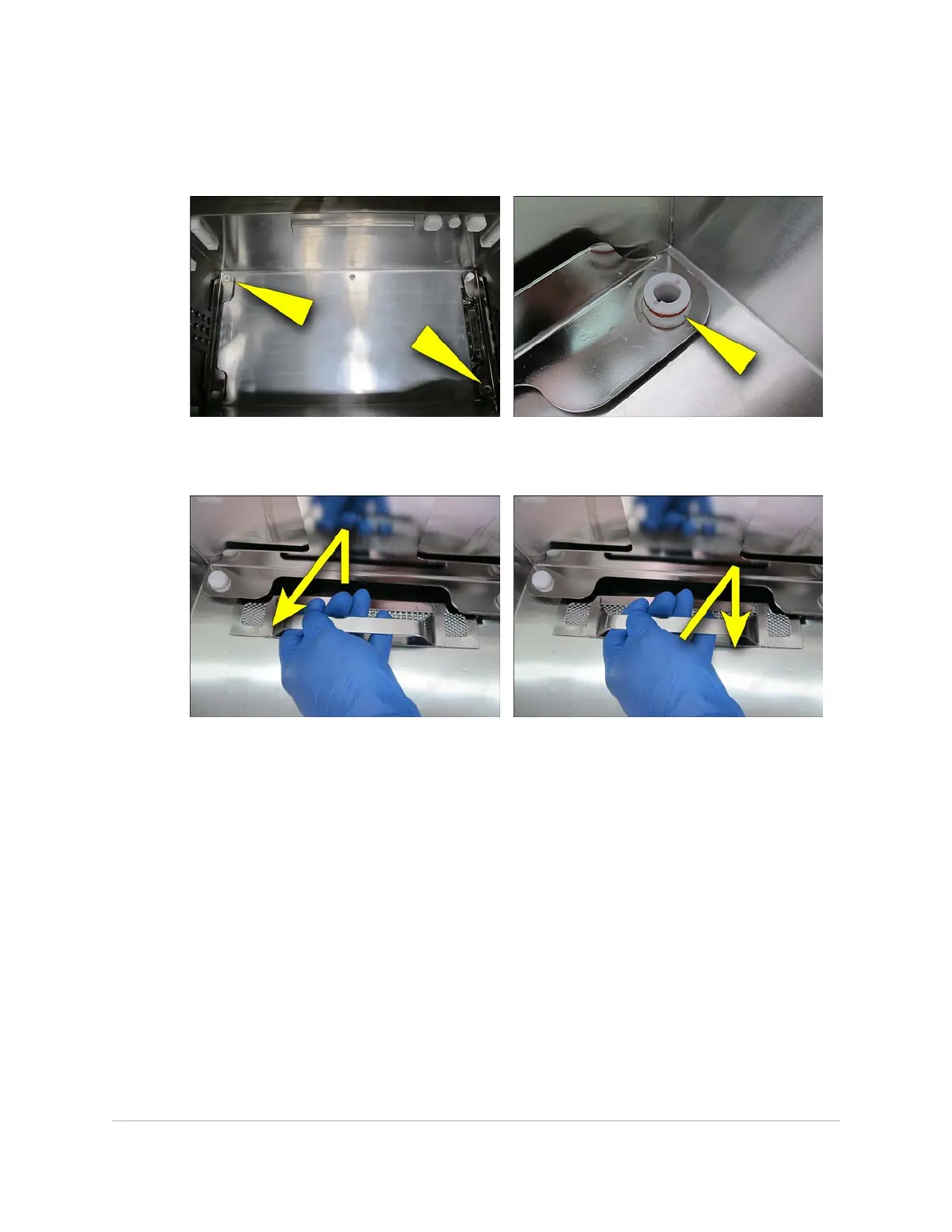
5. Inspect the tank docking ports. Make sure that the ports are clear of any soil and
are in a good condition. Make sure that the red silicone o-ring is present and in a
good condition.
6. Pull the filter up and away to remove it from the tank. Remove any soil from the
filter, wipe the filter with disinfectant cleaner, then refit the filter in the tank.
7. With a clean cloth and disinfectant cleaner, wipe all internal surfaces of the tank.
8. With a clean cloth and disinfectant cleaner, wipe all surfaces of the lid. Pay
particular attention to the lid seal.
9. With a clean cloth and disinfectant cleaner, wipe all external surfaces.
10. With a clean wet cloth, remove any trace of disinfectant cleaner from internal and
external surfaces of the equipment and the lid.
11. Cleaning performance should be tested each day the equipment is used, and all
test results recorded.
68 MAINTENANCE
InnoWave Unity & Unity 20 Operator Manual














 To Next Page