7-28
764333-675
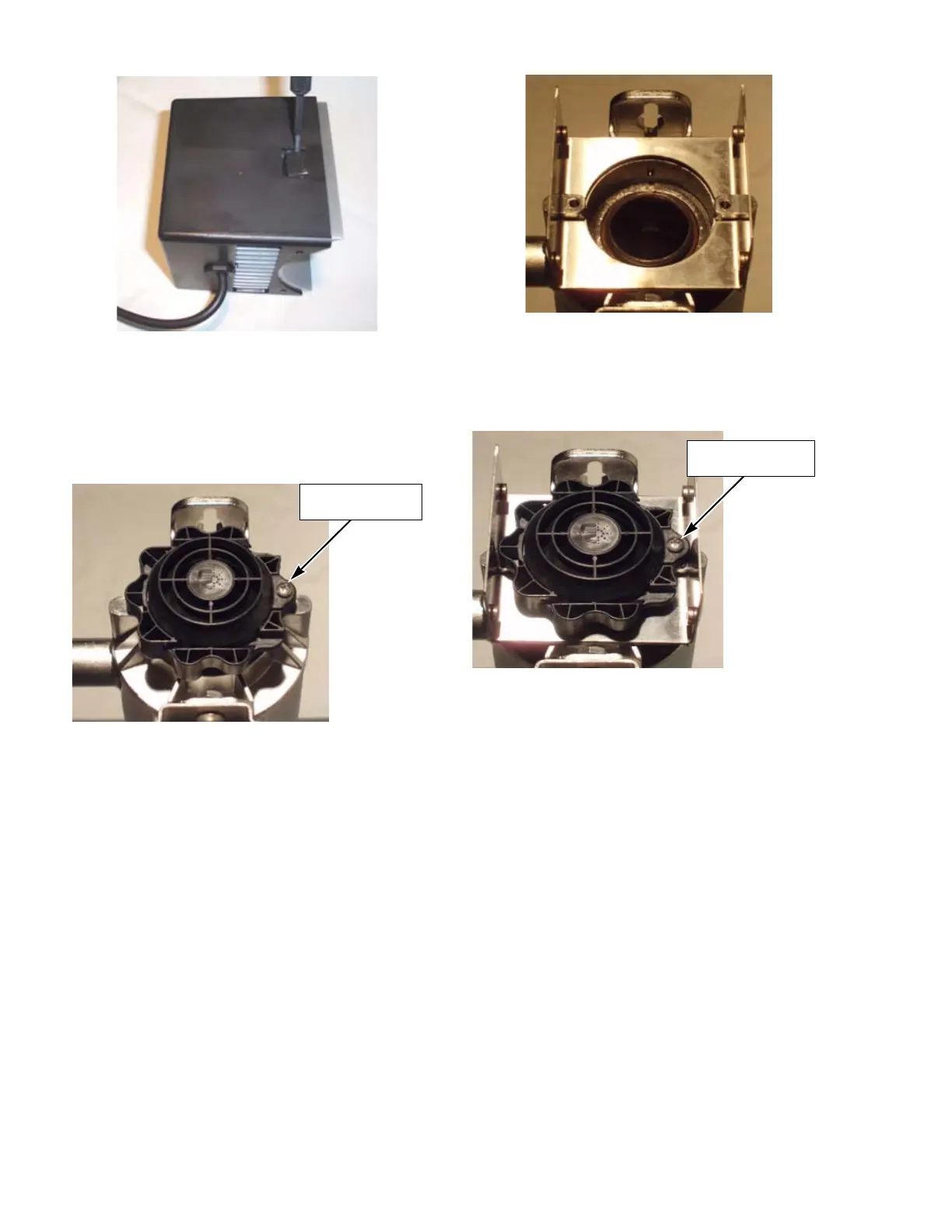
3. Remove 10-24 x ¾" pan screw from sleeve bolt
opposite of the lamp socket. Turn sleeve bolt 90°
counter-clockwise and remove from chamber end
as shown below.
4. Install the horizontal fan mounting bracket
(shipped with the UV Water Treatment System)
over the chamber ears as shown in Figure 7-43.
5. Re-install sleeve bolt and secure with locking pan-
head screw as shown in Figure 7-44.
6. Slip fan cover on and secure with four pan-head
screws as shown below.
Figure 7-41. Remove and Discard Heat Sink
Figure 7-42. Remove 10-24 x 3/4" Pan Head
Screw
Remove 10-24 x 3/4"
Screw
Figure 7-43. Install Fan Mounting Bracket
Figure 7-44. Re-install Sleeve Locking Screw
Re-install 10-24 x 3/4"
Screw













 To Next Page