7-4
764333-675
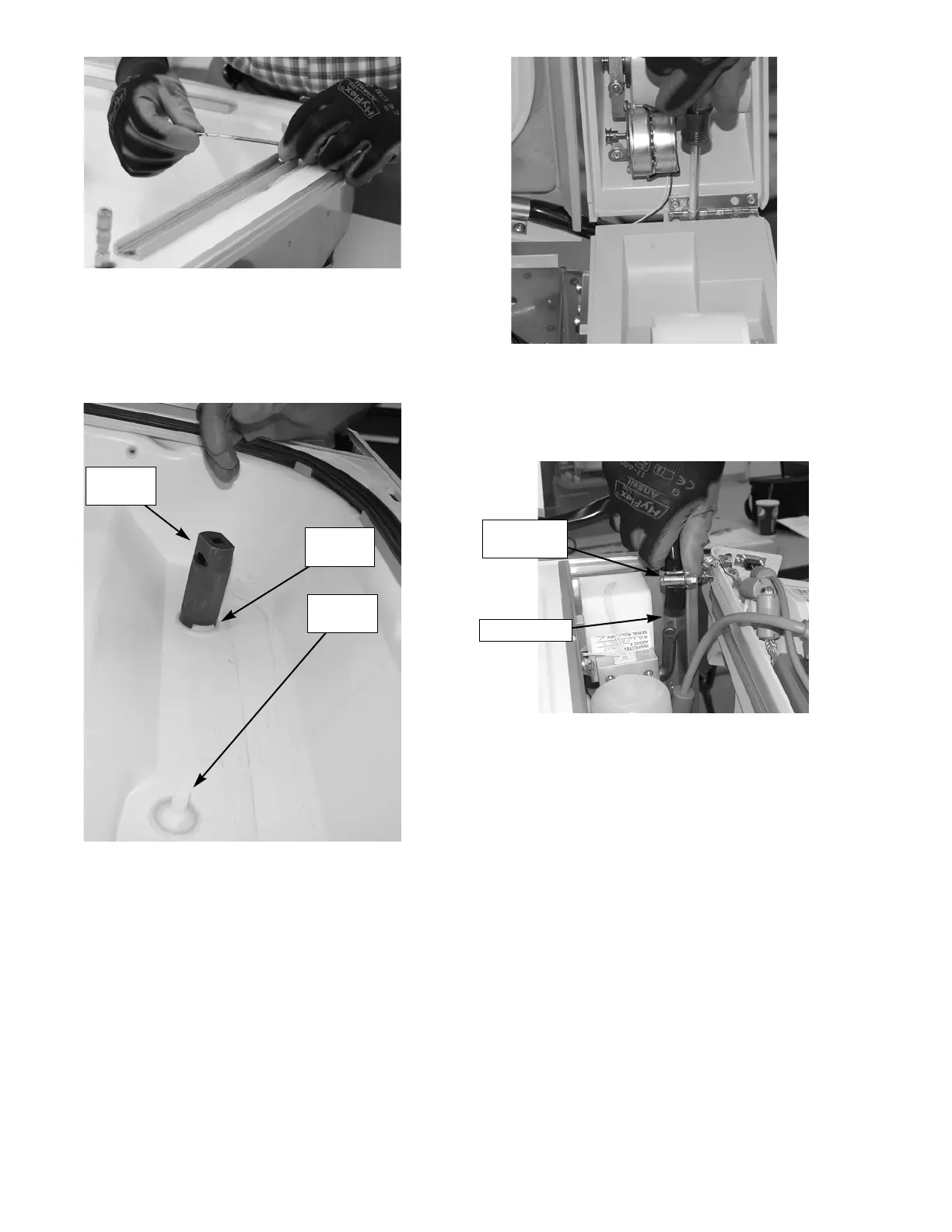
7. Use the large and small drogue tools, remove the
drogues from the drip pan assembly. Inspect o-
rings for damage and replace as needed.
8. Remove the printer cover from the control assembly
by removing two screws on the printer cover
bracket. Unplug take motor electrical connector and
cut cable tie.
9. Loosen hose clamp on lid assembly black hose at
the float block and remove hose.
10. Remove the two screws on each the two control
hinges from the frame side of the hinge and loosen
other two screws.
Figure 7-5. Remove Seal Retaining Bars
Figure 7-6. Use Drogue Tools to Remove
Drogues from Drip Pan
Small
Drogue
Large
Drogue
Drogue
Tool
Figure 7-7. Remove Printer Cover
Figure 7-8. Remove Hose
Loosen Hose
Clamp
Remove Hose













 To Next Page