7-17
764333-675
7.21 CHANGING PRE–FILTERS
PROCEDURE
1. Turn OFF the water supply to the SYSTEM 1E
Liquid Chemical Sterilant Processing System.
2. Press red button located on top of pre-filter to
exhaust air.
3. Unscrew housing bowl from housing body
(counterclockwise).
4. Remove and discard old filter, rinse housing bowl
with clear water.
5. Install new filter:
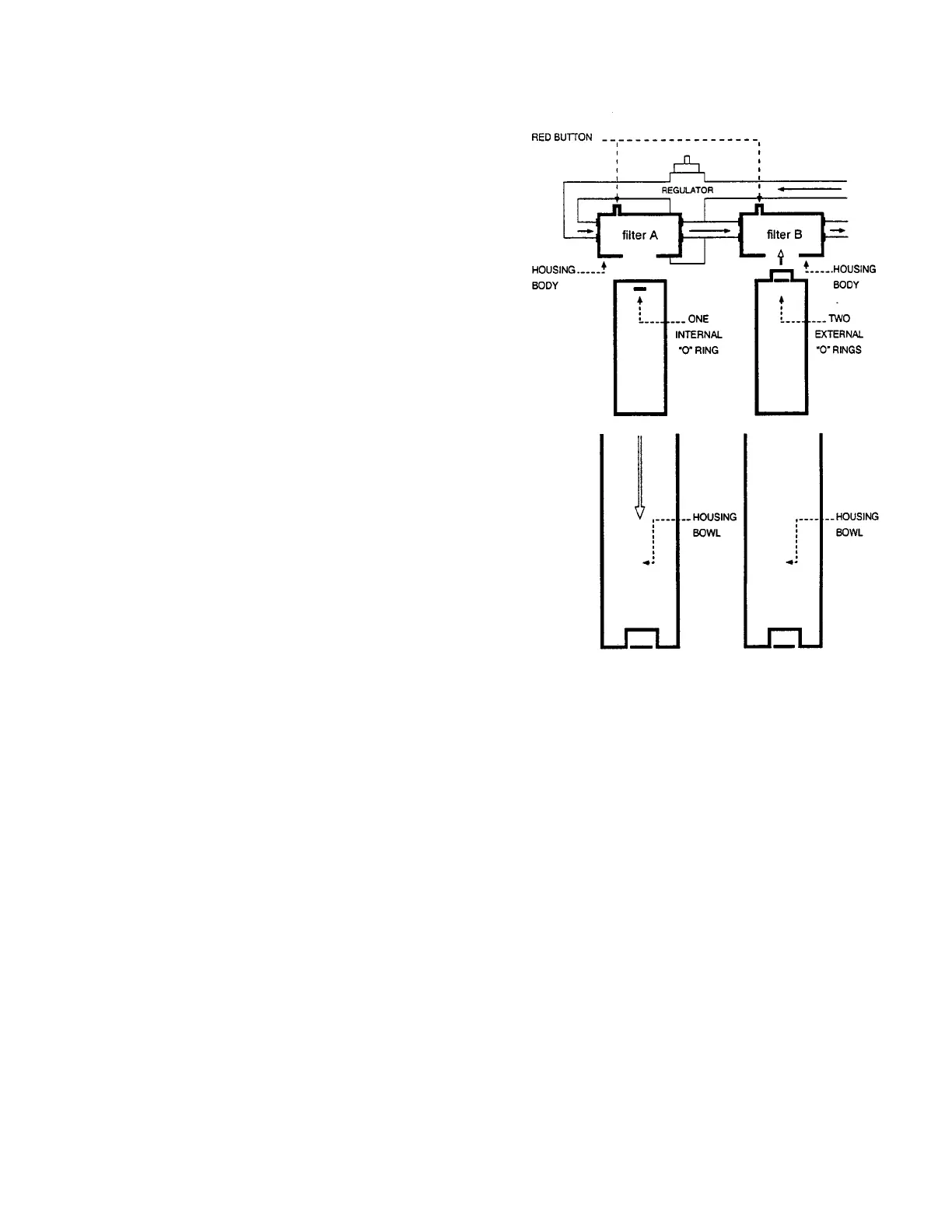
a. For filter housing of the A filters or single filter
assemblies: Place the filter cartridge into the
housing bowl with black O-ring facing up.
b. For B filters: Install filter with black O-ring up,
placing filter cartridge onto housing body.
6. Screw filter bowl onto filter housing (clockwise).
7. Restore water to filter assembly and SYSTEM 1E
Liquid Chemical Sterilant Processing System.
8. Exhaust air.
• Press red button located on top of housing of pre-
filter to exhaust air.
• Exhaust air from both pre-filters.
Figure 7-15. Pre-Filter Arrangement













 To Next Page