ID 442710.00 10WE KEEP THINGS MOVING
Electrical installation
4
Operation manual PROFINET
4 Electrical installation
4.1 PROFINET – Network structure
The PROFINET network structure is generally adapted to the relevant system-
specific requirements. PN6 supports a star, line or tree topology.
All IO-standard devices are included via internal or external switches
(100 Mbit/s) in the PROFINET network.
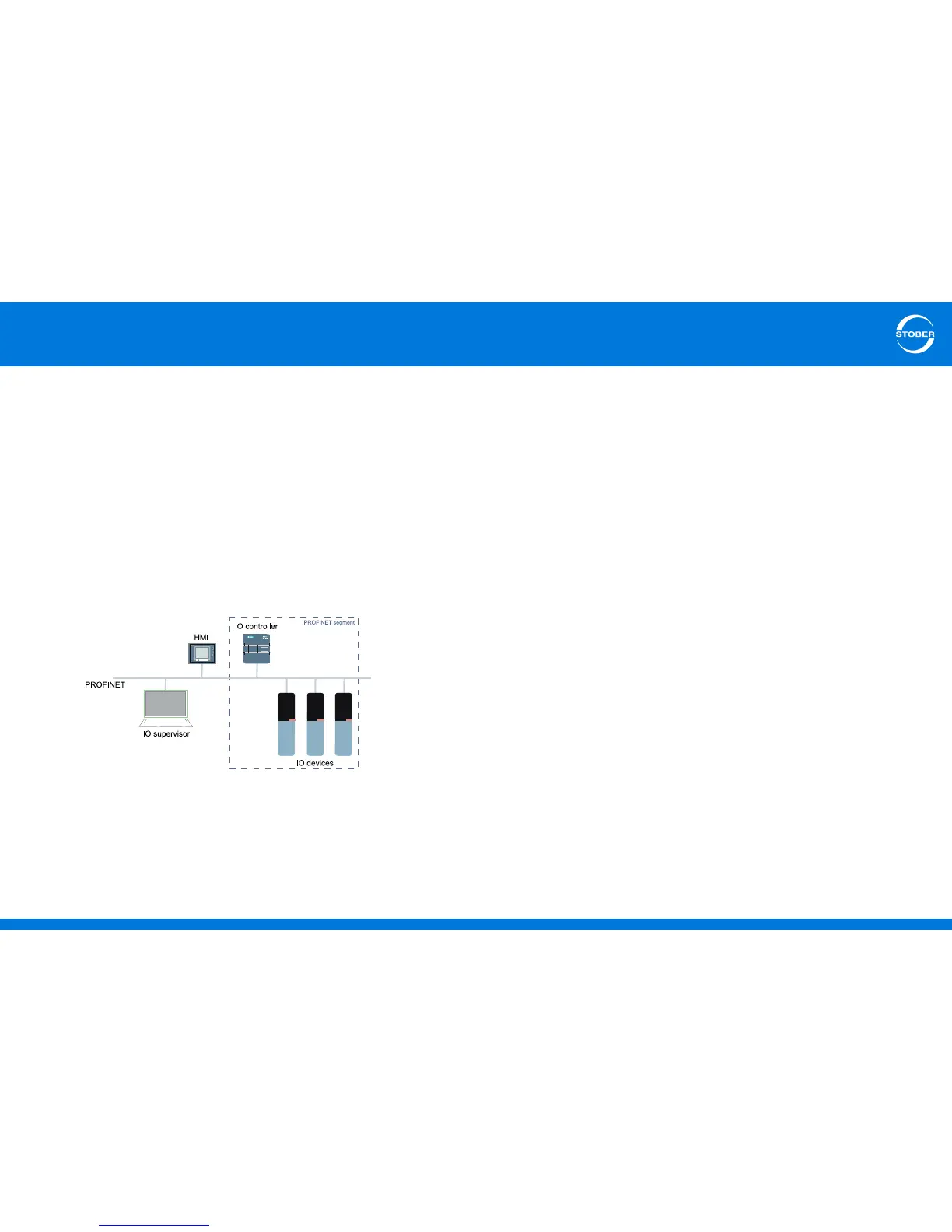
The following figure abstracts a PROFINET network in a line topology.
The network consists of a PROFINET segment with IO controller and all drive
controllers belonging to this area as IO devices, a PC or PG as IO supervisor
as well as a HMI as user interface.
The devices shown has integrated switches.
4.2 Connection
To be able to connect the PN6 communication module to additional PROFINET
components, an integrated switch with two RJ-45 sockets is available.
4.2.1 Selection of suitable lines
The PROFINET transfer technology is based on the Fast Ethernet standard.
A PROFINET network generally consists of symmetrical shielded copper
cables in twisted pairs (Shielded Twisted Pair).
Signals are transferred according to the 100BASE TX procedure with a transfer
rate of 100 Mbit/s and a frequency of 125 MHz. The maximum cable length is
100 m.
PROFINET cables are available in different versions matched to various
application scenarios and environmental conditions.
We recommend using the cable specified in the PROFINET installation
guideline. These are adapted precisely for the application in automation
technology with regard to use, resistance, EMC properties and color coding.
There are cables of type A, B and C that differ according to the type of
installation (fixed, flexible, under permanent movement).



 To Next Page