Stonex S10 GNSS Receiver – User Manual 26
5.3. Rover mode
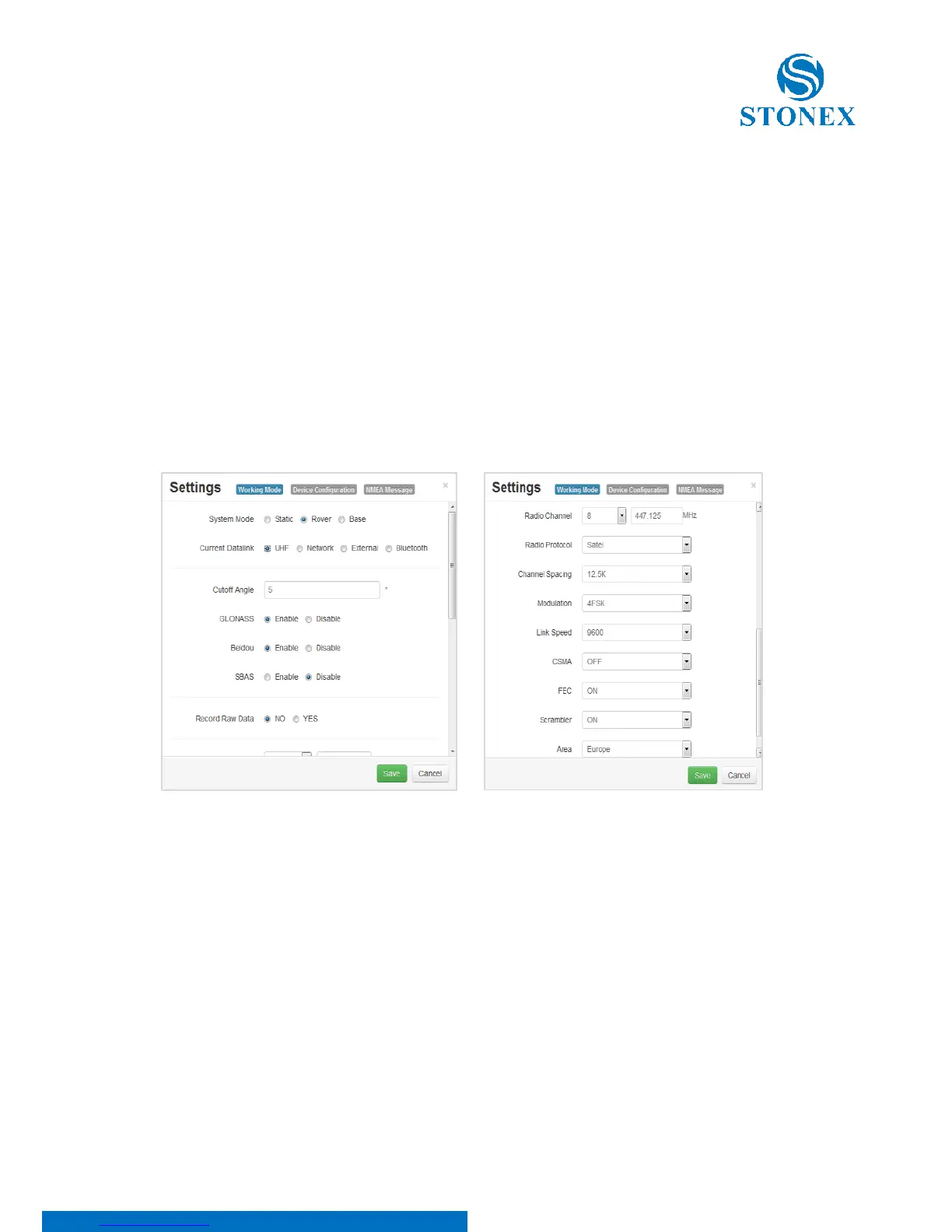
To set the receiver in rover mode: Data link can be selected as (UHF, Network
or External radio).
5.3.1. Option UHF
From this menu is it possible to check the settings of frequencies of radio
channels, together with the type of communication protocol to use (we
recommend TRIMTALK® route to connect two S10) and the bandwidth of the
radio channel. There are also commands to enable automatically recording the
raw data, the minimum angle allowed for satellite reception, satellite
constellations to be enabled.
The User can also set data for advanced configuration of the radio:
Width of the desired channel: 12.5 or 25 kHz.
Modulation Type: Must be consistent with the protocol set.
Selectable mode phase (GMSK) and frequency (4FSK).
Baud rate: must be congruent with the protocol and the selected
band.
Selectable from a minimum of 4800 to 19200 bits
CSMA: to prevent transmission if the selected channel is already
occupied.



 To Next Page