Stonex S980A GNSS Receiver – User Manual v1.0
15
2.5 Working Mode
You can select Rover or Base as working mode.
2.5.1 Rover
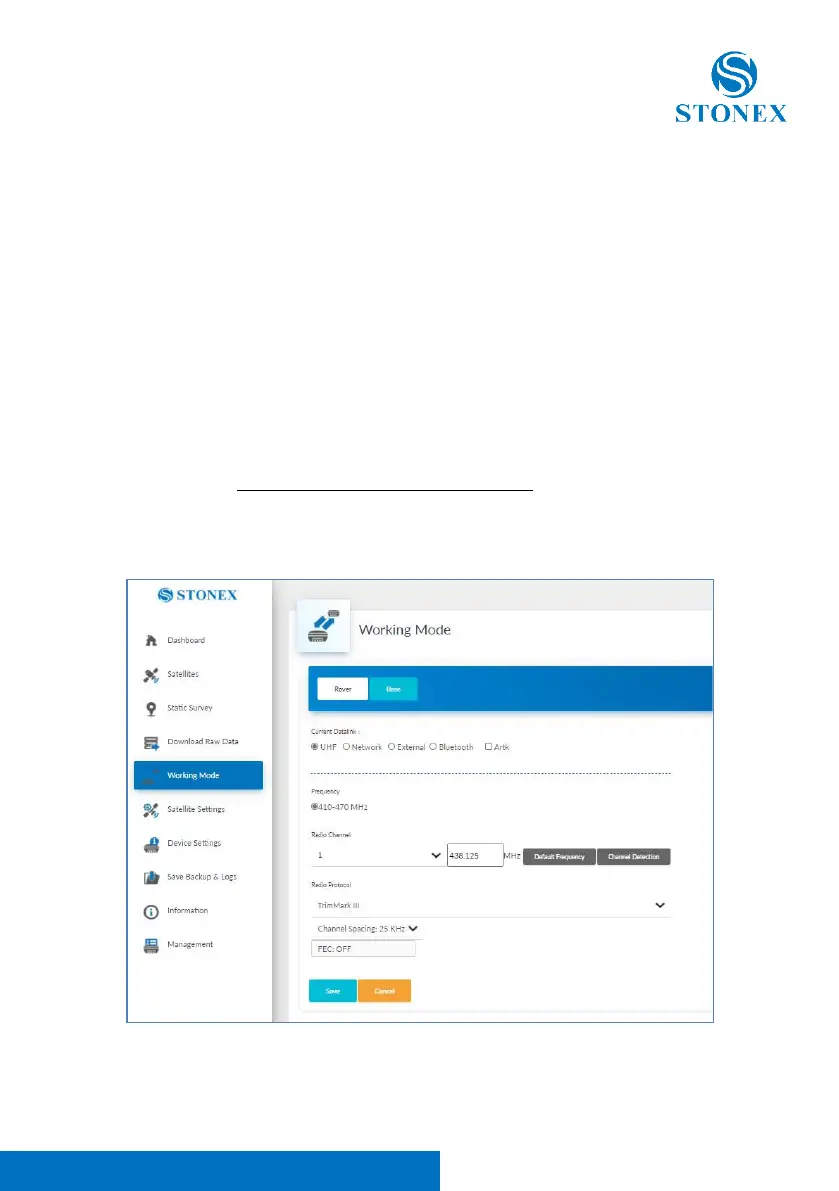
In rover mode, you can select different datalinks. At the same time they also
have different options that can be edited. The datalink option includes UHF,
Network, External and Bluetooth.
If you select UHF mode, you can select radio channel and radio protocol in the
respectively drop-down list. You also can select if record raw data during the
session or not. All channels frequencies are editable. Obviously, the channel
frequency inserted must respect the frequency range 410-470Mhz and the
frequency range of the UHF antenna used. The interface is as shown:



 To Next Page