Stonex S9III Plus GNSS Receiver – User Manual 48
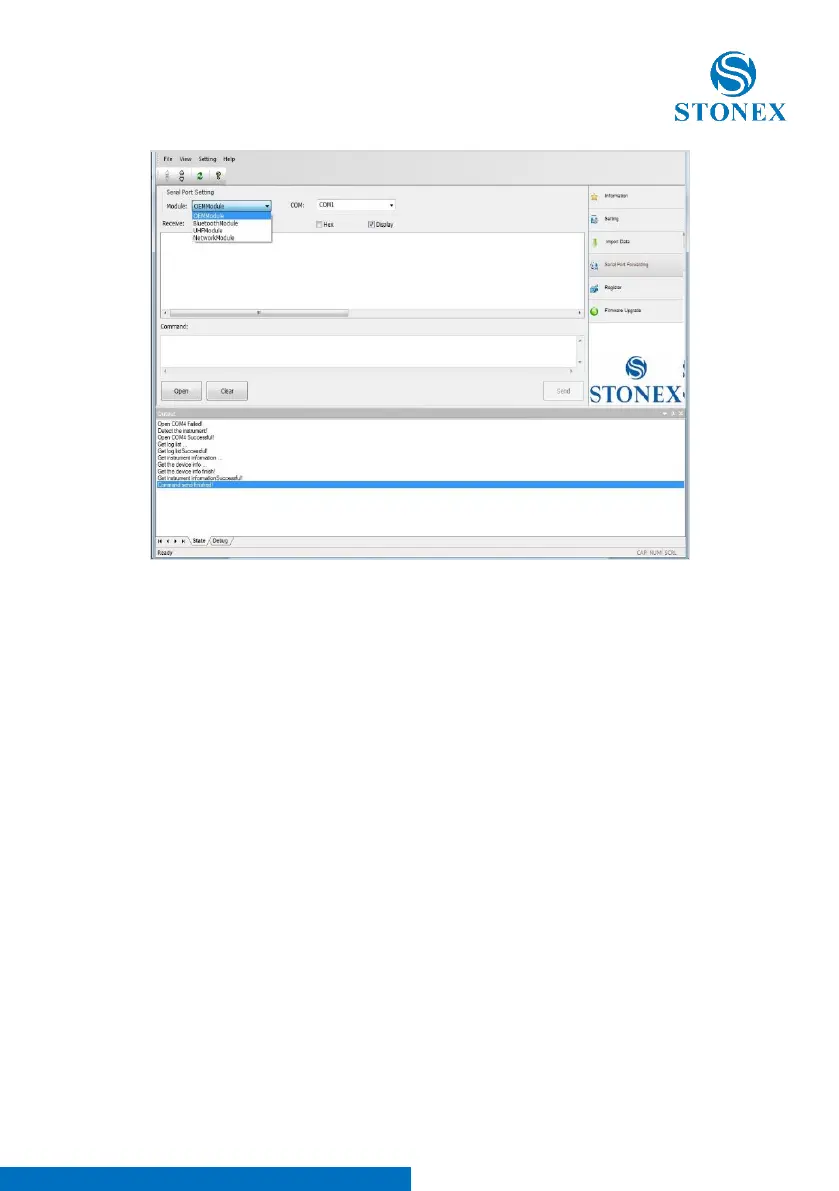
Fig. 5.25 – Serial Port Forwarding window
Select in box “Module” the device you want to connect (OEMModule,
BluetoothModule, UHFModule, NetworkModule) and in the box “COM” the
correct serial port number, then press “Open”, the software inform you to
restart the receiver as you can see in Fig. 5.26.



 To Next Page