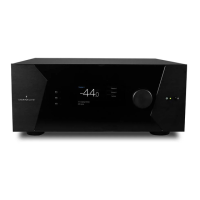
ISP Immersive Sound Processor
13
automatically depending on the Theater or
Zone playback.
6. Preferred Upmix
On a per input level, you may choose to engage
a particular upmixer, or leave the option set
to none. This setting overrides any preferred
upmix dened as part of a preset. So, if a preset
is to be used in conjunction with this input, and
that preset includes specifying an upmix, leave
this setting to None.
7. Trimmer
Each input may have the audio attenuated by a
specic value in an eort to level match source
components and yield an expected volume
level in the room regardless of source selected.
No gain can be applied, only attenuation. The
range is -30dB to 0dB with 0.1dB precision. The
+ and - buttons adjust the value by 0.5dB.
8. AV Delay
Each input may have a synchronization delay
set between video and audio. This range is
0-100ms in 1ms increments.
9. Triggers
The ISP can trigger connected devices on using
the 4 DC trigger output jacks on the back when
a specic input is selected. Most commonly,
this is used to power on the source component
connected to a specic input. To enable this
feature, the desired trigger must be set to Auto
Switching: Enabled on Input in the Settings
menu. See “Triggers” on page 27. To engage
a trigger based on input, click the gray N. It will
turn into a grayed Y when the trigger will be
activated upon selection of that input.
Note that aer making any changes,
you must press the SAVE button near
the top right of the screen or you will
loose your changes.



 To Next Page