28
• Delay: You may wish to set a delay of up to 8
seconds. Usually this is done if you are using triggers
to activate ampliers. If all ampliers power on at
once, the inrush current could trip a circuit breaker.
StormAudio amplier triggers may be daisy chained
so that only once the preceding amplier is fully
powered does the following amplier initiate it’s
power up sequence thereby obviating the need for
a delay (or multiple triggers) when using modern
StormAudio ampliers.
Parameters
• Downmix zone: dene whether the dedicated
downmix outputs feed an audio only zone or an
audio video zone. When A/V, lipsync adjustment is
available in that zone’s remote control functions,
and that zone’s general delay can be set using the
setting below.
• Audio Control Range MAX: Set the maximum
allowable volume. +6db (default), +3dB, 0dB.
• Volume Dim Level: To quickly attenuate the volume
(but not mute it), a user can click Volume Dim. Set
the level of attenuation here. Default is -20dB.
Audio/Video General Delay per AV Zone
Set the global lip sync delay for each theater, A/V,
and Headphone zone here. Max value is 250 ms.
System Setup
To control the ISP using the iPad StormRemote App
or Control Systems via TCP/IP, the Network should
remain active at all times. Enable the Network
Standby (On) to allow for such control. Note that
the standby consumption will be higher.
Enable fast boot to substantially decrease power
on time of the ISP at the expense of greater standby
power consumption.
Input/Output Setup
With the Optional Module 16ch RCA it is possible
to use it either as a duplication of the rst 16ch
XLR output or as an alternate output bank. Select
between Not present, Duplicate or Alternate.
With the Optional Module 16ch AES/EBU Digital
Input installed, dene whether the upmixing
capability is enabled (<8ch input) or bypassed
(>16ch), so Processed or not. In case of bypass
mode, it is then possible to adjust the routing of
the incoming signals using the Input Mapping EDIT
button.
Front Panel
Settings that govern behavior of the front panel
screen.
• Active Brightness: Brightness of the screen when
the screen is actively being used.
• Standby Brightness: Brightness of the screen when
not actively being used.
• Standby Timeout: Length of time elapsed between
active use of screen and reduction of brightness to
standby level.
• Color: Change the color of the display amongst
white, magenta, orange, blue, red and green.
• Zoom on Changes: When on, changes made via
remote control (input, volume, etc.) will temporarily
be shown in a large type so these changes can easily
be read from across the room.
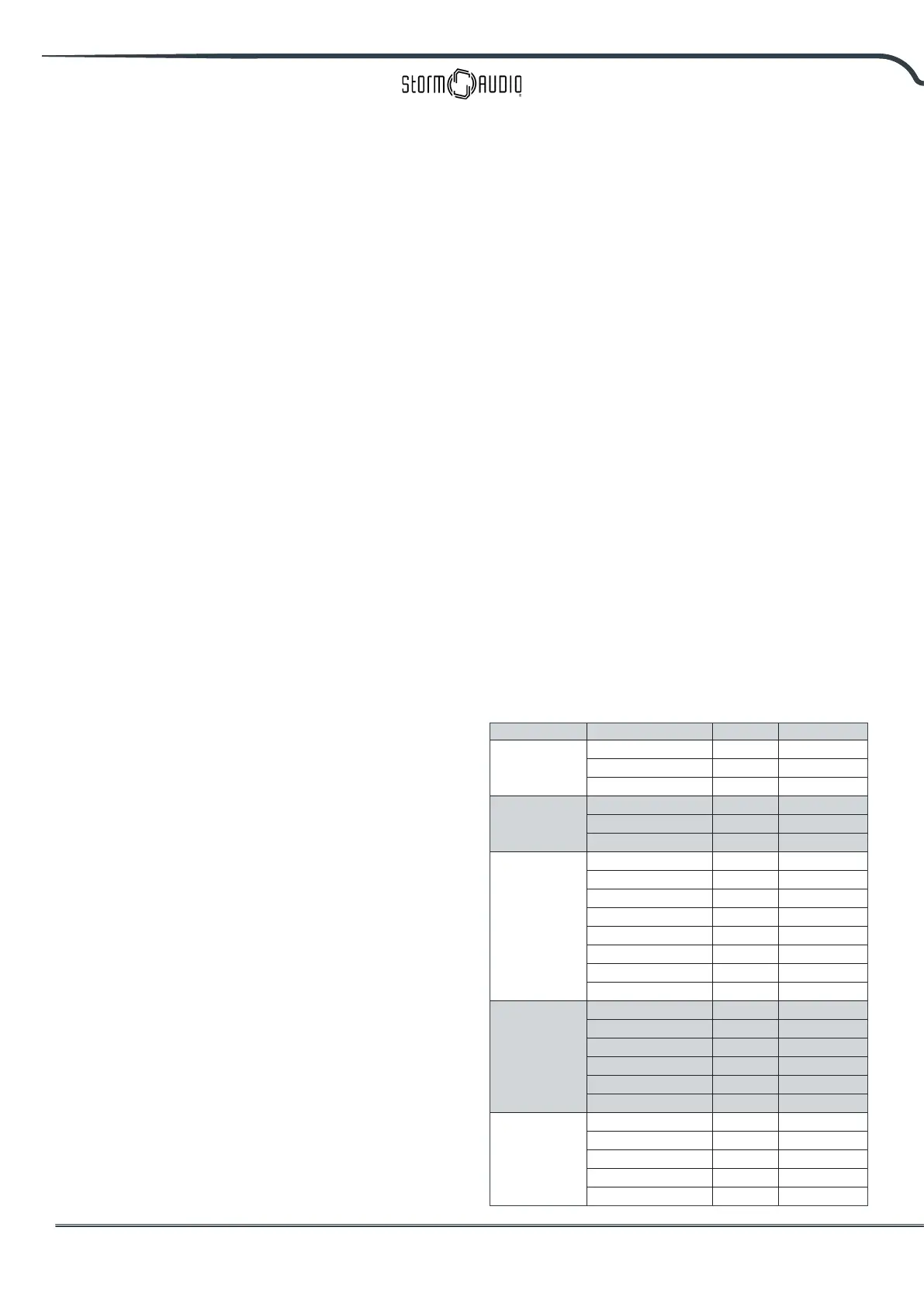
IR Function Assignment & Commands
Expand Inputs and/or presets to assign up to 6
inputs and 5 presets to discrete buttons on an IR
remote control. Note that many “universal” remotes
also have the ability to cycle through all available
inputs or presets so even if you have more than 6
or 5 respectively setup, they can still be accessed
via IR. Remember that the ISP has no front panel
IR receiver, so any IR commands need to be sent
to a module connected to the IR input on the back
panel.
Group Command name Sytem Command
POWER
POWER ON/OFF 16 12
POWER ON 16 29
POWER OFF 16 30
VOLUME
VOL UP 16 16
VOL DOWN 16 17
AUDIO MUTE 16 13
MAIN INPUT
INPUT NEXT 16 32
INPUT NEXT 16 33
INPUT 1 16 1
INPUT 2 16 2
INPUT 3 16 3
INPUT 4 16 4
INPUT 5 16 5
INPUT 6 16 6
PRESET
PRESET + 16 47
PRESET 1 16 67
PRESET 2 16 68
PRESET 3 16 69
PRESET 4 16 70
PRESET 5 16 71
PREFERRED
UPMIX
Dolby Surround 16 91
DTS Neural:X 16 92
Auro-Matic 16 93
Native 16 94
Stereo Downmix 16 95



 To Next Page