Procedures
®
F2/3/8000-33
10MAY01
Positioning the FDM Head
The FDM does not home in X, Y, and Z when on “Pause.” If an SML file
is sent to the FDM while it is on “Pause,” the operator must turn the
“Pause” button off. The “Pause” button automatically comes back on after
the head and Z stage are properly homed.
These steps should be followed after sending an SML file to the FDM.
1) Wait for the pause light on the control panel to turn on. This indicates
the head is ready for positioning.
Do not move the head in the negative X or Y direction from thebegin-
ning paused position. Moving the head in the negative X or Y
direction voids the offset calibration.
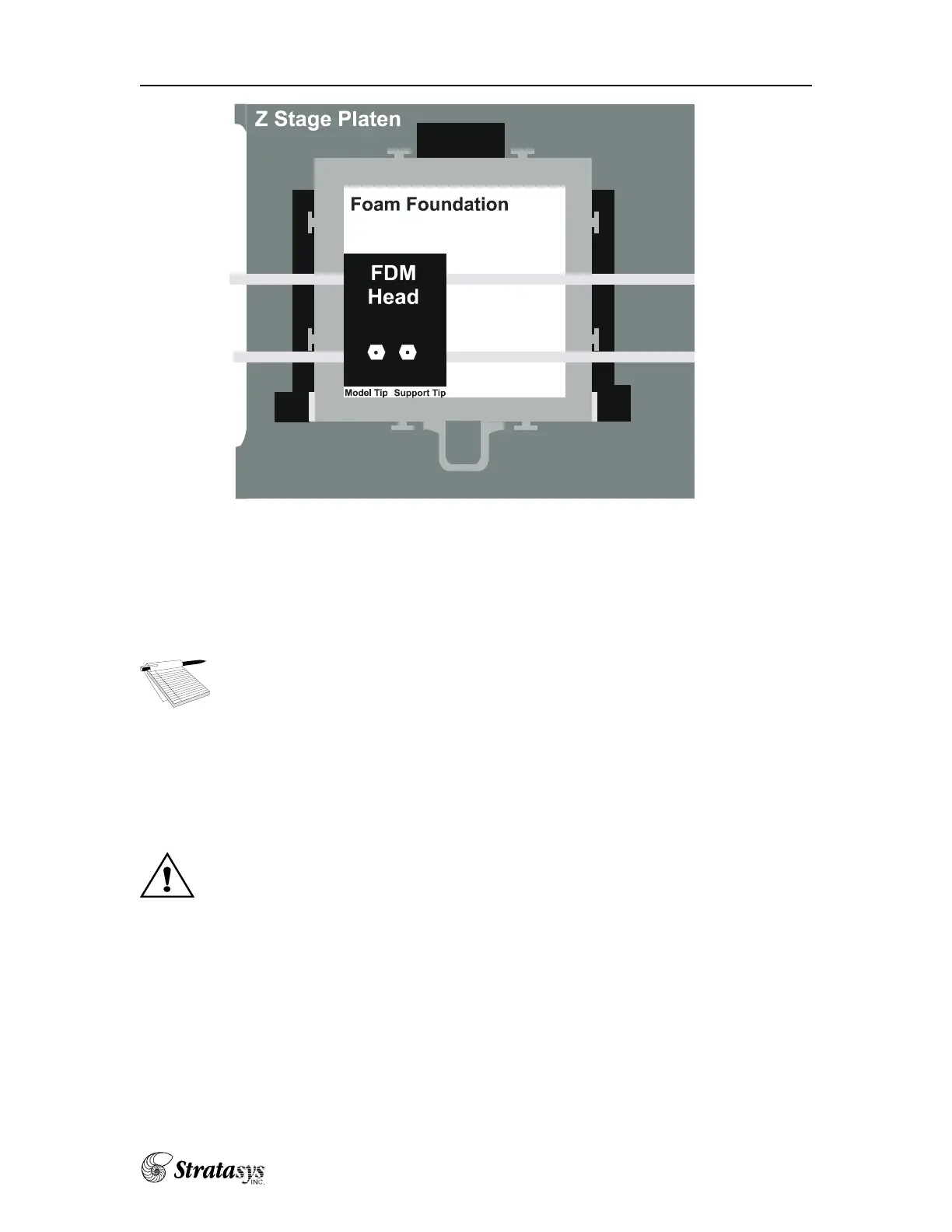
2) Move the FDM head so the tips are in from the edge of the foam in the
X and Y directions by using the directional move buttons. Make sure
the green lights in the top and bottom directional move buttons are off.
If they are on, press the Z-axis button to toggle them off.
Usage—Modeling Operations
Top View















 To Next Page