ReferenceA-18
Applications Manual
10MAY01
Changing the Keypad Setting
1. Press space 2 3 9 on the keypad on the FDM
2. Press 5 enter
The screen should read ABS RB_SF 8
If the setting is 25, press 8 to change it
, then press enter
Press enter again to exit the keypad
3. After you are finished running elastomer and are switching back to
soluble material, you must put the setting back to 25
Setting up FDM Status to run Elastomer
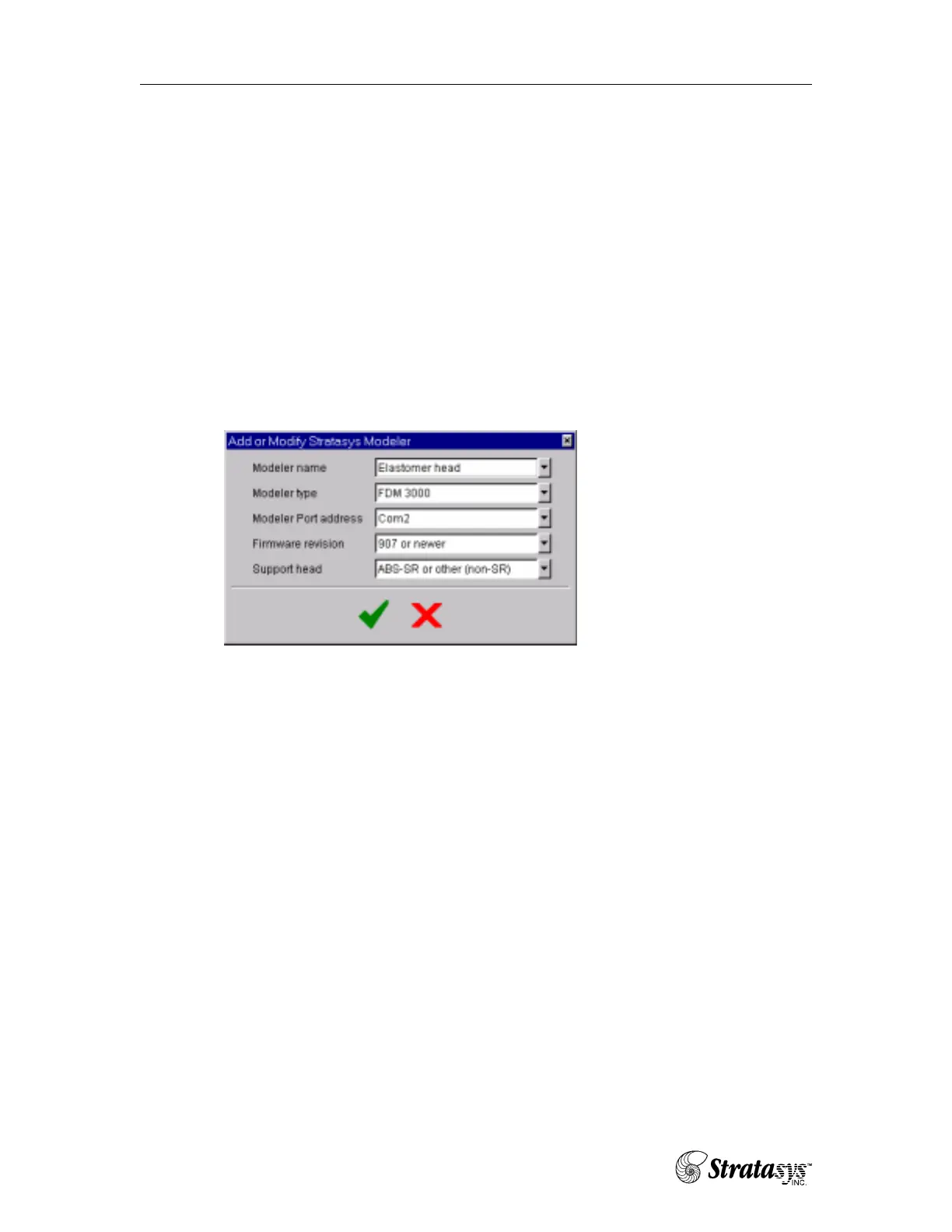
1. In FDM Status, click on to create a modeler that will accept elastomer.
2.
a. Everything must remain the same as the original modeler
except the type of support head. You must choose “other” in
order to run elastomer material.
3. Select “elastomer head” as the modeler name in FDM Status.
4. You are now ready to download files to the FDM system.
Calibrating for Elastomer
Because elastomer is softer than ABS plastic material, there is a special calibration
procedure for it
Road Width Calibration
The road width values need changing, on the keypad:
Press space 2 3 1
Press 2 enter
You will see “Cal A Mdl 0”
The FDM is extruding too much material for elastomer,
enter 3 – enter enter






 To Next Page