Replacing or Installing a Modem Assembly
Installing and Replacing System Components
5-49
Removing a Modem Assembly
When removing or replacing a modem assembly, you
must turn off power to the modem to prevent damage to
the modem and the system. (When installing a modem for
the first time, power to the modem connection is off by
default.)
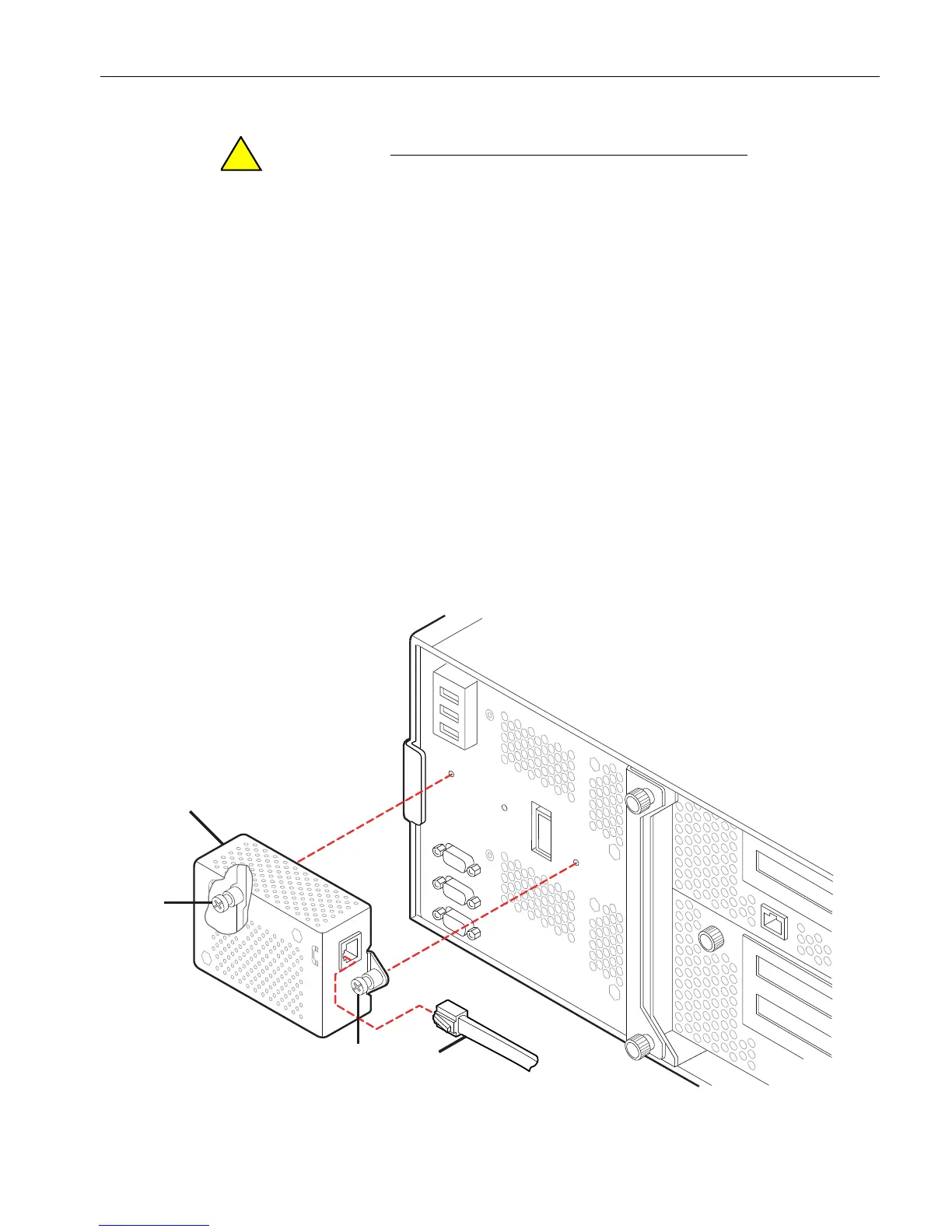
1. With the power removed from the modem (number 1 in Figure 5-27), disconnect
the phone line from the connector (number 3) on the modem assembly.
2. Loosen the two captive screws (number 2) that fasten the modem assembly to the
system backplane assembly at the rear of the enclosure.
3. Disconnect and remove the modem assembly by pulling it gently off of the system
backplane assembly.
4. Set the defective modem assembly aside for repacking. See “Repacking CRUs” on
page 4-3.
Figure 5-27. Replacing the Modem Assembly
1 Modem assembly 2 Captive screws 3 Phone line connector



 To Next Page