Replacing the System Backplane Assembly
Installing and Replacing System Components
5-19
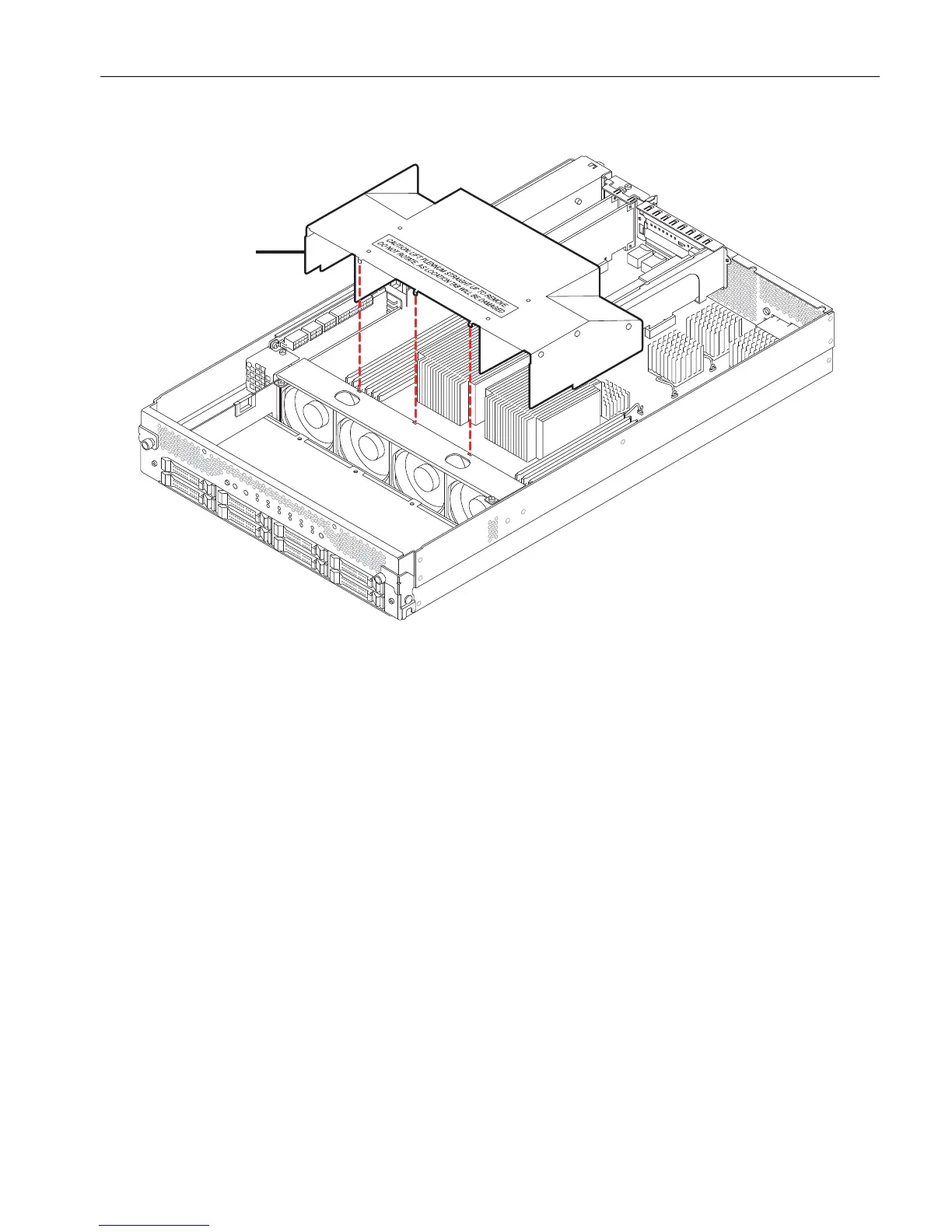
Figure 5-10. Replacing the Plenum
Replacing the Plenum
1. Place the plenum as shown in Figure 5-10 and lower it into position until it snaps
into place.
To seat the plenum properly, slide its sides over the outside of the DIMM slots, and
fit its three tabs into the fan assembly.
2. Replace the CPU-I/O enclosure cover, CPU-I/O enclosure, and bezel.
Replacing the System Backplane Assembly
To replace a system backplane assembly, you must disconnect it from both
CPU- I ⁄ O enclosures. You must also remove the modem assembly from the backplane
assembly to install it on the replacement system backplane assembly.
1 Plenum



 To Next Page