Removing and Replacing the CPU-I/O Enclosure Fan Assembly
Installing and Replacing System Components
5-31
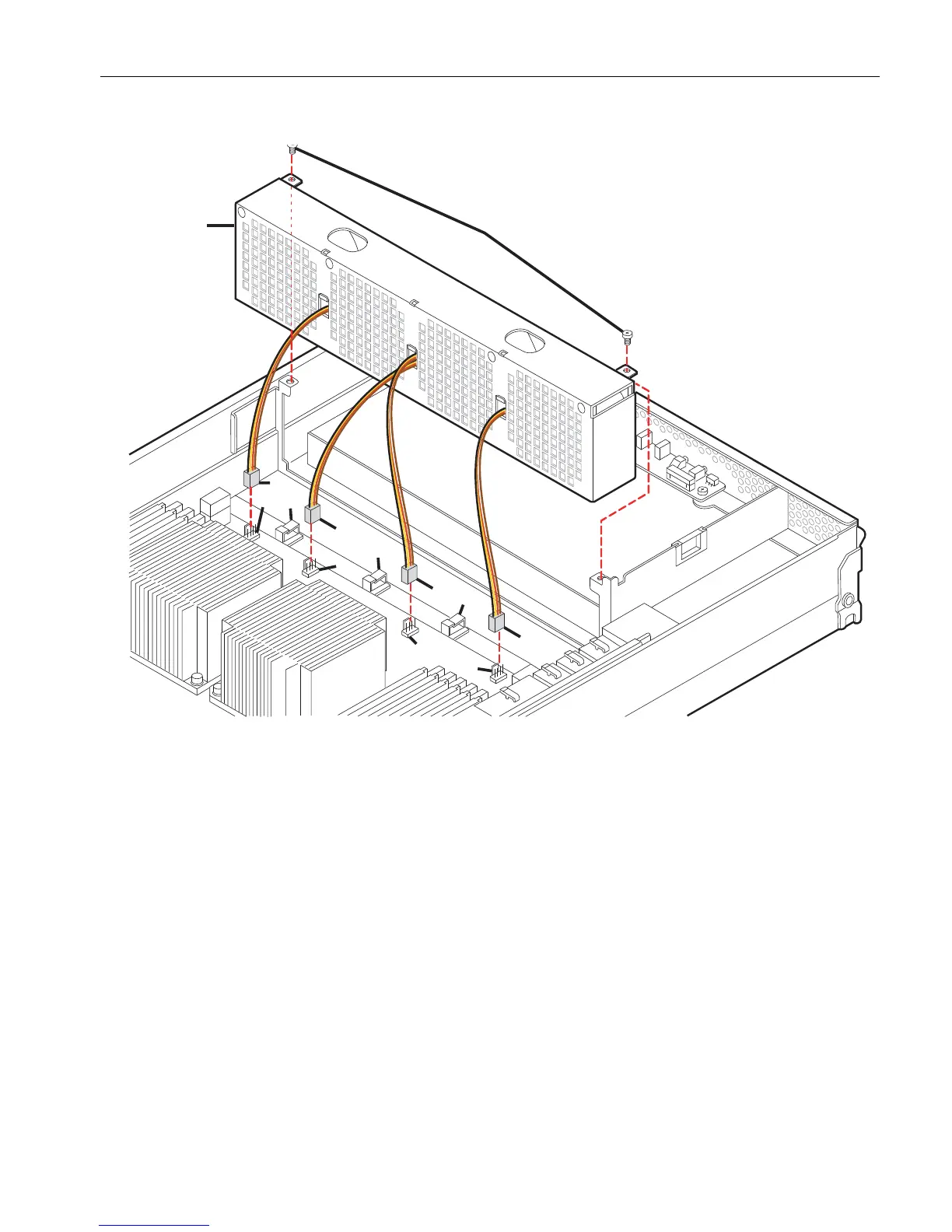
Figure 5-15. Replacing the CPU-I/O Enclosure Fan Assembly
6. Open the three plastic cable retainers (number 4) and free the fan-wire connectors
from the cable retainers.
To open the plastic cable retainers, swivel the top clip of the retainer to one side
and lift it into its open position.
7. When the fan wires are separated from the cable retainers, pull the fan assembly
straight up to remove it.
1 CPU-I/O enclosure fan assembly 4 Plastic cable retainers (3)
2 Screws (2) 5 Main board connectors (4)
3 Fan-wire connectors (4)



 To Next Page