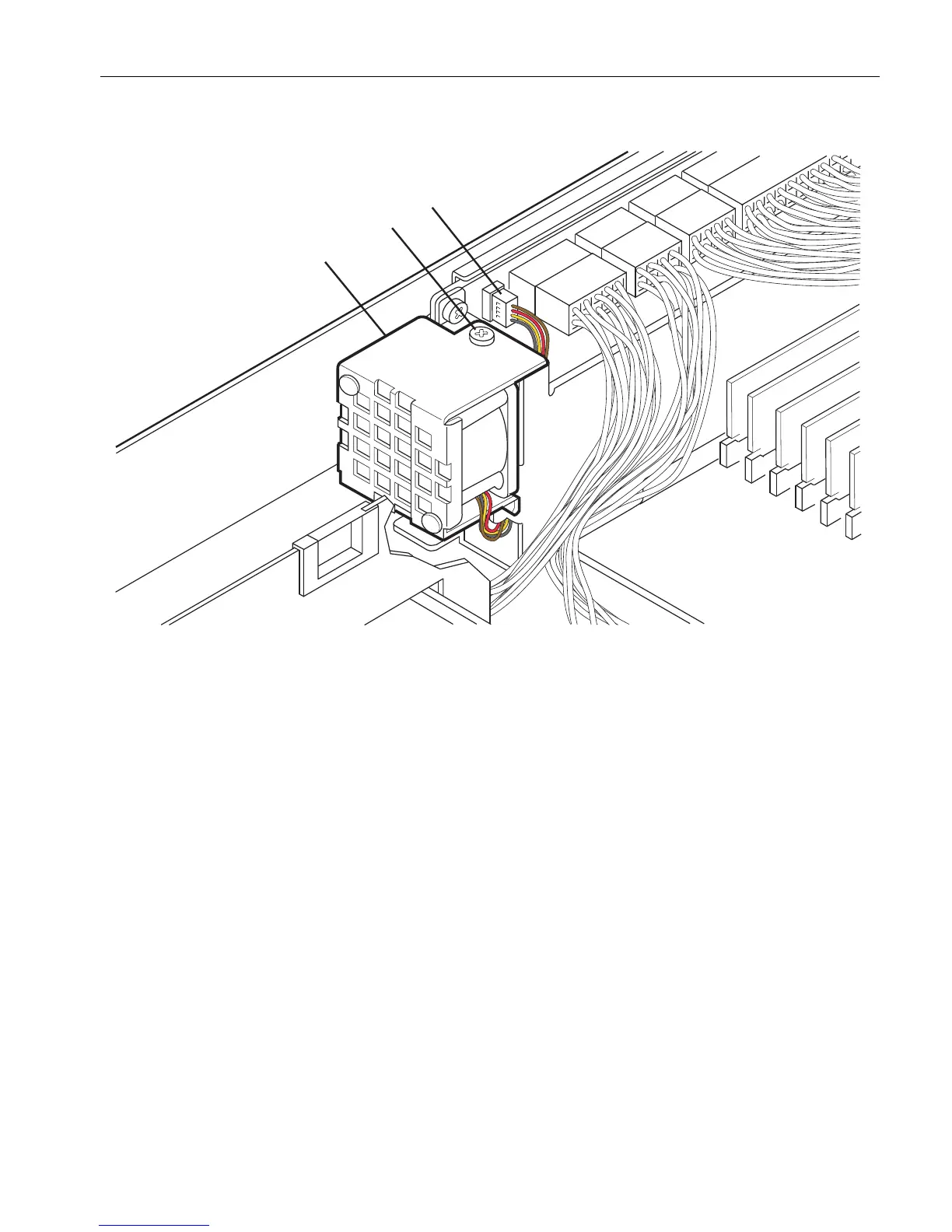
Removing and Replacing the Power Supply Fan
Installing and Replacing System Components
5-33
Figure 5-16. Removing the Power Supply Fan
Replacing the Power Supply Fan Assembly
1. Lower the fan into place, being sure to guide its base over the tabs (number 1 in
Figure 5-17). You may have to maneuver data cables to fit the fan into place.
2. Reconnect the connector (number 2) onto the power backplane.
3. Replace the screw (number 3) on the fan assembly.
4. Replace the CPU-I/O enclosure cover and CPU-I/O enclosure.
1 Power supply fan
2Screw
3 Fan connector



 To Next Page