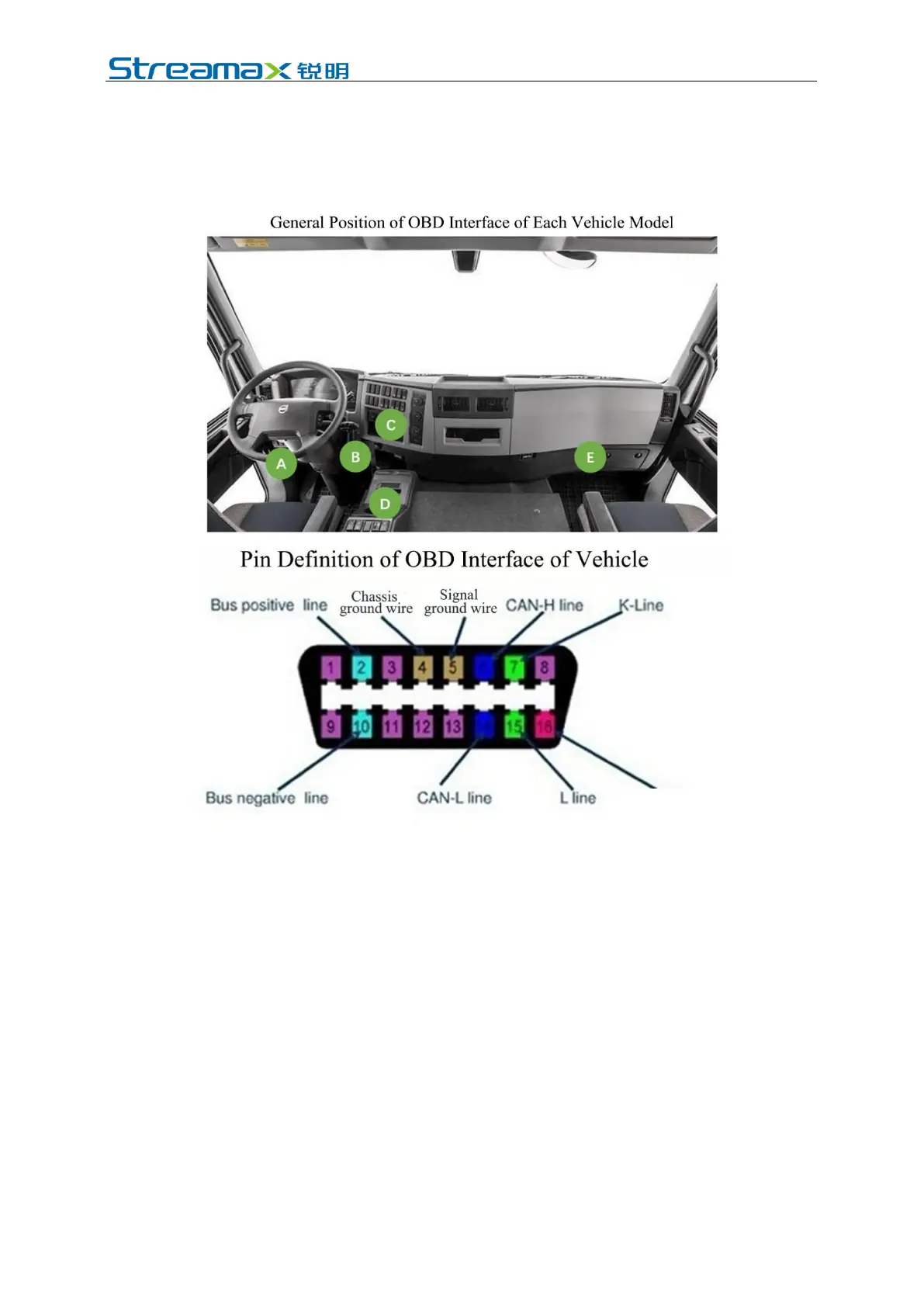
After the connection is completed, log in to the Veyes APP to connect the AD
Plus. Enter the configuration interface, set the CAN model and baud rate of the
equipment, and set the speed source as "OBD". At the same time, drive the
vehicle for a short distance at the installation site to test the accuracy of vehicle
speed pulse data.
2. Left steering/right steering/reversing signal
After locating the fuse board below the steering wheel or the front passenger
dashboard, measure the cable corresponding to left steering/right steering/reversing
signal according to the tips on the cover back of the fuse board or using a
multimeter.
For the standard discrete wire, there are only two IO signal cables, so only
connection to the left and right steering signals respectively is required.
For some customized discrete wires, there are eight IO signal cables, so the left
steering, right steering and reversing signal cables need to be connected.
*Note:
If the measured signal is a pulse signal, the source of left steering/right
steering/brake signal shall be set as pulse on the setting interface of the main unit; if
the measured signal is a continuous high or low level signal, the source of left
steering/right steering/brake signal shall be set as level on the setting interface of the



 To Next Page