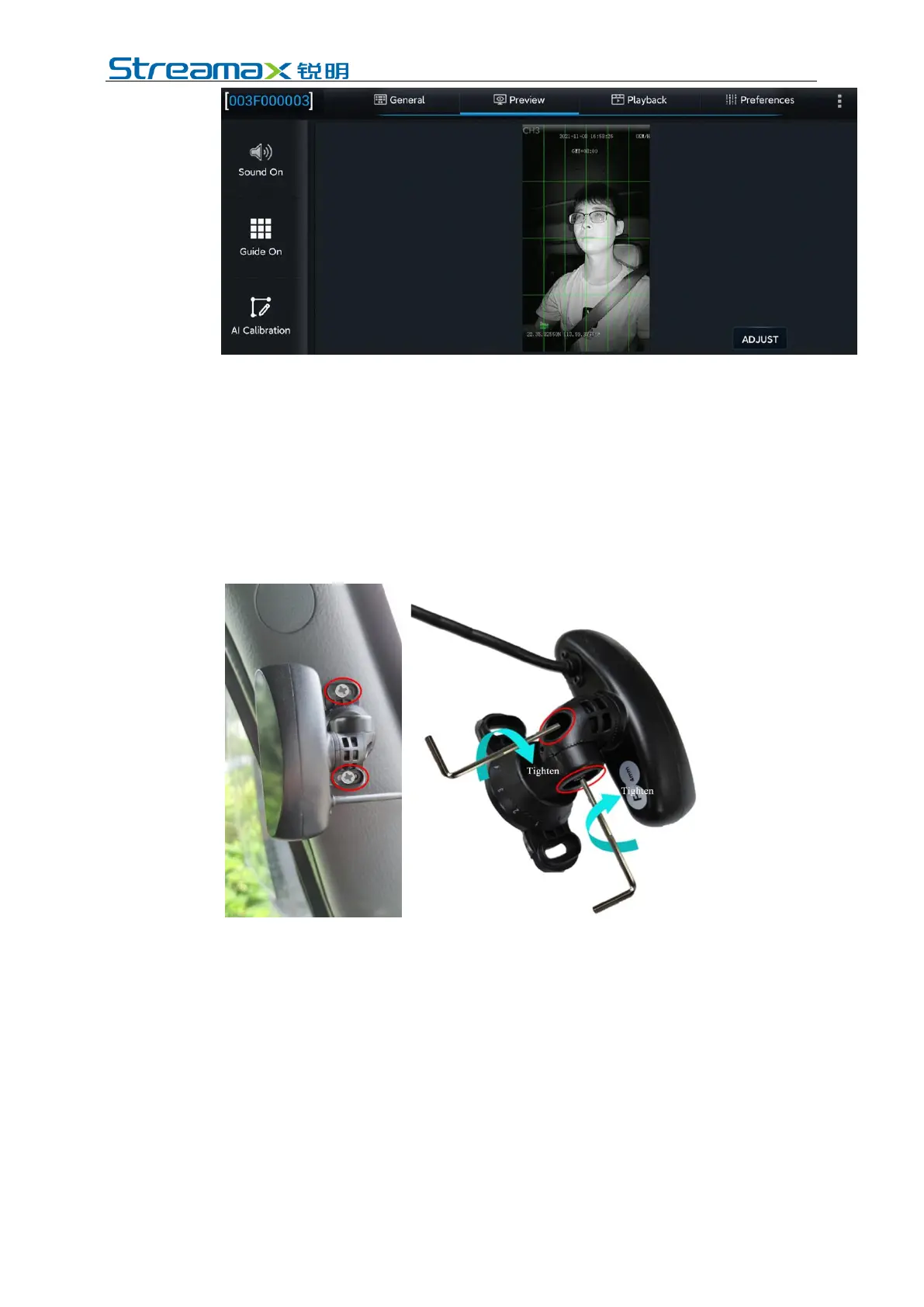
(3) Make sure that there is no other object (such as steering wheel) in the
DMS video screen that will block the driver's face and the seat belt
features.
(4) Make sure that there is no other object (for example, the steering wheel)
in the DMS video screen that will obstruct the driver's face and the seat
belt features.
6. Tighten the lower screw of the DMS camera mount and the screws at the left
and right angle joints to ensure that the camera will not shake up and down or
left and right.
6.1.4.2 Installation steps of glass mounted CA29M camera
If the vehicle has an airbag on the A-pillar, and the A-pillar side mounted CA29M
camera could not be mounted on the A-pillar, CA29M camera with glass mounting
bracket can be chosen. The specific installation process is as follows:
1. Power on the device first; then, connect with the device through the APP, enter
the real-time preview screen, and on the premise that the 3M tape on the base
of the glass mounted CA29M camera is not torn off, roughly determine the
camera installation position which shall meet the following requirements:
(1) The glass mounting bracket shall not be too far away from the A-pillar,
otherwise it will obstruct the driver's view; the bracket base should be
mounted parallel to the A-pillar.



 To Next Page