PART 1
z
English
39
5.4 Timer
You can set the timer to make the receiver perform designated actions including timer based wake up
or sleep instructions to the set-top-box.
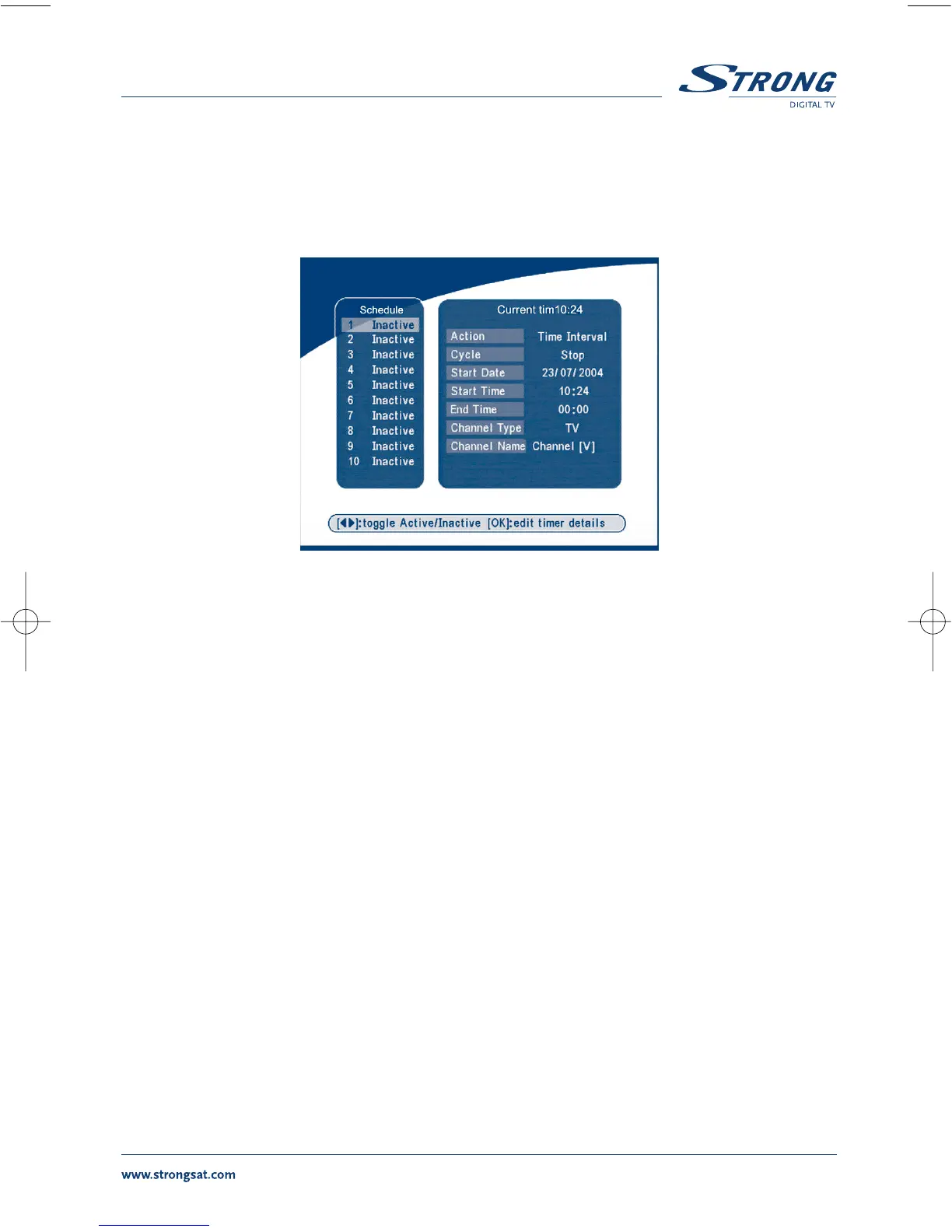
SCREEN 45
Use the UP/DOWN buttons to select timer. Press the LEFT/RIGHT key to activate/inactivate current
timer. Press the OK button to enter your selected timer settings.
Action: You can select the following functions:
“Power On”: The receiver powers on at the designated date and time.
“Time interval”: The receiver switches on at the designated date and time, displays the chan-
nel and then switches off at the designated date and time (The value set at
the end time).
“Power Off”: The receiver powers off at the designated date and time.
Cycle: You can set the cycle of the action designated in the timer mode (one time,
Daily or Weekly).
Start Date: You can set the start date of the timer action.
Start Time: You can set the start time of the timer action.
End Time: You can set the end time of the channel viewing when the Timer mode is on
Time Interval.
Channel Type: Select between TV and Radio.
Channel Name: Press the Right button to display the channel list and using the navigation
buttons select the channel to be shown when the receiver will power on
by the timer.



 To Next Page