PART 1
z
English
11
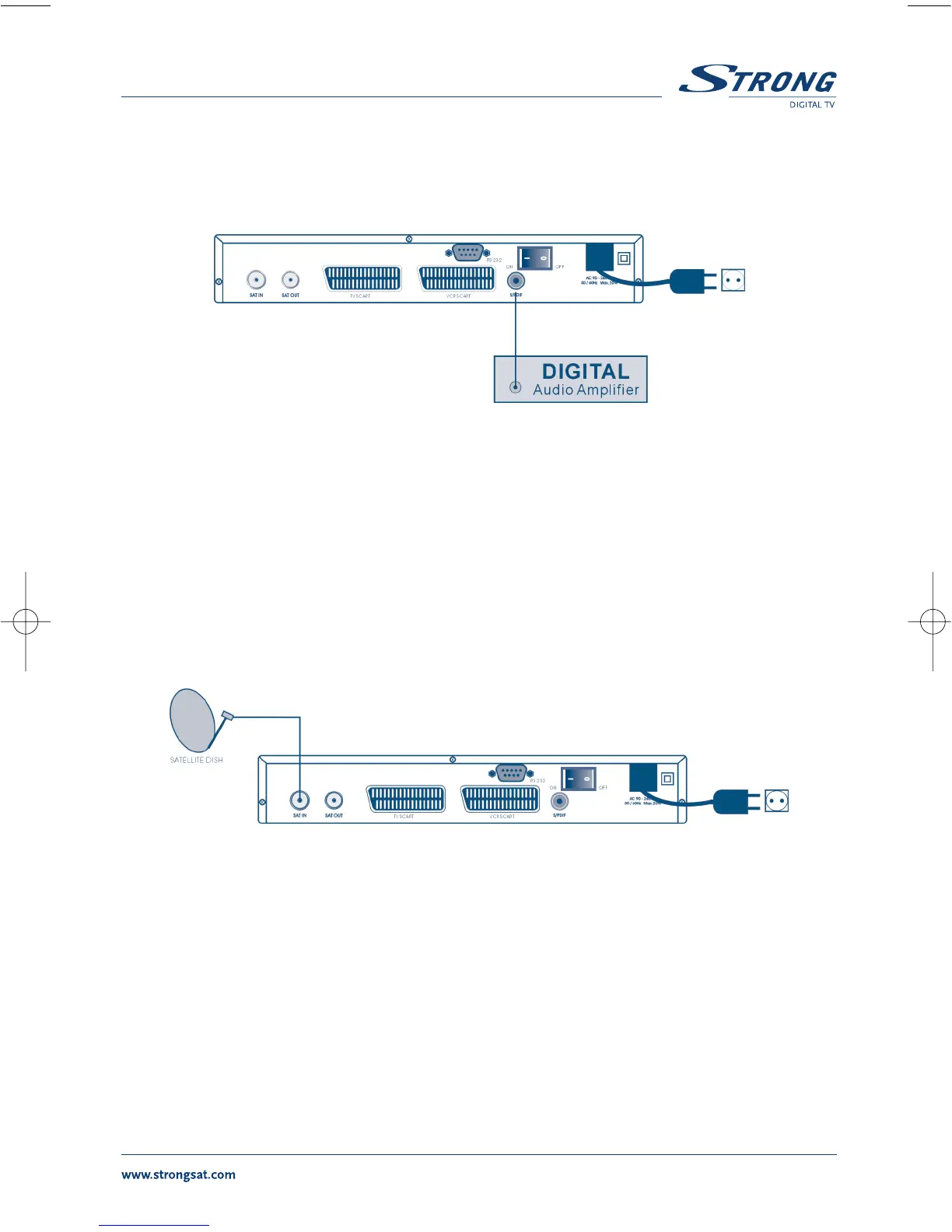
3.2 Connecting to Digital Audio Amplifier
The Digital Audio Amplifier is connected with the receiver from the S/PDIF connector. (FIGURE 6)
FIGURE 6
3.3 Connecting to Satellite Dish
<Connecting a fixed satellite dish to your receiver>
First choose which satellite you want to receive your signals from, and have your dealer aim
your dish at the requested satellite.
Connect a coax cable to your LNB and the other end directly to the LNB IN connector of your
receiver.
FIGURE 7. Connecting a fixed satellite dish to your receiver
<Connecting multiple fixed dishes to your receiver using a DiSEqC 1.0 switch>
If you want to watch programs from more than one satellite (For example from Astra and from Hot
Bird) it is advisable to use fixed dishes and a DiSEqC 1.0 switch. Have your Dealer aim the dishes at
the requested satellites and connect the LNB's with coax cables to the IN connectors of the DiSEqC 1.0
switch . Connect the OUT connector of the DiSEqC 1.0 switch to the LNB IN connector at the back of
your receiver.



 To Next Page