TimeLine - User Manual
®
pg 34
Globals Menu Continued
ON
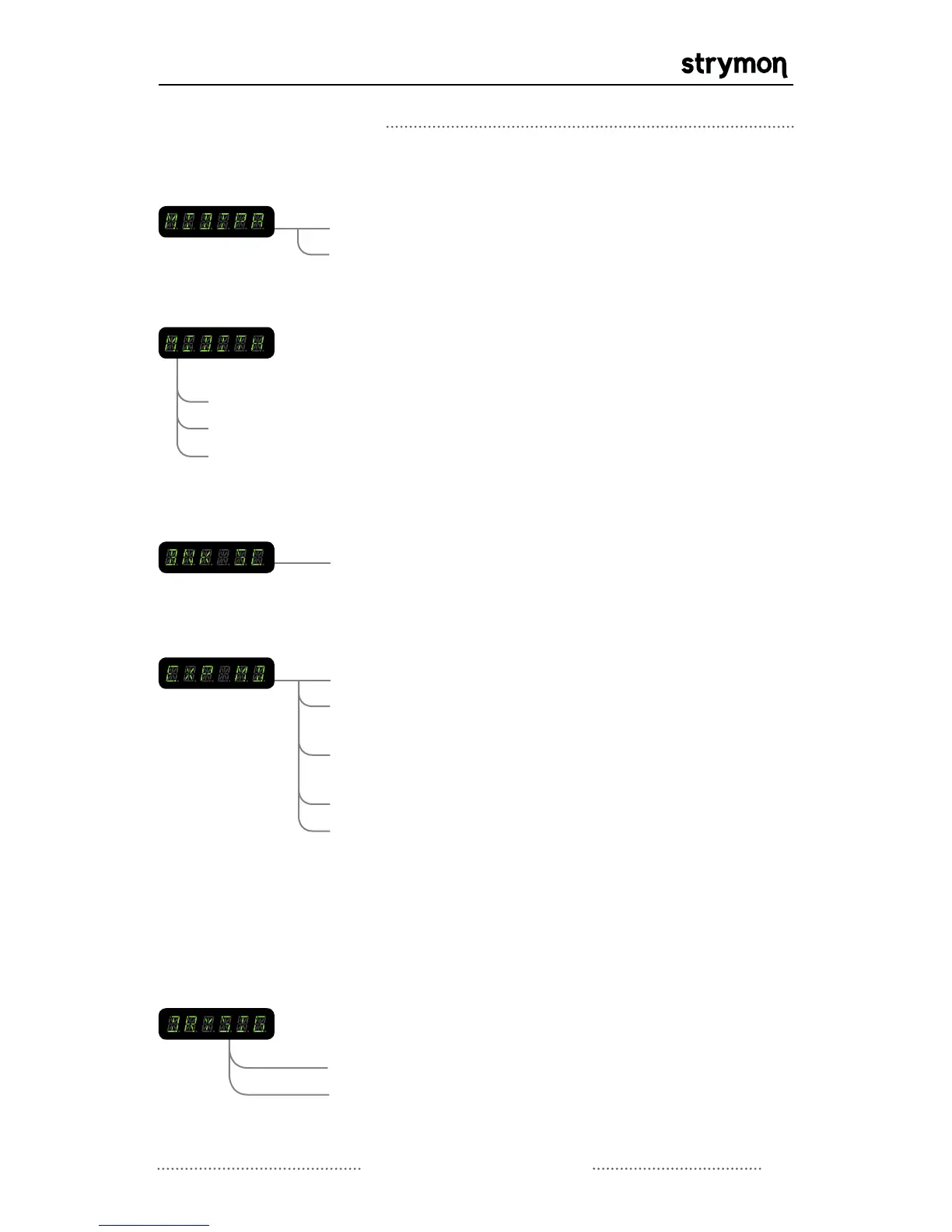
MIDI PATCH CHANGE: Turns MIDI patch change messaging ON or
OFF.
OFF
THRU
MIDI THROUGH: When set to THRU, MIDI messages that arrive at the
MIDI input are sent to the MIDI output without ANY
additional MIDI messages generated by TimeLine.
When set to MERGE, MIDI messages that arrive at the
input and those that are generated by TimeLine are
merged together to be sent to the MIDI output. When
set to OFF, only MIDI messages generated by the
controls on TimeLine are sent to the MIDI output.
OFF
BNK 1-99
BANK SCROLL: Sets the maximum bank number to scroll to.
PEDAL
EXP INPUT MODE: Configures the EXP input to use an Expression
Pedal or an external TAP footswitch.
TAP
BANK
PRESET
LOOPER
-for use with MultiSwitch to select preset
banks
-for use with MultiSwitch to select presets
Please refer to the MultiSwitch user manual for
detailed MultiSwitch setup information:
www.strymon.net/support/multiswitch
-for use with Expression Pedal
-for use with external TAP footswitch, or
MultiSwitch for tap and preset select
-for use with MultiSwitch to control
Looper functions
NORMAL
KILL
DRY SIGNAL: Turns the dry signal on or off. This is sometimes
useful in a parallel effects loop when an effect level is
necessary.
- dry signal is muted allowing the MIX control
to be used as an effect level
Continued on Next Page
MERGE



 To Next Page