TimeLine - User Manual
®
pg 35
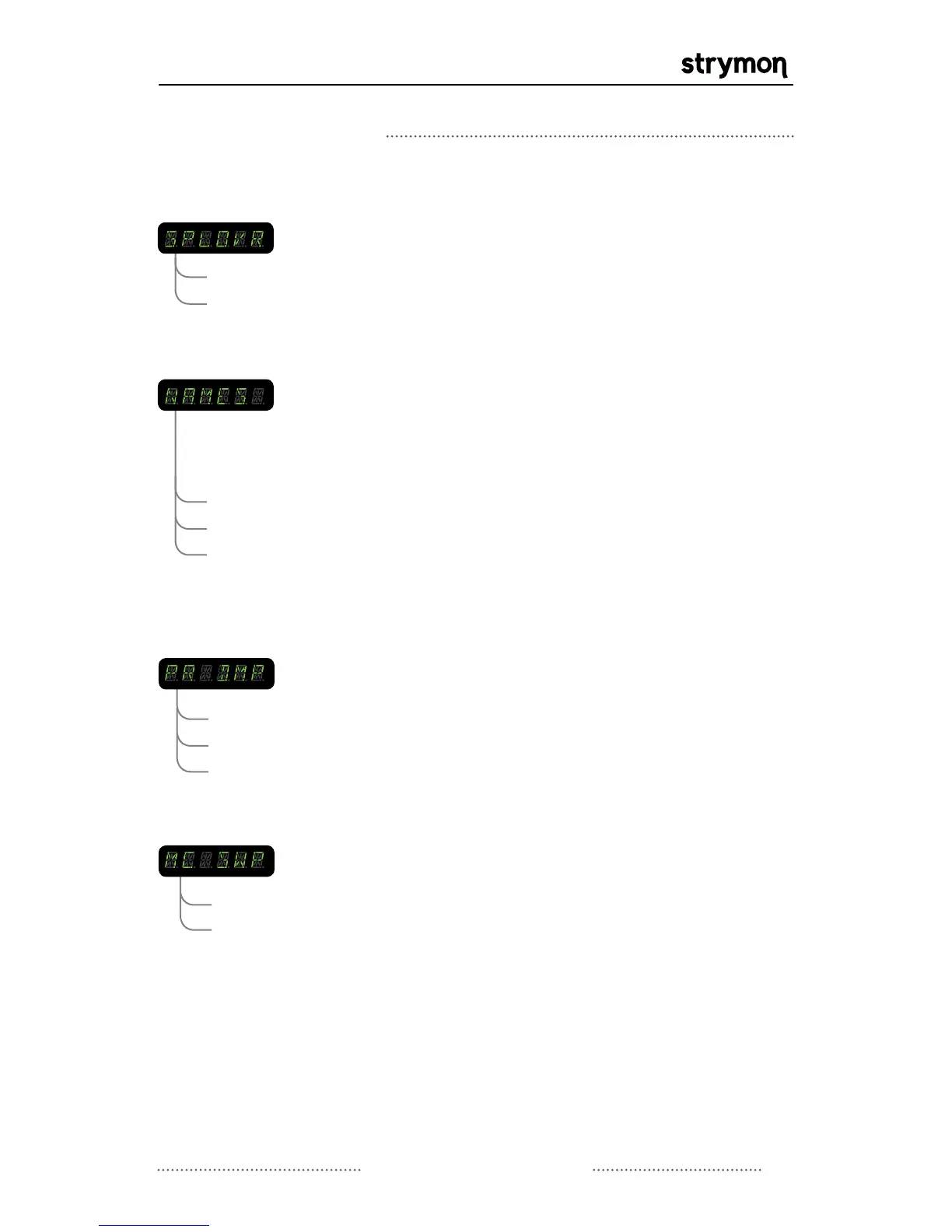
SPILLOVER: Allows the wet delay signal of a currently selected
preset to “spill” into the next selected preset.
IMPORTANT: Because of the delay buffer architecture,
the current preset must be active for at least 5
seconds before spillover will be operational.
OFF
ON
Globals Menu Continued
OFF
PRESET NAMES: Enables or disables the display of preset names
when displaying the current bank. If set to ON or
SCROLL, when incrementing through banks with the
VALUE encoder, the bank number will be displayed
with 2 digits followed by the first 3 characters of the
preset name.
ON
SCROLL
- bank numbers are displayed instead of preset names
- the first 6 characters of the preset name are displayed
- the preset name will scroll once completely through
its 16 characters then settle on the first 6 characters
PRESET DUMP: Allows presets to be sent via MIDI to another TimeLine
or to a MIDI recorder device. Presets can be dumped
individually or all at one time. Select ALL to dump all
presets, or scroll to select an individual preset to send.
Initiate send by pressing VALUE encoder.
EXIT
ALL
PR 0A - 99C
MIDI CLOCK SWEEP: Allows the option to keep or remove delay pitch
artifacts when changing TAP tempo from an external
MIDI clock source.
ON
OFF
Continued on Next Page



 To Next Page