Zelzah - Multidimentional Phaser
pg 25
SWEEP
phase time
RESONANCE
SPEED
DEPTH DEPTH
VOICEMIX
SPEED
multidimensional phaser
classic
barber
env
o
mild
strong
MIDI Functionality – Configuring Zelzah to Use MIDI (cont.)
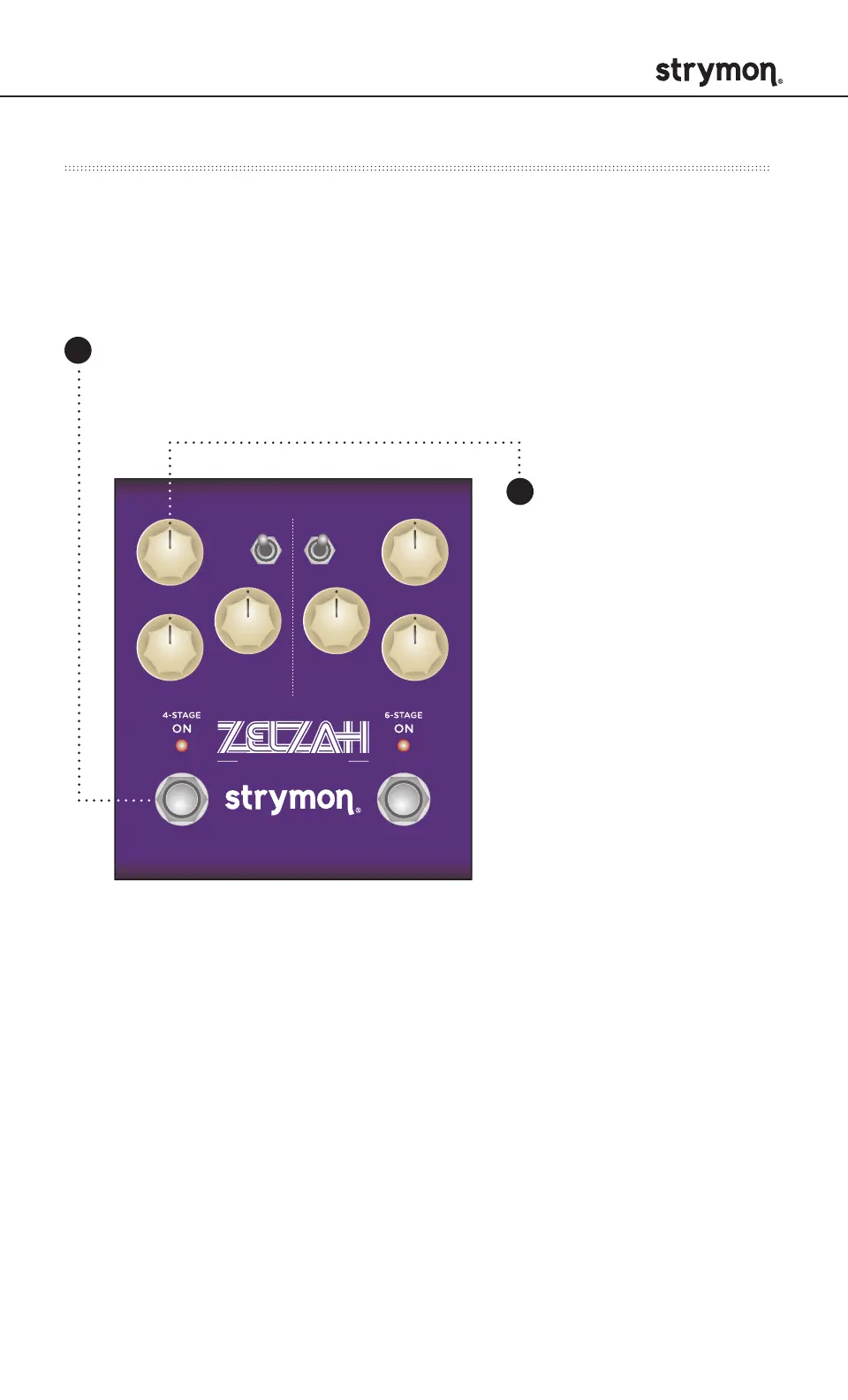
Step 2 – Set MIDI channel: This determines which MIDI channel Zelzah
will use to send and receive MIDI data. To select channel 4-16, you will
need to connect Zelzah to a MIDI device.
Press and hold the ON (4STAGE) footswitch while connecting
power to the pedal. Once both LEDs flash, release the footswitch.
Turn the SPEED
(4STAGE) knob
to set the MIDI
communication
channel. ON (4STAGE)
LED indicates status.
SPEED knob selections:
Channel 1: GREEN (default)
Channel 2: AMBER
Channel 3: RED
Channel 4-16: BLUE (Requires 1⁄4” MIDI connection.)
Once the LED turns BLUE, it will blink until the pedal receives a MIDI
Program Change message. Once a message is received, the pedal
will be set to the MIDI channel that carried the message and exit the
power-up mode to start using Zelzah.
1
2



 To Next Page