Zelzah - Multidimentional Phaser
pg 27
MIDI Functionality – Configuring Zelzah to Use MIDI (cont.)
Step 3 – Set MIDI Out Mode: Determines what kind of MIDI data will be
sent out of Zelzah.
SWEEP
phase time
RESONANCE
SPEED
DEPTH DEPTH
VOICEMIX
SPEED
multidimensional phaser
classic
barber
env
o
mild
strong
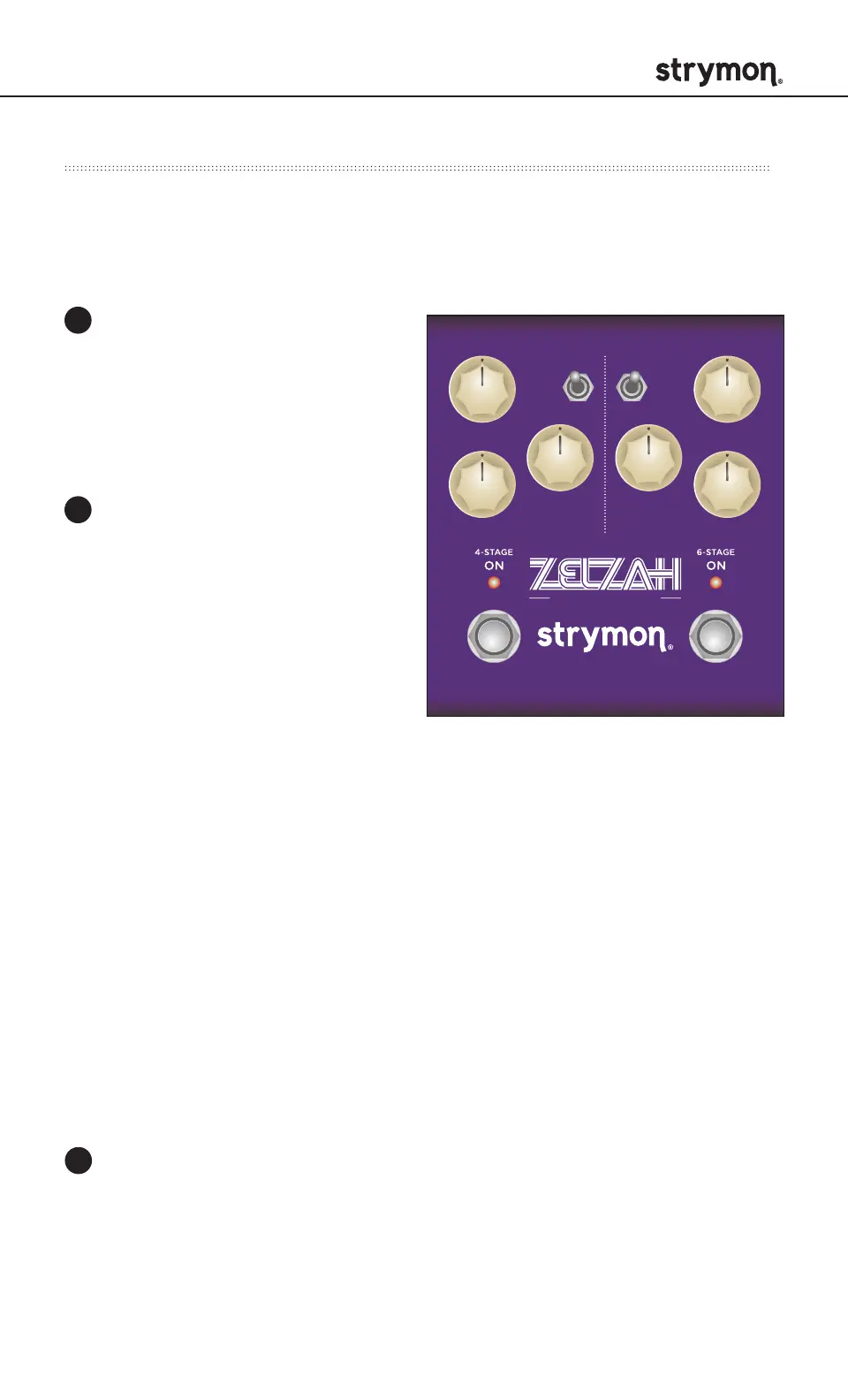
Press and hold the ON
(4STAGE) footswitch while
connecting power to the
pedal. Once both LEDs flash,
release the footswitches.
Turn the MIX knob to select
what kind of MIDI data is
sent from Zelzah to other
MIDI devices. Both LEDs
will flash momentarily to
indicate status.
OFF: RED (default) - No
MIDI messages are sent
out of Zelzah.
THROUGH: BLUE - Incoming MIDI messages are sent to the MIDI
Out without any additional MIDI messages generated by Zelzah.
SEND CC PC OTHER: WHITE - MIDI CC, PC, and Sysex messages
generated by Zelzah are all sent to the MIDI Out.
SEND CC OTHER: GREEN - MIDI CC and Sysex messages
generated by Zelzah are sent to the MIDI Out.
SEND PC OTHER: PURPLE - MIDI PC and Sysex messages
generated by Zelzah are sent to the MIDI Out.
SEND OTHER: AMBER - Sysex messages generated by Zelzah are
sent to the MIDI Out
Press either footswitch to store the MIDI Out mode and exit.
1
2
3



 To Next Page