Instruments and controls/Multi function display
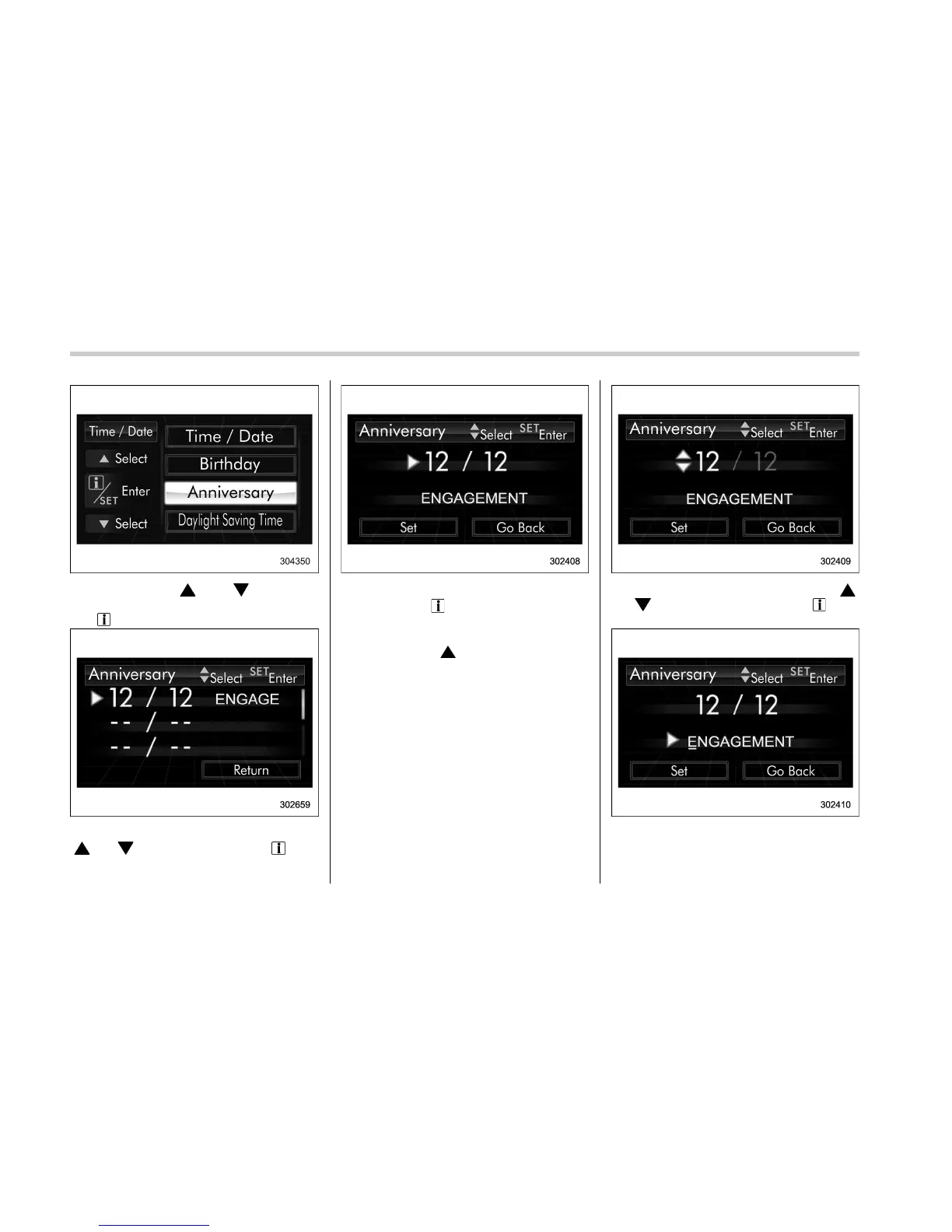
2. Operate the “ ” or “ ” switch to
select the “Anniversary” item. Then pull
the “
/SET” switch toward you.
3. Select the item to set by operating the
“
” or “ ” switch. Then pull the “ /SET”
switch toward you.
4. The selected item will be shown.
– Pull the “
/SET” switch toward you
to set the selected item.
– If you want to select another item,
operate the “
” switch to go back to
step 3.
5. Select numbers by operating the “ ”
or “
” switch. Then pull the “ /SET”
switch toward you.
6. After entering the date by repeating
step 5, you can enter the name.
3-54















 To Next Page