Black plate (215,1)
北米Model "A2440BE-A" EDITED: 2006/ 12/ 6
If you accidentally press the button and
cancel the random mode, press it again
to reselect the random mode.
. Random playback will be cancelled
if you perform any of the following
steps:
.
Press the “RPT” button
.
Press the “ ” or “ ” side of the
SEEK/SCAN button in the folder
random mode “F-RDM”
.
Press the “ ” button
.
Press the disc select button
.
Select the radio or AUX mode
.
Press the “LOAD” button when
there i s free space in the CD
magazine.
.
Turn off the power of the audio
equipment.
.
Turn the ignition switch to the
“LOCK” position.
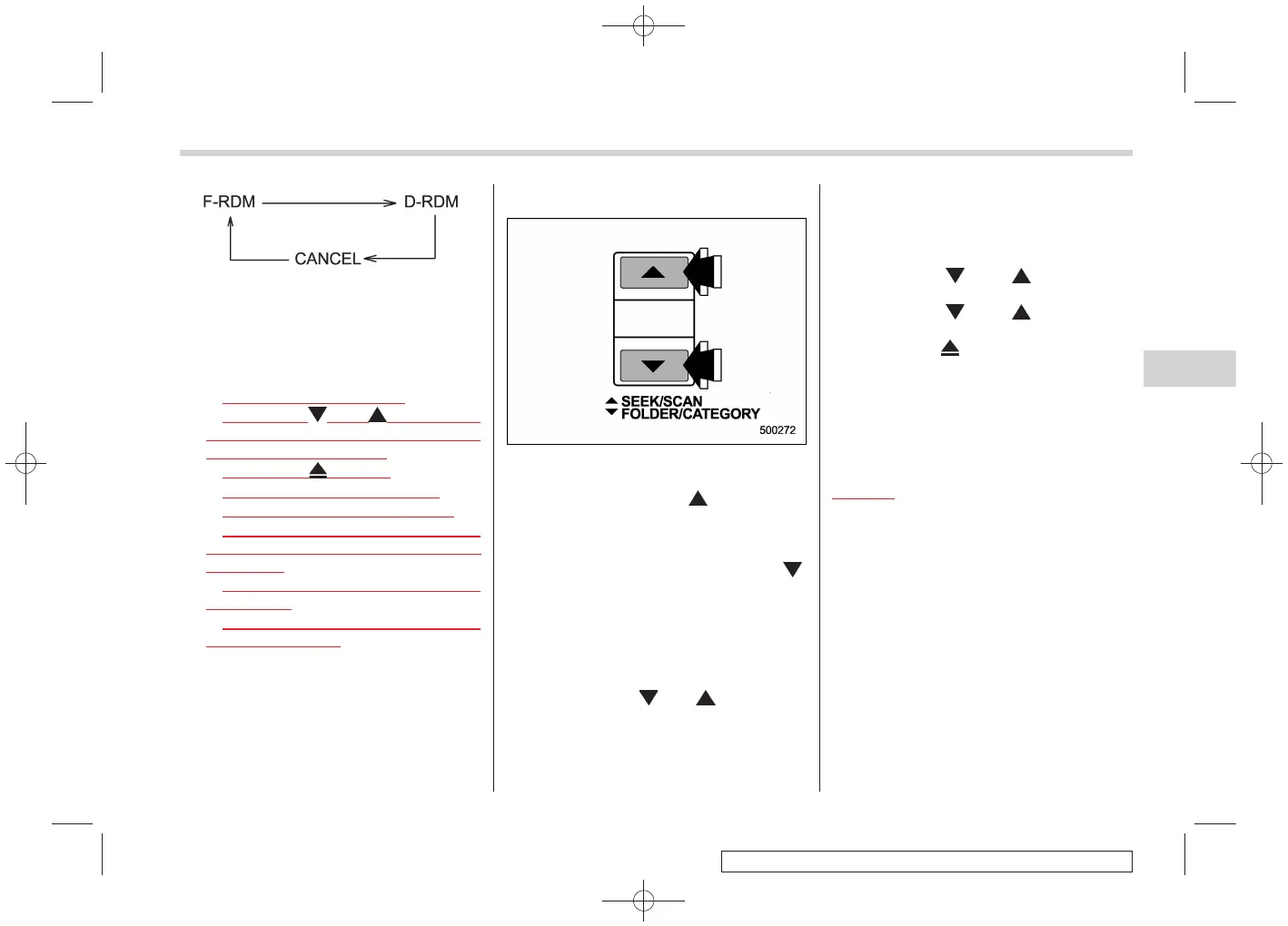
& Scan
S05AV08
The scan mode lets you listen to the first
10 seconds of each track/file (track) in
succession. Press the “
” side of the
SEEK/SCAN button for 0.5 second or
longer to start scanning upward beginning
with the track/file (track) following the
currently selected one. Press the “
”
side of the button to start scanning down-
ward beginning with the track/file (track)
preceding the currently selected one.
After all tracks/files (tracks) in the disk/
folder have been scanned, normal play-
back will be resumed. To cancel the scan
mode, press the “
” or “ ” side of the
button for 0.5 second or longer.
NOTE
The scan mode will be cancelled if you
perform any of the following steps:
. Press the “RPT” button
. Press the “
” or “ ” side of the
TUNE/TRACK button
. Press the “
” or “ ” side of the
SEEK/SCAN button
. Press the “
” button
. Press the disc select button
. Select the radio or AUX mode
. Press the “LOAD” bu tton when
there is free space in the CD magazine.
. Turn off the power of the audio
equipment.
. Turntheignitionswitchtothe
“LOCK” position.
Audio 5-21
– CONTINUED –
5












 To Next Page