Black plate (293,1)
北米Model "A2440BE-A" EDITED: 2006/ 12/ 6
The vehicle will maintain the desired
speed.
Vehicle speed can be temporarily in-
creased while driving with the cruise
control activated. Simply d epress the
accelerator pedal to accelerate the vehi-
cle. When the accelerator pedal is re-
leased, the vehicle will return to and
maintain the previous cruising speed.
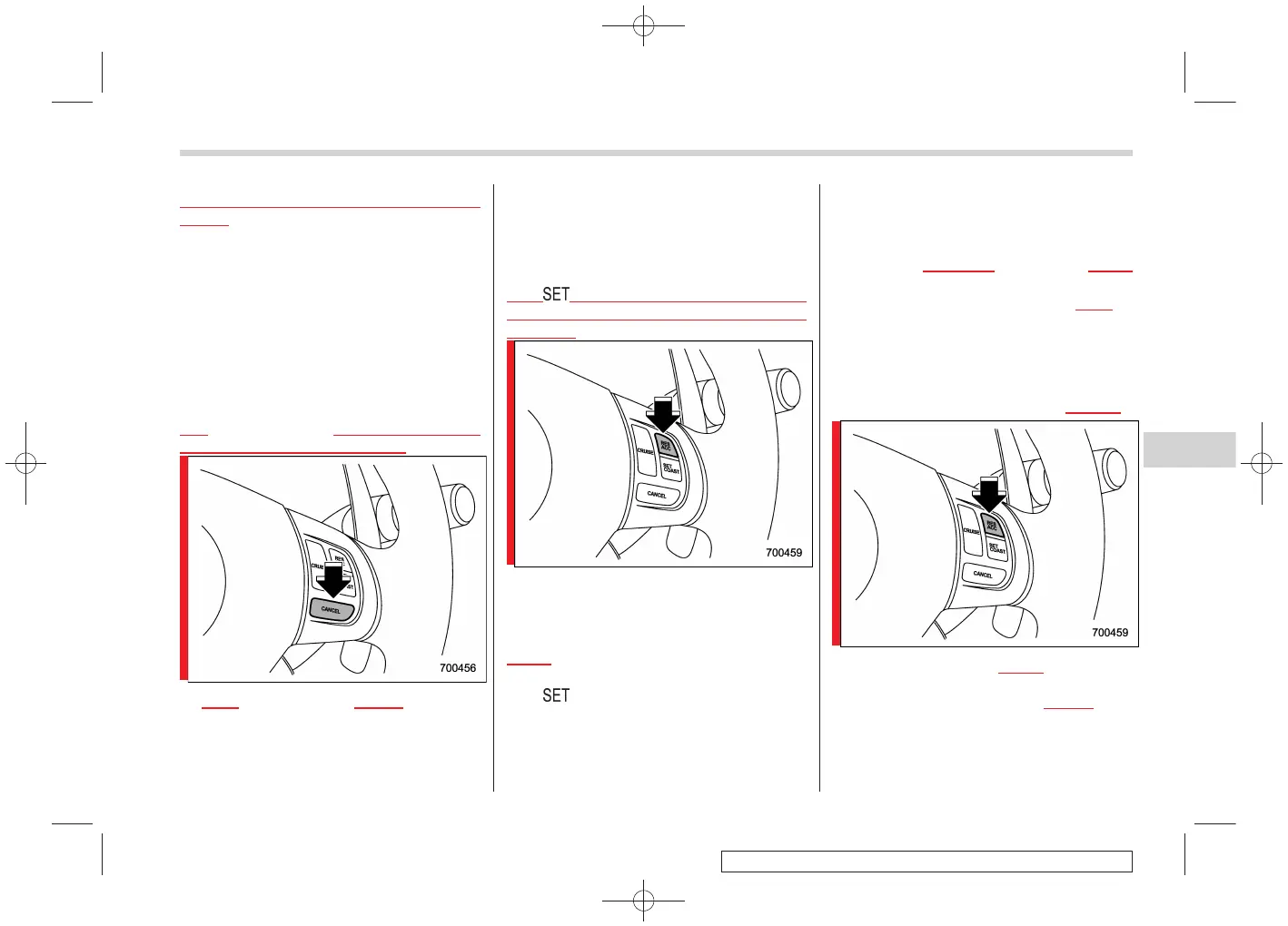
& To temporarily cancel the
cruise control
S07AQ02
The cruise control can be temporarily
canceled in the following ways:
. Push the “CANCEL” button.
. Depress the brake pedal.
. Depre ss the clutch pe dal (manual
transmission vehicles only).
. Shift the selector lever into the “N”
position (automatic transmission vehicles
only).
. Shift the shift lever into neutral position
(manual transmission vehicles only).
The “ ” indicator light in the combination
meter goes off when the cruise control is
canceled.
To resume the cruise control after it has
been temporarily canceled and with vehi-
cle speed of approximately 20 mph (32
km/h)ormore,pushthe“RES/ACC”
button to return to the original cruising
speed automatically.
The “
” indicator light in the combination
meter will automatically come on at this
time.
& To turn off the cruise control
S07AQ03
There are two ways to turn off the cruise
control:
. Push the
“CRUISE” main switch button
again.
. Turn the ignition switch to the
“Acc” or
“LOCK” position (but only when the
vehicle is completely stopped).
& To change the cruising speed
S07AQ04
! To increase the speed (by button)
S07AQ0405
Push the “RES/ACC” button and hold it
until the vehi cle rea ches the desired
speed. Then, release the
button. The
vehicle speed at that moment will be
memorized and treated as the new set
speed.
Starting and operating 7-47
– CONTINUED –
7














 To Next Page