Black plate (273,1)
北米Model "A2440BE-A" EDITED: 2006/ 12/ 6
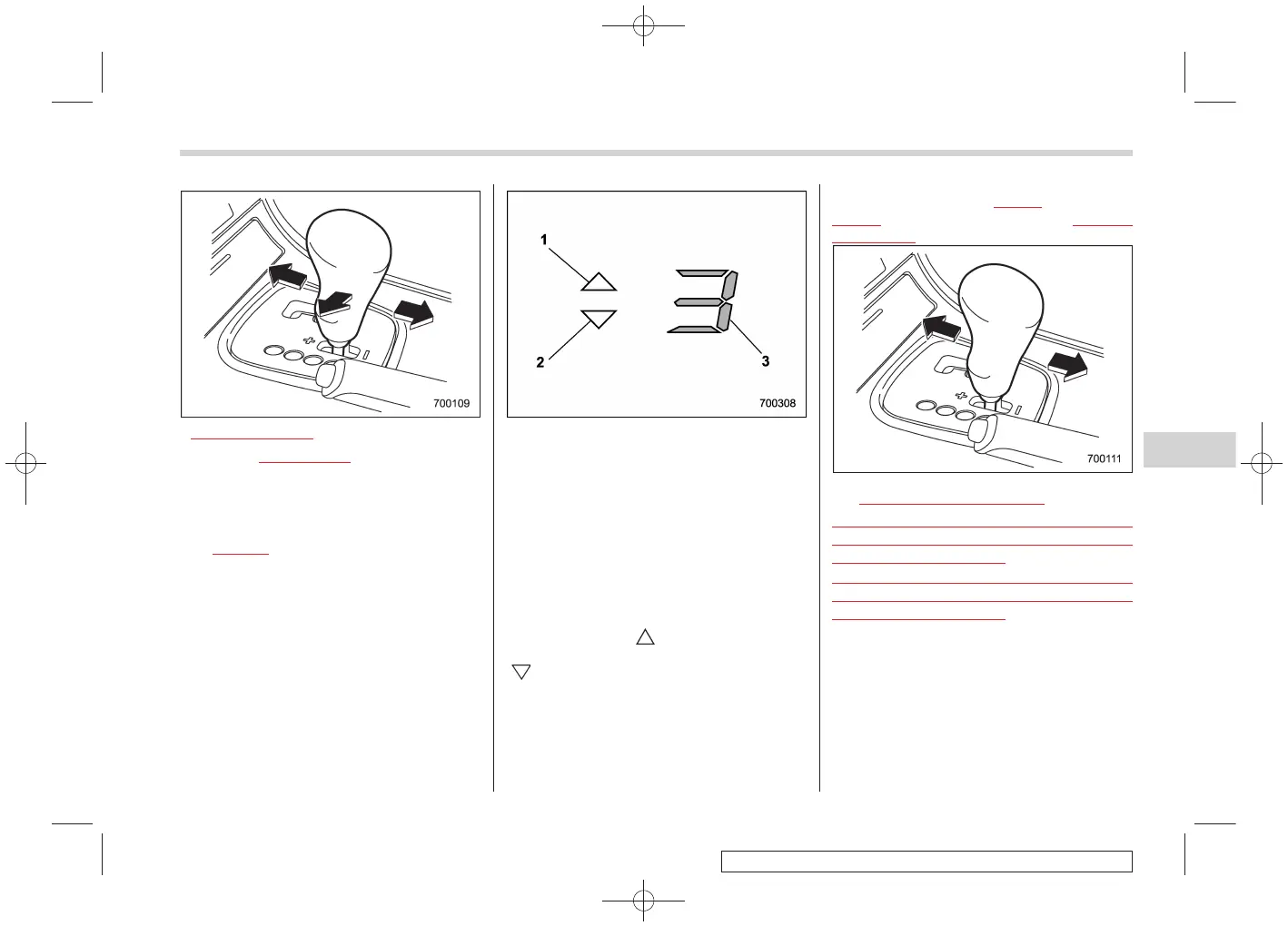
2.5-liter non-turbo models
For turbo and 3.0-liter models, with the
vehicle either moving or stationary, move
the selector lever from the “D” position to
the manual gate to select the manual
mode.
For
2.5-liter non-turbo models, with the
vehicle either moving or stationary, move
the selector lever from the “D” position to
the manual gate then move it to the “+”
end or “−” end of the manual gate to select
the manual mode.
1) Upshift indicator
2) Downshift indicator
3) Gear position indicator
When the manual mode is selected, the
gear position indicator and upshift indica-
tor and/or downshift ind icator in the
tachometer come on. The gear position
indicator shows the currently selected
gear in the 1st-to-5th-gear range. The
upshift and downshift indicators show
when a gearshift is possible. When the
upshift indicator “
” is on, upshifting is
possible. When the downshift indicator
“
” is on, downshifting is possible. When
both indicators are on, upshifting and
downshifting are both possible. When the
vehicle stops (for example, at traffic
signals), the downshift indicator goes off.
Gearshifts can be performed using the
selector lever or the
paddle shift switch
behind the steering wheel (turbo and 3.0-
liter models only).
! Using the selector lever
S07AH0301
Shift to the next-higher gear by briefly
pushing the selector lever toward the “+”
end of the manual gate.
Shift to the next-lower gear by briefly
pulling the selector lever toward the “−”
end of the manual gate.
Starting and operating 7-27
– CONTINUED –
7














 To Next Page