Chapter 2 System Setup 31
What to Do
1. Open the rack door (if necessary). Release the decorative panel retaining screws
securing the server to the rack, and extend the server from the rack. Position one
person on each side of the system, facing the system glides.
When you are both in position, verify that your helper understands what to do with
the system after you release it and remove it from the rack. Also agree on a route to
follow, and visually inspect it for potential safety hazards (for example, cables on the
floor, other people working in the vicinity, and so on).
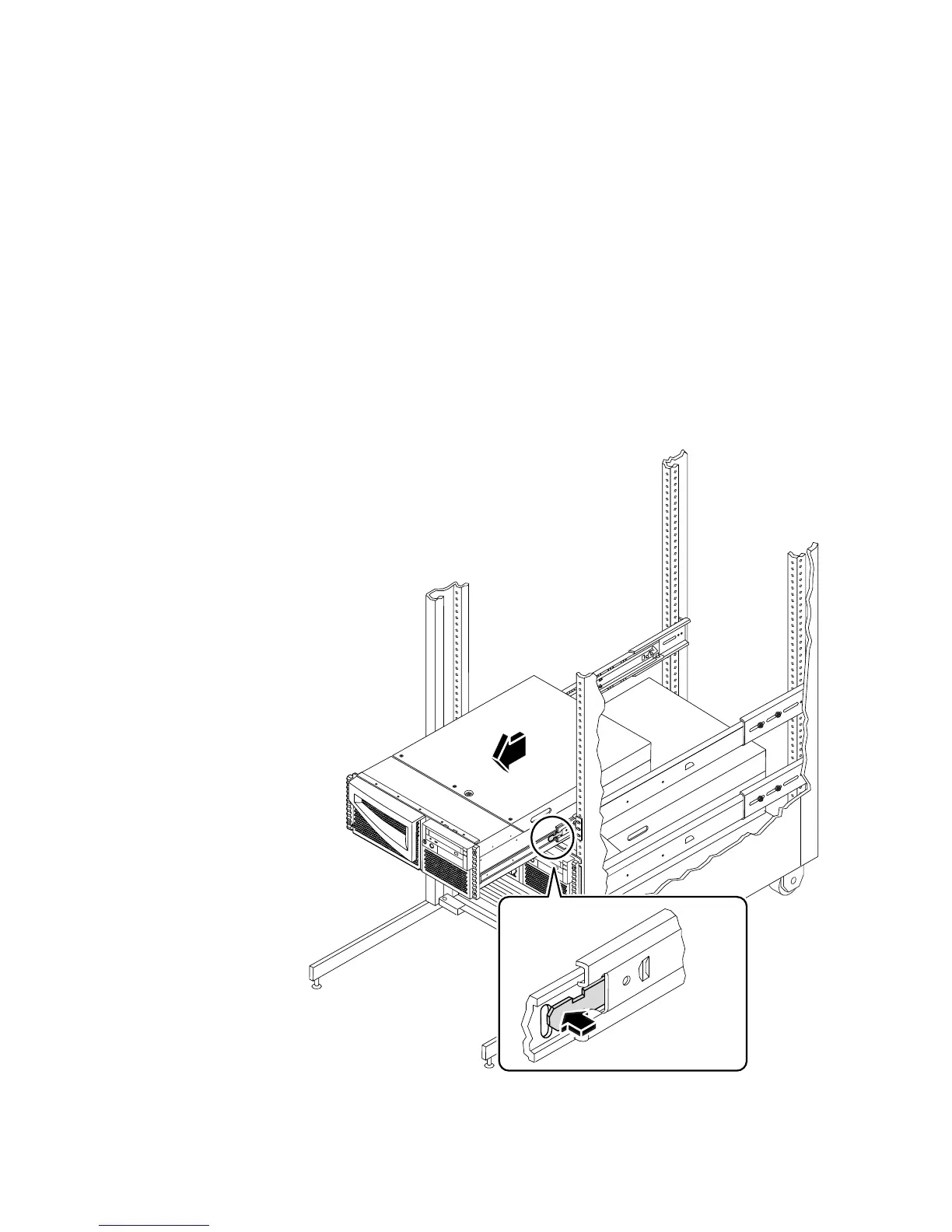
2. Locate the flat spring catch shown in the following figure.
Each person should visually locate one of the two flat spring catches that release the
system from the rack glide. One catch is attached to each inner glide, as shown in the
following figure.













 To Next Page