5-22 Sun Fire T1000 Server Service Manual • January 2007
5.7 Replacing the Clock Battery
5.7.1 Removing the Clock Battery on the Motherboard
1. Perform the procedures described in Chapter 4.
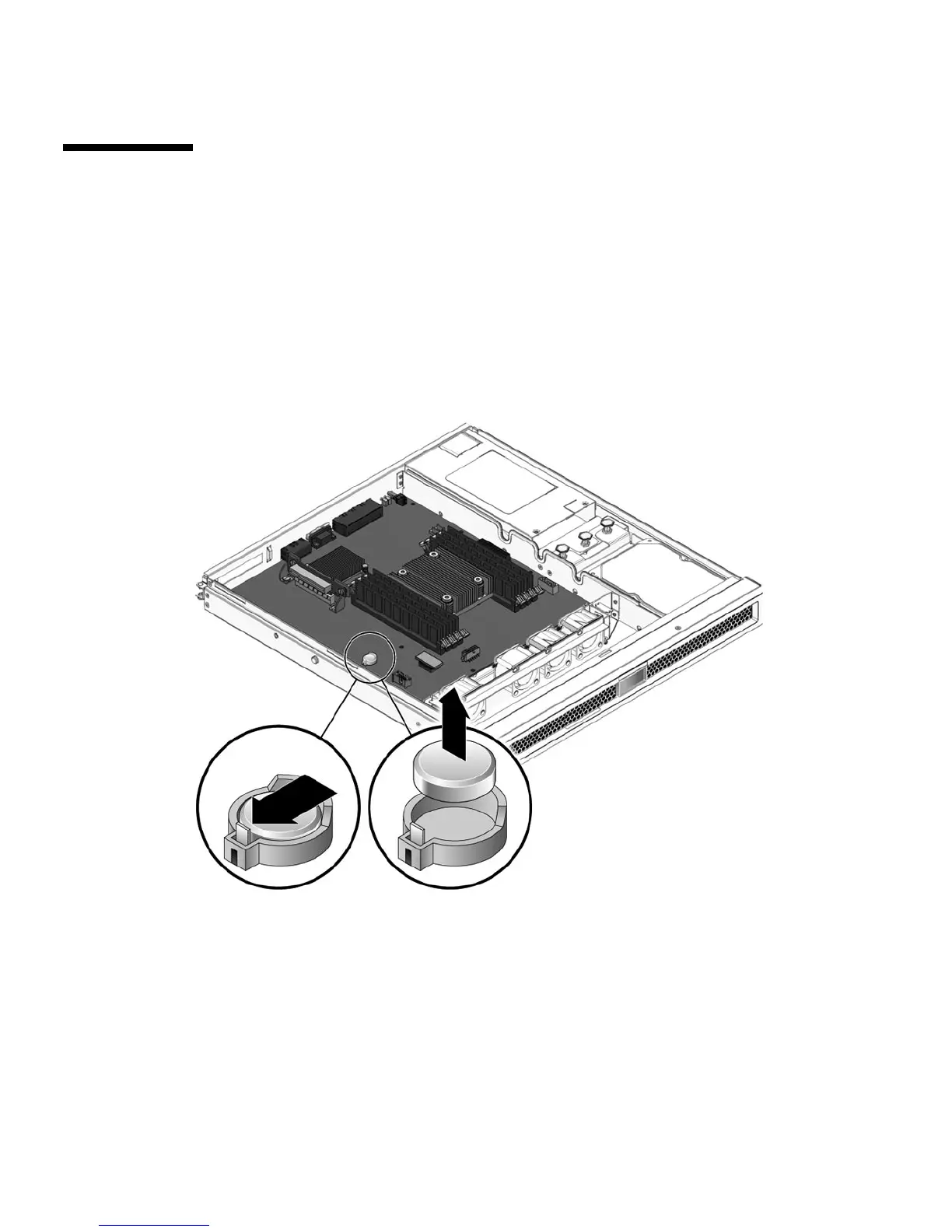
2. Using a small flathead screwdriver, carefully pry the battery from the
motherboard (
FIGURE 5-12).
FIGURE 5-12 Removing the Clock Battery From the Motherboard
5.7.2 Installing the Clock Battery on the Motherboard
1. Unpack the replacement battery.
2. Press the new battery into the motherboard with the + facing upward (
FIGURE 5-13).













 To Next Page