4-4 Sun Fire T1000 Server Service Manual • January 2007
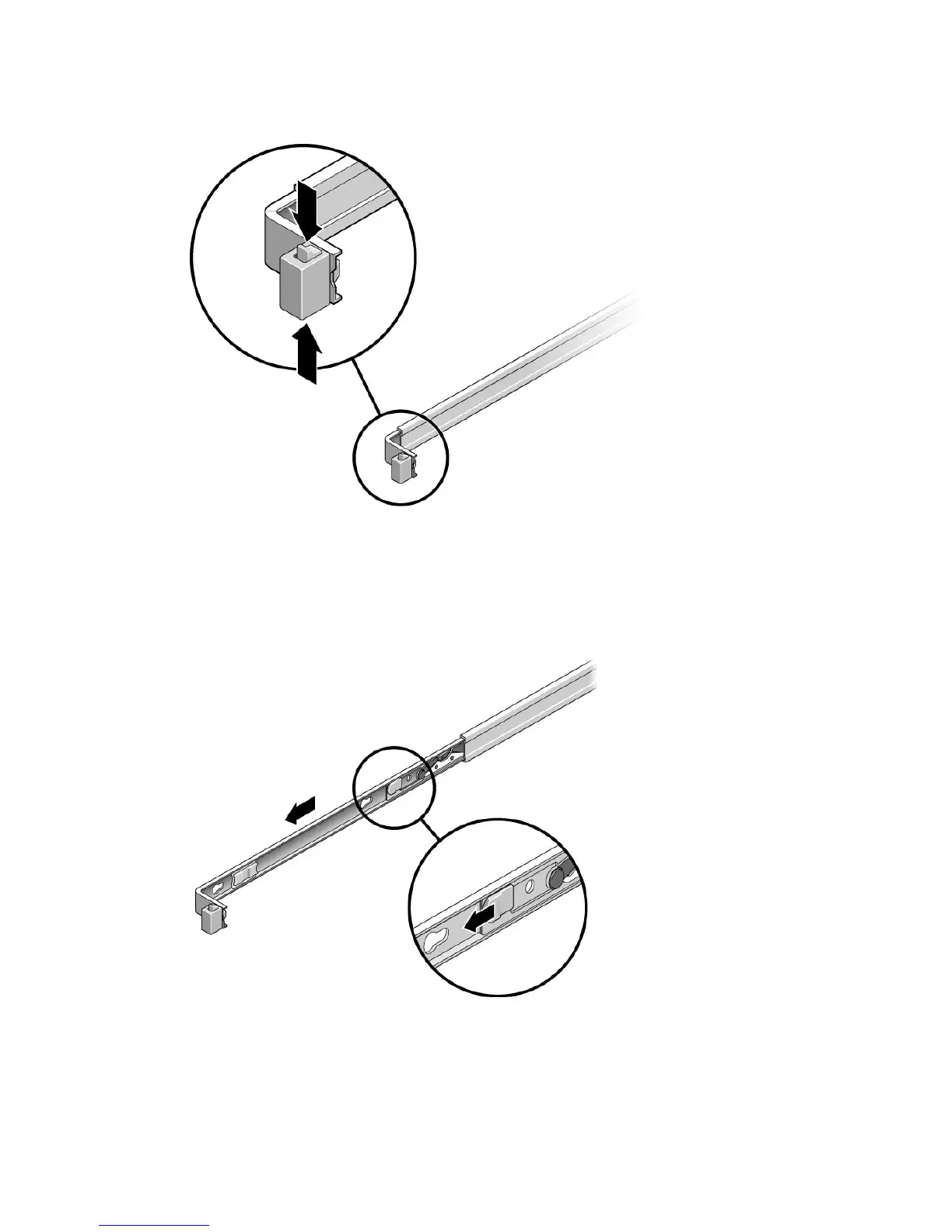
FIGURE 4-1 Unlocking a Mounting Bracket
6. Press the gray release tab on both mounting brackets to release the right and left
mounting brackets, then pull the server chassis out of the rails (
FIGURE 4-2).
The mounting brackets slide approximately 4 in. (10 cm) farther before disengaging.
FIGURE 4-2 Location of the Mounting Bracket Release Buttons
7. Set the chassis on a sturdy work surface.













 To Next Page