5-2 Sun Fire T1000 Server Service Manual • January 2007
5.1 Replacing the Optional PCI-Express
Card
5.1.1 Removing the Optional PCI-Express Card
Use this procedure to remove the optional low-profile PCI-Express (PCI-E) card from
the server.
1. Perform the procedures described in Chapter 4.
2. Remove any cables that are attached to the card.
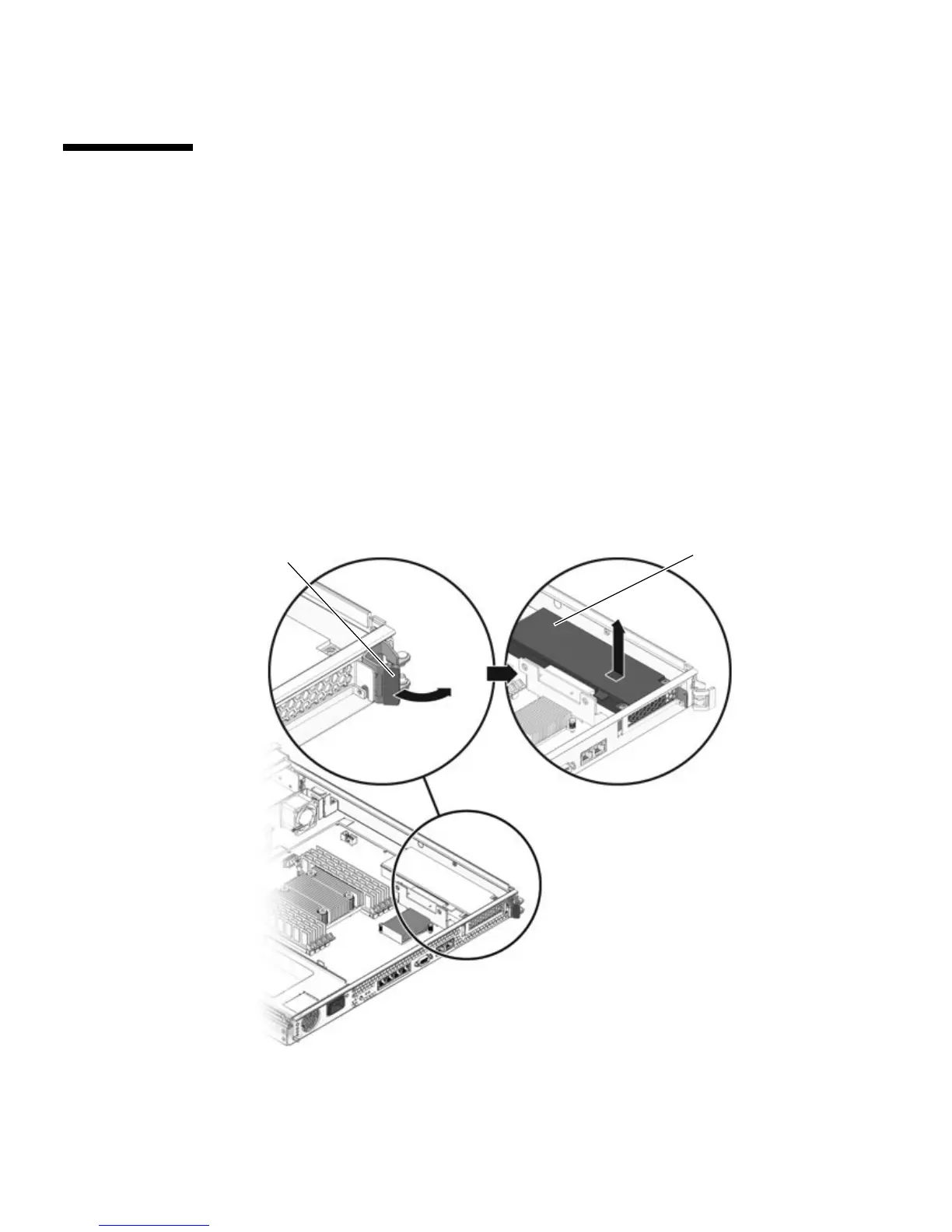
3. On the rear of the chassis, pull the release lever that secures the PCI-Express card
to the chassis (
FIGURE 5-1).
FIGURE 5-1 Releasing the PCI-Express Card Release Lever
PCI-E card
Release lever













 To Next Page