5-4 Sun Fire T1000 Server Service Manual • January 2007
3. On the rear of the chassis, engage the release lever to secure the card to the chassis
(
FIGURE 5-1).
4. Perform the procedures described in Chapter 6.
5.2 Replacing the Fan Tray Assembly
5.2.1 Removing the Fan Tray Assembly
1. Perform the procedures described in Chapter 4.
2. Disconnect the fan power cable from the motherboard.
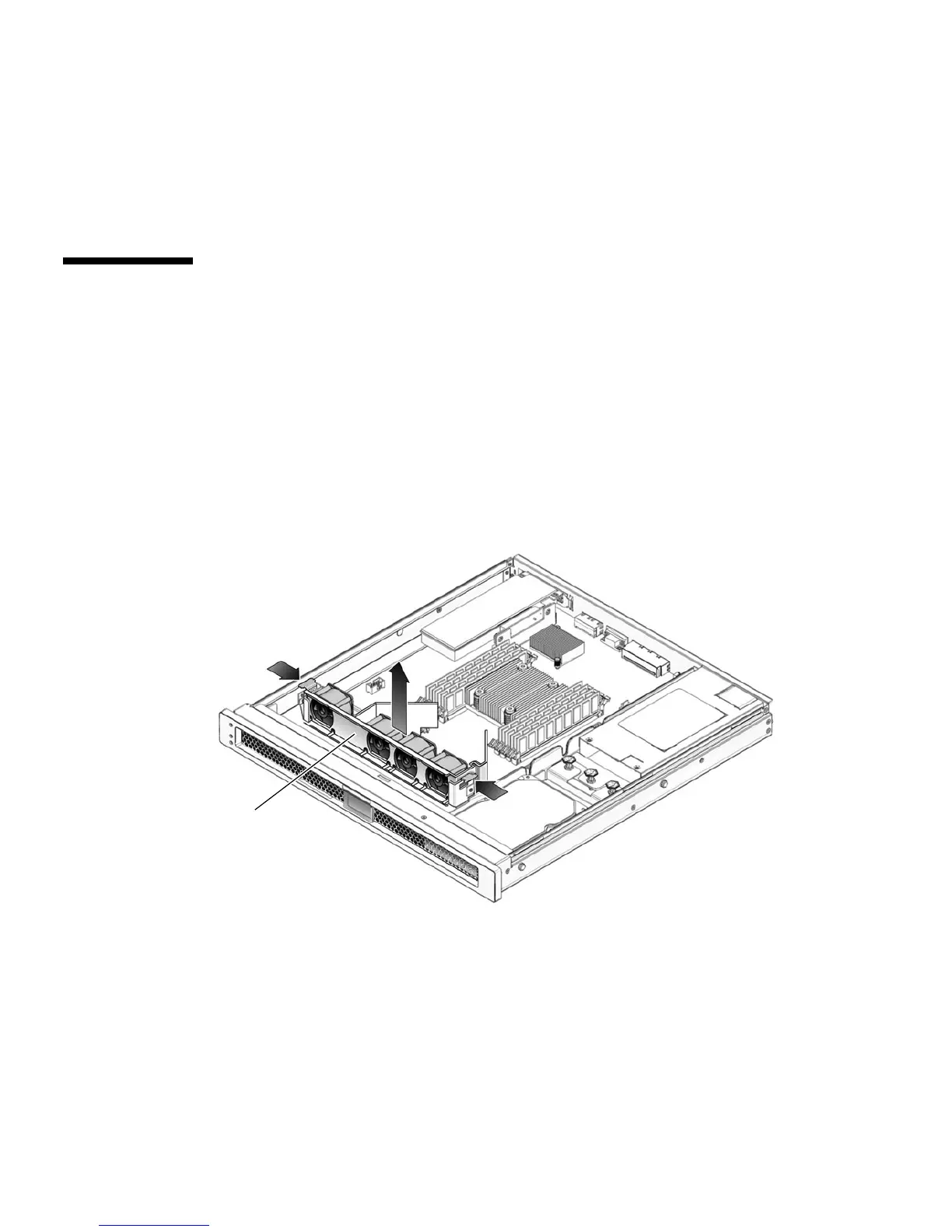
3. Push in on the clasps on both sides of the fan assembly (
FIGURE 5-3).
FIGURE 5-3 Removing the Fan Tray Assembly
4. Remove the fan assembly from the sheet metal mounting brackets.
Fan tray
assembly













 To Next Page