5-8 Sun Fire T1000 Server Service Manual • January 2007
5.4.1 Replacing a Hard Drive in a Single-Drive
Assembly
5.4.1.1 Removing the Hard Drive in a Single-Drive Assembly
1. Perform the procedures described in Chapter 4.
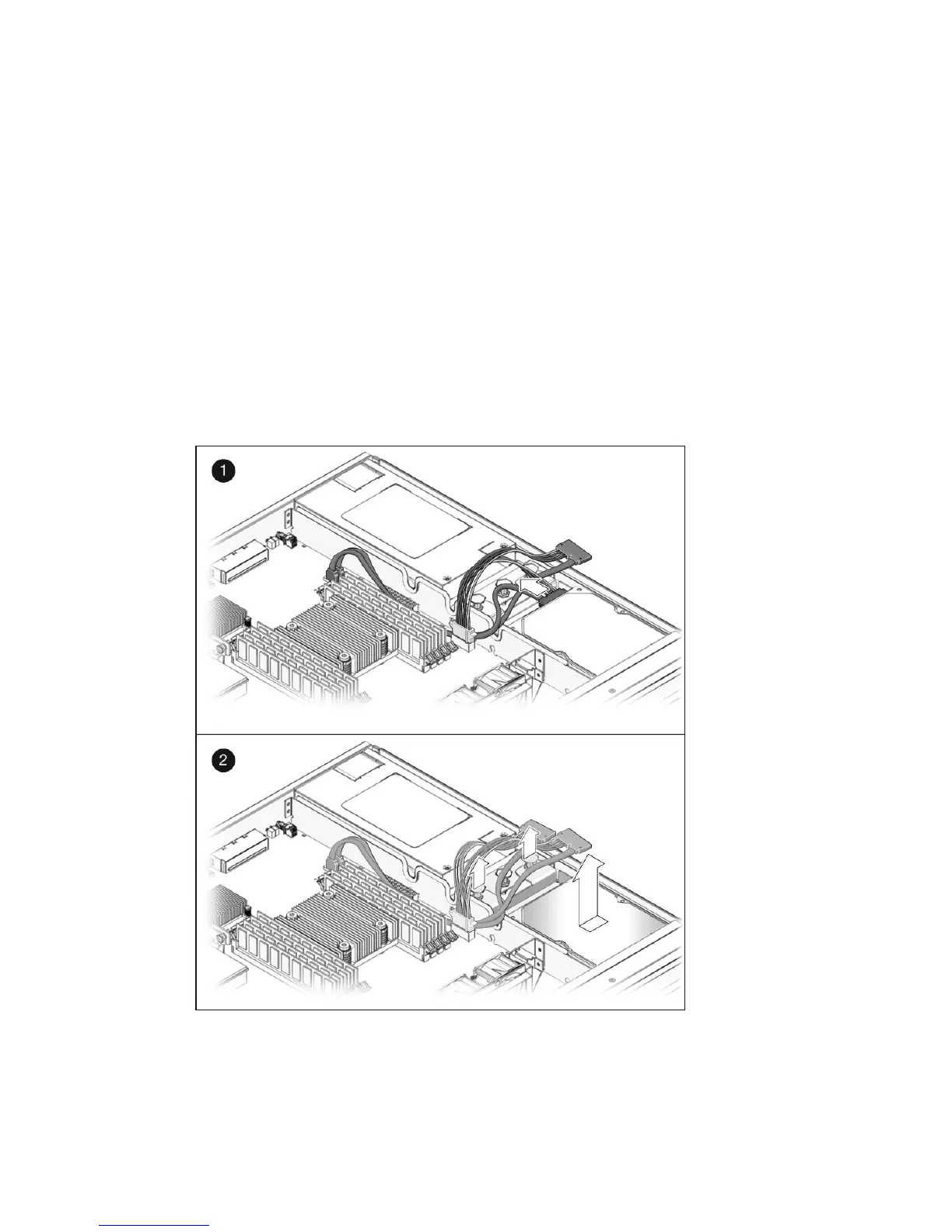
2. Disconnect the drive cable from the data/power connector at the rear of the hard
drive (
FIGURE 5-6).
3. Pull the fasteners up on the rear of the single-drive assembly and remove the
assembly from the chassis (
FIGURE 5-6).
FIGURE 5-6 Removing the Single-Drive Assembly













 To Next Page